Glass Desk Cable Management Without Drilling Anything
Glass desks punish every lazy cable habit at once — you can't drill them, you shouldn't clamp their edges, and nothing stays hidden. Here's the load-path approach that actually works, plus the price tiers that make sense.

Glass desk cable management fails for one boring, predictable reason: people treat a glass top like a wood top. It isn’t one. You can’t drill it, you shouldn’t clamp anything to its edge, and every chip and dust shadow shows from both sides at once.
The short answer: move the load to the frame. Anchor trays, raceways, and cable spines to the steel legs or cross rails using clamps or existing bolt holes. Use adhesive only for featherweight routing of a single thin cable, and treat the glass as a surface to keep clear—not a shelf for your power brick.
Do that, and a glass desk actually ends up tidier than most wood desks. Because there’s nowhere to hide a mess, you’re forced to solve it properly.
Glass Desk Cable Management Starts With Load Path, Not Adhesive
Tempered glass desktops are usually 8–12 mm thick. The material is strong in compression and weak in tension. That means it handles a distributed load across the middle of the panel far better than a concentrated load at an edge. Failure almost always starts at an edge chip or point contact—not in the middle of the sheet.
Two standards matter here. Safety glazing for furniture-scale glass is covered by ANSI Z97.1 in the US and EN 12150 for thermally toughened soda-lime glass in Europe. Both exist because tempered glass doesn’t fail gradually. It releases stored surface stress all at once and drops into small cubes. There’s no crack you can catch early.
Which brings us to the practical rule: tempered glass can’t be drilled after tempering. A hole has to exist before the glass goes through the furnace. So every bolt-on mod you’ve seen on a wood desk—a screw-in tray, a bolted power strip, a grommet you cut yourself—is off the table.
That leaves three anchor classes. The whole job is deciding which loads belong to which:
- Frame anchors. Clamps on steel legs, existing bolt holes in cross rails, hook-and-loop wrapped around a square tube. This is where mass goes.
- Surface anchors. Acrylic foam tape, adhesive-backed clips, and channels. Light routing only.
- Freestanding anchors. Floor-standing cable spines, rear modesty panels that sit on the frame, or a tray that hangs off the desk’s own crossbar. Zero attachment to the glass.
If a component weighs more than a phone charger, it goes in column one or three. That’s the entire framework—and roughly 80% of the bad glass-desk setups you’ve seen ignored it.
The One Thing Glass Does Better Than Wood Is Adhesion
Here’s the part most guides get backwards: glass is an excellent substrate for adhesive. It’s non-porous, has high surface energy, no grain, no outgassing, and no texture to starve the bond line. High-strength acrylic foam tapes are explicitly designed for high-surface-energy substrates like glass and metal. They bond to clean glass better than they bond to most finished wood.
So why do people’s glass desk clips fall off? Because they’re judging the wrong number.
Tape datasheets lead with peel adhesion—a short-term, pull-off-at-90-degrees figure. What actually kills a cable clip is static shear creep: a constant downward load held for months, at slightly elevated temperature, on a bond line that was never given time to fully wet out.
The fixes are specific and cheap:
- Prep with 70% isopropyl alcohol, not glass cleaner. Most glass cleaners leave surfactants and fragrances behind. That film is the release layer you just paid to install.
- Let the bond dwell. Most acrylic foam tapes reach final bond strength around 72 hours at room temperature. Load a clip the same afternoon, and you’re testing the weakest version of the joint it will ever have.
- Keep sustained load small. Treat roughly 0.5 lb (225 g) per adhesive point as a sane ceiling for permanent routing—one USB-C cable and a little slack. Anything heavier gets a second clip or a mechanical anchor.
- Skip silicone suction cups entirely. They hold by vacuum, lose it through micro-leaks and dust within weeks, and plasticizer migration makes the cup slick. They’re fine for a shower caddy. They are not a structural element.
- Keep adhesive away from heat. A warm power brick sitting against a taped clip turns a slow creep problem into a fast one.

The Transparency Tax Nobody Budgets For
Every other desk material hides your mistakes in shadow. Glass doesn’t. A clear top means the underside of your desk is a display case viewed from the side—and that changes what “good” cable routing looks like.
Three rules cover most of it.
Match cable color to what’s behind it, not what’s on top. A black cable under a glass desk reads as a hard silhouette against a pale floor or light wall. Matte light grey or off-white often disappears in exactly the spot where black stands out. If your floor is dark, invert it. Before you buy a 20-pack of clips and a sleeve, kneel in front of your desk and note the actual background color behind the cables.
Matte beats glossy, and opaque beats clear. Clear raceway looks like the obvious choice until you see the dust inside it under side light. Opaque matte channel in a color matched to your floor looks like nothing at all.
Keep a setback from the edges. Cables running within about 5 cm of the front or side edge throw a visible line across the panel from the viewer’s angle. Push everything rearward and inboard by 10–15 cm, and the silhouette mostly vanishes.
One more: orient your power strip with outlets facing the rear of the desk, and mount it to the rear cross rail rather than the underside of the glass. Downward-facing outlets let every plug dangle straight down in a neat row instead of fanning sideways into view.
Heat, Airflow, and the Power Brick Rule
This is where glass desks get genuinely worse than wood, and it has nothing to do with aesthetics.
A switching power supply converts roughly 85–95% of what it pulls from the wall into DC output and sheds the rest as heat. A 100 W USB-C brick can dissipate roughly 5–10 W at full load. Tuck that brick flat against the underside of a solid glass panel with no air gap, and you’ve built a small oven with a poor heat spreader. Glass conducts heat far more slowly than the aluminum desk frame it’s bolted to.
The rule that follows is simple: mount bricks to the frame, or mount them to a tray with at least a 1 cm standoff—and never sandwich them between glass and a soft surface.
Bundling is the second thermal issue. Electrical codes treat a bundle differently from a single cable. In the US, NEC 310.15(B)(3)(a) requires ampacity derating once more than three current-carrying conductors share a raceway or bundle, because each cable is being warmed by its neighbors. In a desk context, that means don’t wrap six power cords and four charging cables into one tight zip-tied sausage against an unventilated surface. Split power and data into separate bundles with air between them.
If you’re putting a PC tower or laptop dock under a glass desk, keep at least 10 cm of clearance between the intake and the floor, and don’t box it in behind a closed rear panel. A perforated or slatted panel kills the airflow problem outright. For the charging side specifically, the wattage math is worth understanding before you buy anything—check what your USB-C hub actually delivers rather than trusting the port count.
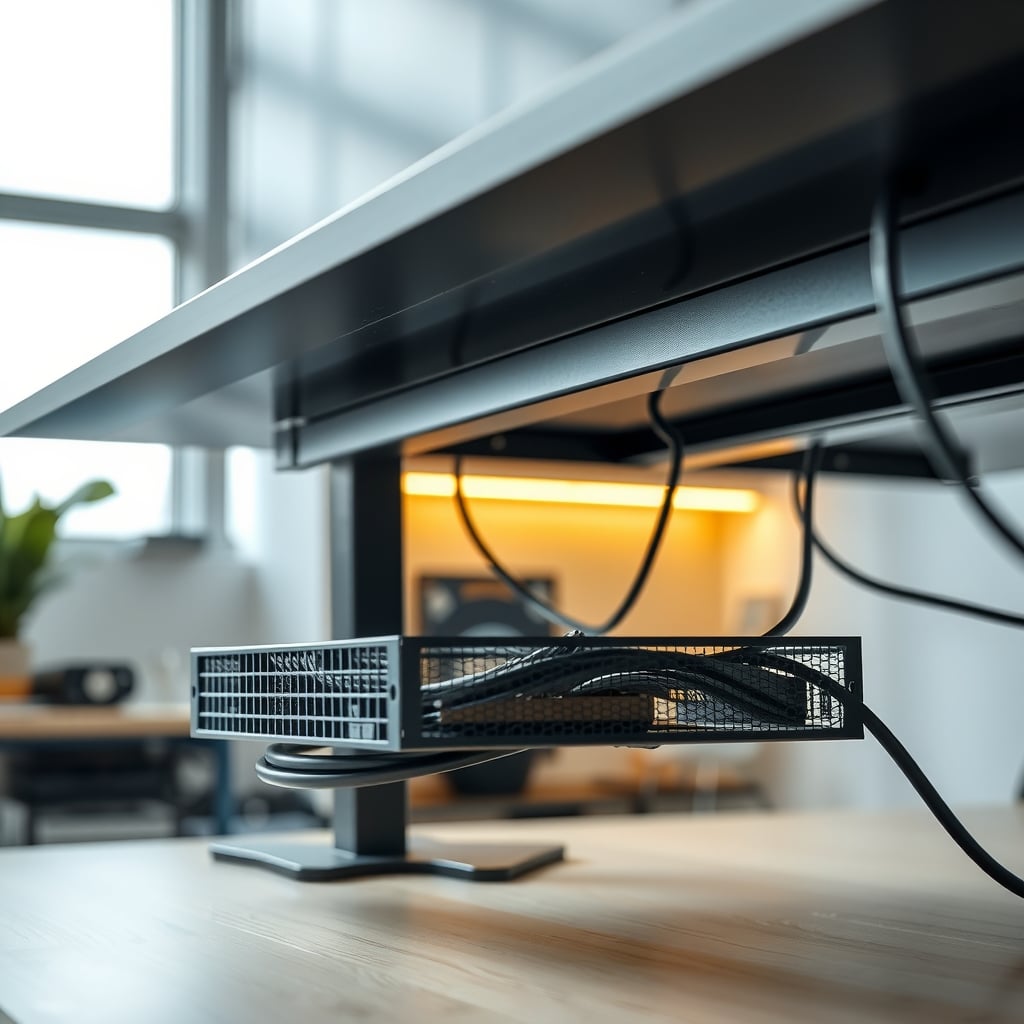
Anchor Methods Ranked by What They’ll Actually Hold
Here’s the honest comparison. Load figures are conservative working numbers for a well-prepped surface—not the marketing number on the package.
Anchor type Sustained load per point Glass-safe Reversible Typical cost How it fails Acrylic foam tape clips ~0.5 lb (225 g) Yes, surface only Yes, with heat and fishing line $8–15 for a 20-pack Shear creep when warm Adhesive-backed raceway 1–2 lb spread over length Yes, surface only Yes $12–30 per run Peels at a joint or seam Silicone suction cups Effectively zero long-term No—not structural Yes $5–10 Vacuum loss in 2–8 weeks Clamp on steel leg or rail 10–20 lb Yes, metal only Yes $15–45 Slips on round tube without a pad Bolt into an existing frame hole 20 lb+ Yes Partly $0–20 Wrong thread pitch, stripped insert Freestanding floor spine or rear panel Whatever it stands on Yes Yes $40–200 Tips if top-heavy, blocks an outlet Zip ties around the leg High, but point-loads the cable Yes Destructive to the tie $5 Crushes the jacket at the tie point Anything clamped to the glass edge Do not No — — Catastrophic failure from an edge chipTwo entries deserve a note. The clamp-on rail option is the sweet spot for glass desks with round or square steel legs—a padded clamp plus a horizontal raceway solves the entire rear run for under $50. And zip ties are fine for bundling, terrible as structure: they load the cable at a single point and can crush the jacket or violate bend radius. Hook-and-loop strap is the correct substitute at nearly the same price.
What $15, $50, and $150 Buys You on a Glass Desk
Under $15. You’re buying a solution for one problem, not the desk. A roll of hook-and-loop one-wrap strap, a sleeve or spiral wrap for a single run, and a small pack of adhesive clips will clean up a keyboard, mouse, and one charging cable. This tier can’t fix a glass desk on its own—and pretending otherwise wastes money. It’s for the last metre from device to edge.
$20–45. This is where most people should land. A clamp-on under-desk tray that grabs the rear cross rail, or a padded clamp plus a section of slotted raceway, handles the entire rear cable bundle and the power strip. Add a small basket for the power brick so it hangs with an air gap. If your desk is a standing glass model, this budget gets you the first segment of a cable spine or chain—anchor the top rail to the frame, never to the glass. The movement problem is its own article; the failure modes on a moving desk are different, and it’s worth reading before you buy hardware that a motorized leg will eat.
$50–120. Now you can solve for the eye as well as the cable. A floor-standing cable spine, a rear modesty panel in perforated steel or matte MDF, and a switched power strip mounted to the frame rather than the glass. This tier is where a glass desk stops looking like a glass desk with cables under it and starts looking deliberate.
$150+. Custom-cut acrylic or perforated steel rear panel, full articulated cable chain, and a tray system sized to the actual hardware. Worth it if the desk faces a room or appears on camera. Not worth it for a home-office corner nobody sees. And if the desk itself wobbles or flexes under load, spend $20 fixing that first—a wobbly desk will shake loose every clamp solution you install.
Six Mistakes That Show Up on Almost Every Glass Desk
1. Trying to drill it anyway. You cannot drill tempered glass after tempering. A hole must be cut before the toughening process, so a post-purchase hole is a shattered panel. Fix: frame clamps or a freestanding spine, full stop.
2. Clamping a monitor arm to the glass edge. This concentrates load at the exact location and stress state where glass fails, and the arm’s lever force adds torque to the edge. Fix: a clamp on a metal crossbar, a wall or floor mount, or a desk stand. If you’re choosing between those, the stand-versus-mount trade-off is worth a read.
3. Using zip ties as permanent structure. Every tie is a point load on the cable jacket, and you’ll cut the tie to change anything. Fix: hook-and-loop strap—adjustable, reusable, and gentler.
4. Over-tightening network or optical cable. Installation guidance for copper structured cabling typically plans for a minimum bend radius around four times the cable’s outer diameter; fiber pulls want roughly ten times. Cinch a Cat6 run into a hard 90-degree corner behind a glass desk, and you’ve created a return-loss problem you’ll blame on the switch. Fix: leave a gentle loop at every direction change.
5. Anchoring both ends rigidly. If a cable is fixed at the device and fixed at the desk edge with no slack, every desk bump pulls directly on the connector. Fix: strain relief with a service loop on the device side. This matters double for high-wattage USB-C—passive cables without an e-marker chip cap at 3 A, and the wattage rules on power delivery cables explain when you’re losing performance rather than just neatness.
6. Hiding the power strip where you can’t reach the switch. On a glass desk it’s visible anyway, so hiding it buys you nothing and costs you access. Fix: rear rail mount, outlets facing back, switch reachable by hand from a seated position.

Who Should Do This—and Who Should Walk Away
Do it if you have a glass top on a steel frame. That’s the majority of glass desks sold, and it’s the easiest configuration: clamps on the legs and cross rails, adhesive only for the final short runs, done for under $50.
Do it if you rent. Every frame-clamp and freestanding solution here is fully reversible. No holes, no residue beyond a tape patch you can lift with gentle heat.
Do it if the desk faces a room. The transparency tax is annoying, but it also means a clean result looks genuinely good from the doorway—better than a wood desk where you can pile things against the modesty panel.
Walk away if the desk is all glass with no metal clamping points. Glass-only legs, glass supports, no crossbar. You have no mechanical anchor target at all, so you’re limited to a freestanding floor spine and light adhesive routing. That’s a real constraint, and it’s worth knowing before you buy a tray that has nothing to attach to.
Walk away if you want a clamp-mounted monitor arm, a keyboard tray, or a CPU hanger bolted through the desk. Wrong substrate. Buy a desk with a metal frame and a wood or laminate top, or plan for a floor stand.
Walk away if you’re chasing silence from a mechanical keyboard on glass. Cable management won’t help. Glass reflects high-frequency sound, which is why a glass desk with a hollow steel frame rings more than a laminate one. That’s a surface and decoupling problem, not a cable problem.
The Bottom Line on Glass Desk Cable Management
Spend your money in the order that matches the physics: frame anchor first, freestanding second, adhesive third, and never the glass edge at all.
For most people, that’s a padded clamp on the rear cross rail plus a slotted raceway—roughly $25–45—and a hook-and-loop strap roll for everything downstream. That single combination solves the rear bundle, the power strip, and the dangling-charger problem, and it comes off clean when you move.
Add a $15 pack of acrylic tape clips only for the last short run from the desk edge to your keyboard and mouse. Prep the glass with isopropyl alcohol, and wait three days before you load them.
Skip the acrylic rear panel unless the desk is visible to other people. Skip suction cups entirely. Skip anything that requires a hole. And if you were hoping to clamp a monitor arm to the glass, don’t—that’s the one shortcut on this list with a genuinely bad failure mode, and no amount of careful installation changes the material’s behavior at an edge.
Handle those three decisions, and a glass desk becomes the easiest desk you’ll ever route cable on—precisely because it refuses to let you cheat.
Frequently Asked Questions
Can you drill a hole in a glass desk for cable management?
No. A tempered glass desktop cannot be drilled after the toughening process — the panel releases its stored surface stress and shatters into small cubes. Any hole has to be cut before tempering, at the factory. On a glass desk you either clamp to the metal frame, use a freestanding cable spine, or use adhesive clips rated for light loads.
What kind of adhesive actually sticks to a glass desk?
Acrylic foam tapes in the VHB class bond well to glass because it's non-porous and has high surface energy. Prep matters more than brand: clean with 70% isopropyl alcohol rather than glass cleaner, which leaves surfactant film behind. Let the bond dwell about 72 hours at room temperature before loading, and keep sustained load per clip around 0.5 lb (225 g). Silicone suction cups are not a substitute — they lose vacuum within weeks.
Can I clamp a monitor arm to a glass desk?
Not to the glass edge. Glass fails at concentrated point loads and edge chips, and a monitor arm adds lever torque to the worst possible location. Clamp to a metal crossbar or rear rail if the desk has one, or use a floor stand or wall mount instead.
Why do my cables look so much more visible on a glass desk?
A clear top silhouettes everything underneath. The fix is contrast, not concealment: choose cable and raceway colour to match what's behind the cable from the viewer's angle — often a light floor rather than the dark desk — prefer matte over glossy finishes, use opaque rather than clear channel so dust doesn't show, and keep runs 10–15 cm inboard from the front and side edges.
Is it safe to put a power strip and power bricks under a glass desk?
Safe, with airflow. Switching power supplies shed roughly 5–15% of their rated wattage as heat, and glass conducts heat poorly, so a brick pressed flat against the underside with no gap runs hot — which also accelerates adhesive failure. Mount bricks to the steel frame or to a tray with at least a 1 cm standoff, split power and data into separate bundles rather than one tight zip-tied sausage, and don't daisy-chain power strips.
How much should glass desk cable management cost?
Around $25–45 covers most setups: a padded clamp on the rear cross rail plus a section of slotted raceway, with hook-and-loop strap for bundling. A $10–15 pack of adhesive clips handles the last short run to your devices. You only need to go past $100 if you want a custom rear panel or a full articulated cable chain, and that's an aesthetic purchase rather than a functional one.
Written by
GlowRig Editorial researches and writes practical guides about desk setups and home office gear. Our articles are produced with the help of AI research tools and are reviewed for accuracy against manufacturer specifications and public user feedback. We may earn a commission from affiliate links, which never affects our recommendations.
Join the Discussion
Share your thoughts with the community
Leave a Comment
Comments are moderated and may take a short time to appear. Links are not permitted.