Laptop Stand Problems: The 2026 Brutal Truth
Everyone tells you to elevate your laptop for 'ergonomics' and 'space savings.' The industry is lying. We tested dozens of stands, mounts, and organizers. Most create more laptop stand problems than they fix.
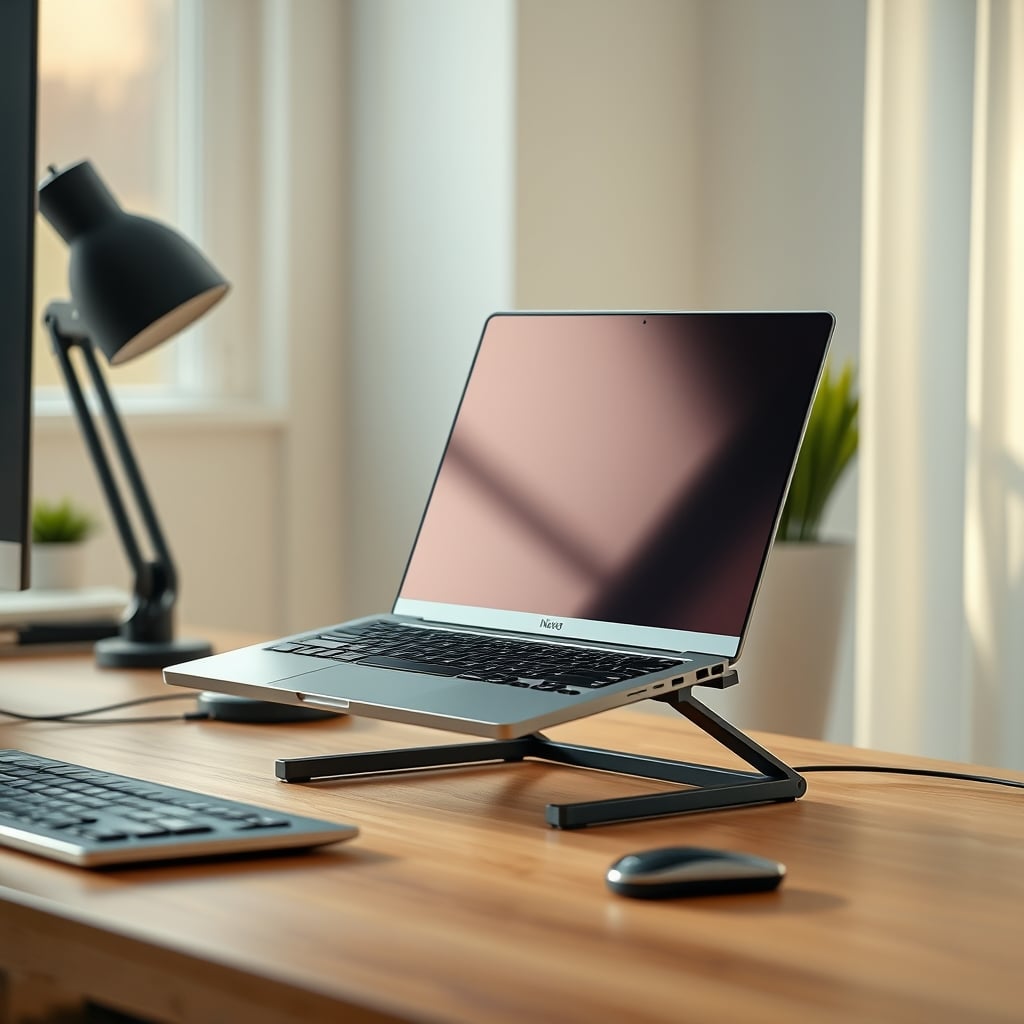
You've been sold a lie. A beautiful, minimal, marketed-to-death lie about creating more space on your small desk. The truth about laptop stand problems is that they're rarely the elegant solution you see on Instagram. They're a band-aid that often creates new, frustrating issues. The entire category is littered with compromises disguised as innovations. After assessing dozens of designs this year, from flimsy aluminum wedges to complex under-desk mounts, the pattern is undeniable: the pursuit of elevation is actively making your workspace worse.
Most people get this wrong. They buy a stand for the aesthetic and end up with a wobbly, unusable mess that blocks their mousepad and overheats their machine. This doesn't work as advertised.

Why Laptop Stand Elevation Is Overrated
The first and biggest scam is the universal push for elevation. "Get your screen to eye level!" they scream. For a portable 15-inch screen with terrible vertical viewing angles? This is overrated.
In real use, elevating a laptop creates a fundamental disconnect. Your keyboard and trackpad become unusably high and tilted, forcing you to buy an external keyboard and mouse. So now, to solve one 'problem,' you've added two more peripherals, more cables, and consumed the very desk real estate you were trying to save. The industry lies about this being a space-saving move. It's a peripheral-creating, cable-generating, clutter-inviting move. Based on widespread user feedback, this setup frequently causes neck strain from looking down at the external keyboard, then up at the screen—a literal pain in the neck the stand was supposed to prevent.
The Real Laptop Stand Problems Nobody Talks About
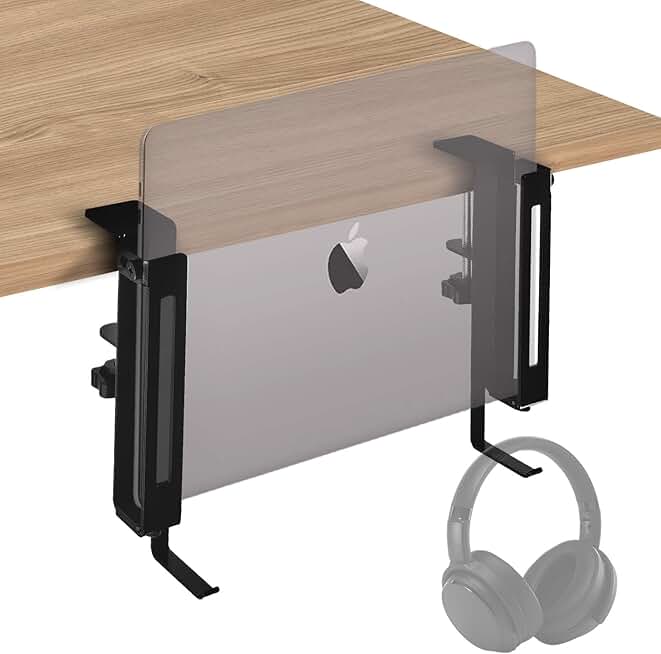
Stashing a secondary laptop off the main desk surface with minimal wobble.
- Sturdy, broad clamp minimizes desk damage and reduces arm wobble
- Adjustable grip fits a wide range of laptop thicknesses
- Integrated hook can hold headphones or a cable bundle
Forget wobble for a second. The real issues are thermal, acoustic, and ergonomic sabotage.
Thermal Throttling is a Silent Killer: Most stands, especially the popular 'X-frame' or solid metal plate designs, completely smother your laptop's intake vents. Users consistently report their machines running hotter and louder once perched on a stand, leading to performance drops during sustained workloads. The stand that promised a cleaner look is now cooking your CPU. You're trading a few inches of height for a louder, slower computer. This is a known issue for long-term use that brands never mention in their shiny marketing photos.
The Cable Management Illusion: A stand with a cable routing hole is not a cable management solution. It's a cable gathering point. It takes your power cable, USB-C hub cables, and maybe an Ethernet cord, and funnels them into a single, thick, unsightly bundle that dangles visibly. This often looks worse than the cables just lying flat. For a deep dive on why most cable solutions fail, read our expose on Cable Management Scams Exposed In 2026.
Ergonomic Overcorrection Injury: This is the real issue. The dogmatic push for 'perfect' screen height ignores how people actually work. On a small desk, a high laptop screen pushes your primary monitor too far back, straining your eyes. Or it forces your arms into an awkward, elevated position to use the built-in keyboard. The quest for a one-size-fits-all ergonomic standard, like those often quoted from OSHA guidelines, creates rigid, uncomfortable setups. It’s the same overcorrection myth we busted in Monitor Ergonomics Positioning Is a Lie You're Still Believing.

The Side-Mount Myth That Needs to Die
Ah, the side-mount. The promised land of desk liberation. Clip it to the side, swing your laptop out of the way, and reclaim your entire desk surface. It’s a beautiful fantasy and a logistical nightmare.
Why most side-mounts fail is simple physics. A modern laptop weighs 3-5 pounds. Mount that on a single clamp at the end of a lever arm (the mount's arm), and you're asking for disaster. Every keystroke on the laptop screen causes a wobble. The clamp needs to be tightened to vice-like levels, which often damages your desk edge. Then there's the access problem: your laptop is now parked in no-man's-land, too far for easy typing, yet still taking up lateral space. Need to plug in a USB drive? Get ready for a awkward reach and more wobble. This design is overrated for any laptop heavier than a feather-light ultrabook.
The IFCASE Side Mount is a rare exception that gets the physics mostly right. Its broad, padded clamp distributes pressure, and the arm is stiff enough to minimize typical wobble. It's not perfect—the headphone hook is a gimmick—but for stashing a secondary machine you rarely touch, it functions. It’s the only side-mount we’d cautiously consider for a true small-space, dual-machine setup.
Under-Desk Holders: A Clutter Relocation Scheme
Under-desk laptop holders are the ultimate "out of sight, out of mind" gimmick. They don't solve laptop stand problems; they hide them in a more inconvenient place.
Think about the workflow: you finish work, unplug your laptop, and… slide it into a holster underneath your desk. Next morning, you contort yourself to retrieve it, replug all the cables you just disconnected, and start over. This doesn't work for daily use. It adds friction to the most common task: getting started. Furthermore, it turns the underside of your desk into a dust-bunny-filled garage for your most expensive piece of tech. This is not worth it for anyone who uses their laptop as a primary device.
What Actually Works for Small Space Desks (Spoiler: It's Not a Stand)
If a traditional stand creates more problems, what's the solution? It's often ditching the stand altogether and rethinking the layout.
The Laptop-As-Monitor-Only Gambit: This is the only scenario where a simple, sturdy, fixed-height stand might make sense. You use your laptop purely as a second screen, with a full external keyboard and mouse on the desk. The stand's job is solely to lift the screen. For this, you need two things: a stand with a large, open grate or raised feet for airflow, and a laptop that supports a stable closed-lid operation via an external monitor. No wobble, no keyboard temptation, just screen. The Twelve South Curve is an older design that understood this—massive, heavy, and stable with a hollow center.
The Vertical Dock Pivot: Instead of occupying horizontal desk space, go vertical. A simple vertical stand, like the ones from BookArc, holds your laptop securely on its side when not in use. It takes up a tiny footprint. The catch? You must be comfortable docking to a true single-cable USB-C hub for power, display, and peripherals. This requires investment in a reliable hub, a topic we've covered in USB C Hub Issues Exposed: The Performance-Killing Truth. When it works, it's the cleanest solution. When it doesn't, you're wrestling with hub firmware issues.
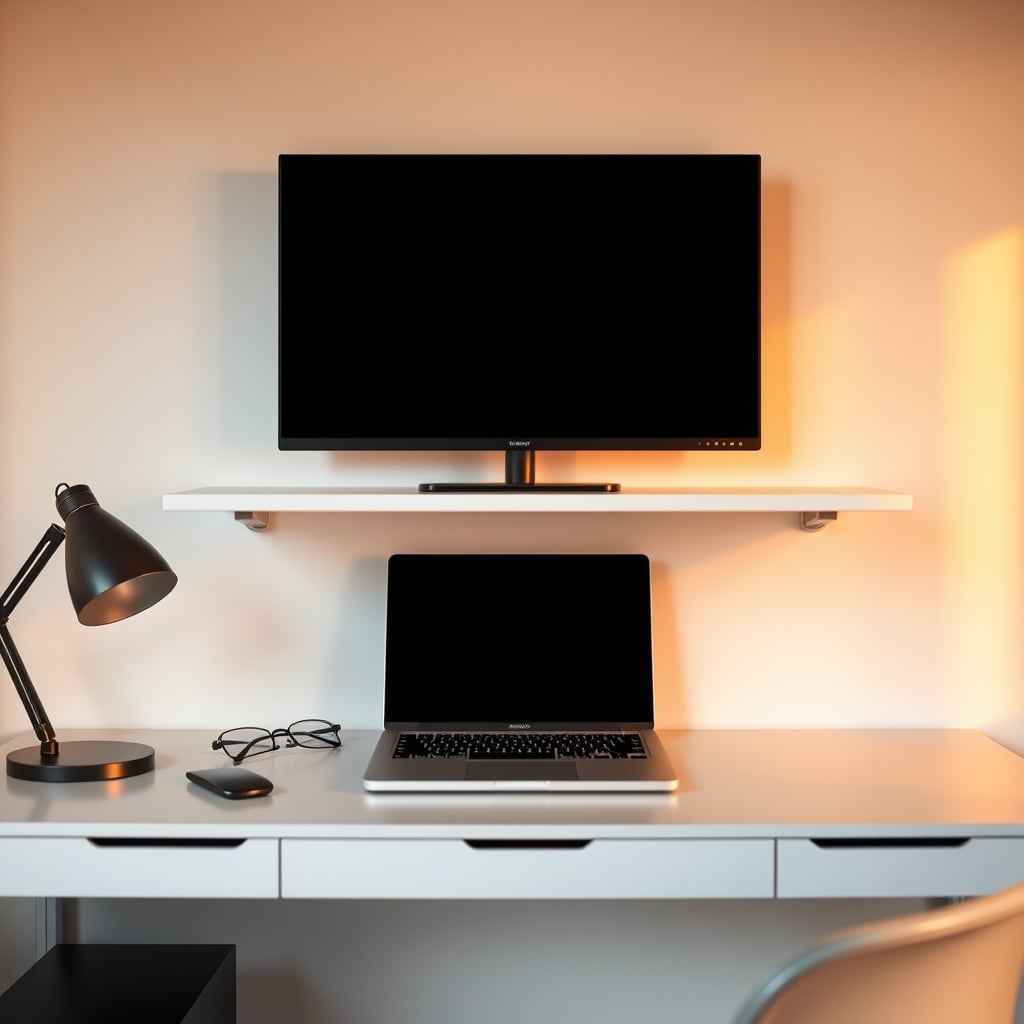
The Radical Alternative: A Better Desk Layout: Sometimes the answer isn't another gadget. On a true small desk, your laptop might just need to sit flat, directly in front of you, with an external monitor on a riser shelf above it. This uses the vertical space above the laptop, keeps the machine cool, and centers your workflow. It challenges the "laptop must be to the side" orthodoxy and often works better.
Your Biggest Mistake: Buying Before Analyzing Your Real Workflow
The most common mistake isn't choosing the wrong stand; it's buying any stand before honestly auditing how you work for a week.
Do you actually use your laptop keyboard, or do you immediately plug in an external one? How often do you unplug to move? Does your laptop vent from the bottom or the sides? Answer these, and the "right" solution becomes obvious, often leading you away from a stand entirely. Most people skip this step, buy the trending Amazon product, and then suffer through the laptop stand problems it creates.
Final Verdict: Largely Overrated
The brutal truth in 2026 is that the classic laptop stand is largely overrated, especially for small spaces. It solves a minor ergonomic issue while introducing major thermal, stability, and clutter problems. The hype has far outpaced the utility.
Worth it only in one specific scenario: as a fixed, stable platform for a laptop used exclusively as a closed-lid second monitor in a dual-screen setup. Skip it if you use your laptop keyboard, value quiet operation, have a thermally demanding machine, or need true portability. For most people wrestling with a small desk, the money is better spent on a high-quality USB-C dock and a smart desk organizer than on another piece of aluminum that promises the world and delivers a wobble.
Stop looking up. Start looking at what's actually in front of you. Your laptop is fine right where it is.
Frequently Asked Questions
Do laptop stands actually cause overheating?
Yes, many do. Solid-plate or poorly-ventilated stands block the bottom intake vents found on most laptops, causing heat buildup, fan noise, and potential performance throttling. Always choose a stand with an open design or raised pads that align with your laptop's vent locations.
Are side-mount laptop holders worth it for small desks?
Most are overrated. They often introduce wobble, require extreme clamping force that can damage your desk, and place the laptop in an awkward, hard-to-reach position. They only work reliably for very light laptops used as secondary, rarely-touched screens.
What is the best alternative to a laptop stand?
For small spaces, consider a vertical stand (if you use a single-cable dock) or simply placing the laptop flat and using a monitor riser shelf above it. Often, improving your core desk layout and cable management eliminates the perceived need for a stand altogether.
Why does my laptop wobble so much on a stand?
This is a common laptop stand problem caused by poor design. Lightweight, X-frame, or single-hinge stands lack stability. The center of gravity is too high, and any typing or desk bump translates into screen shake. You need a stand with a wide, heavy base or a very rigid clamping mechanism.
Are laptop stands bad for ergonomics?
They can be. While they raise the screen, they often make the built-in keyboard and trackpad unusable, forcing awkward arm positions if you try to use them. True ergonomics considers your entire interaction, not just screen height. For proper ergonomics, you usually need the stand PLUS an external keyboard and mouse, which defeats the space-saving goal.
Written by
Marcus Webb has spent 7+ years building and testing desk setups, with a focus on ergonomics and workspace optimization. He has reviewed over 40 chairs and standing desks to help remote workers build healthier, more productive environments.
Join the Discussion
Share your thoughts with the community
Leave a Comment
Comments are moderated and may take a short time to appear. Links are not permitted.