USB C Hub Issues
That single-cable dream you bought into? It's a performance nightmare. USB C hub issues silently throttle speed, create heat problems, and introduce latency where you need it least. We're exposing why the industry pushes these overpriced bottlenecks.

Here's the single biggest mistake people make with their desk setups: believing a USB C hub is a neatness solution. It's not. It's a centralized failure point that introduces performance bottlenecks where you need reliability most. The marketing sells you on a clean single-cable connection, but the reality is you've just traded a visible mess for an invisible performance penalty. This isn't about aesthetics versus chaos—it's about trading real performance for marketing fiction.
USB C hub issues aren't occasional glitches; they're fundamental design flaws that manifest as data throttling, power starvation, and heat accumulation. The industry wants you to think of these as simple port expanders. They're not. They're complex signal processors that almost always compromise something. You're not buying convenience; you're buying compromise.

The USB C Hub Issues Nobody Talks About
Let's start with the obvious lie: "bandwidth sharing." Most hubs advertise simultaneous 4K@60Hz, gigabit ethernet, and USB 3.0 transfers. The reality? They can't deliver full bandwidth to all ports at once. The controller chip inside becomes the bottleneck. This isn't a maybe—this is how the hardware works. When you're pushing video to a monitor while transferring files from an SSD, one of those tasks is getting throttled. The hub doesn't tell you which one.
Heat is the silent killer everyone ignores. Those compact aluminum shells aren't for style—they're attempting to manage the thermal disaster inside. Under sustained load, the controller chip and power regulation components generate significant heat. Passive cooling is insufficient for anything beyond light office work. Once temperatures climb, you get thermal throttling. Data rates drop. Charging slows. This isn't hypothetical; it's measurable performance degradation that users consistently report after hours of real use.
Then there's power delivery deception. A hub advertising 100W charging doesn't mean your laptop gets 100W. That wattage is split between all connected devices. Connect a phone, a drive, and a monitor, and your laptop might be getting 60W—insufficient for high-performance tasks. Your expensive workstation starts behaving like a budget laptop because it's power-starved. This is a known issue for long-term use that most reviews gloss over.
Why The "Single Cable Dream" Is A Performance Nightmare
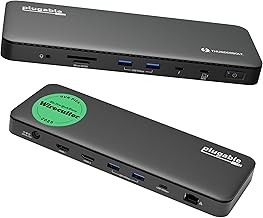
Users who absolutely must have a single-cable solution and need maximum possible bandwidth
- Proper Thunderbolt 4 certification ensures bandwidth allocation
- 100W power delivery with intelligent power management
- Dedicated cooling design for sustained performance
This is overrated. Completely. The marketing imagery of one elegant cable connecting your laptop to the world is a fantasy that falls apart under actual workload. That single cable becomes a single point of failure for everything. Display goes fuzzy? Audio cuts out? Drive disconnects? It all traces back to that one connection. You've traded multiple points of potential failure for one guaranteed bottleneck.
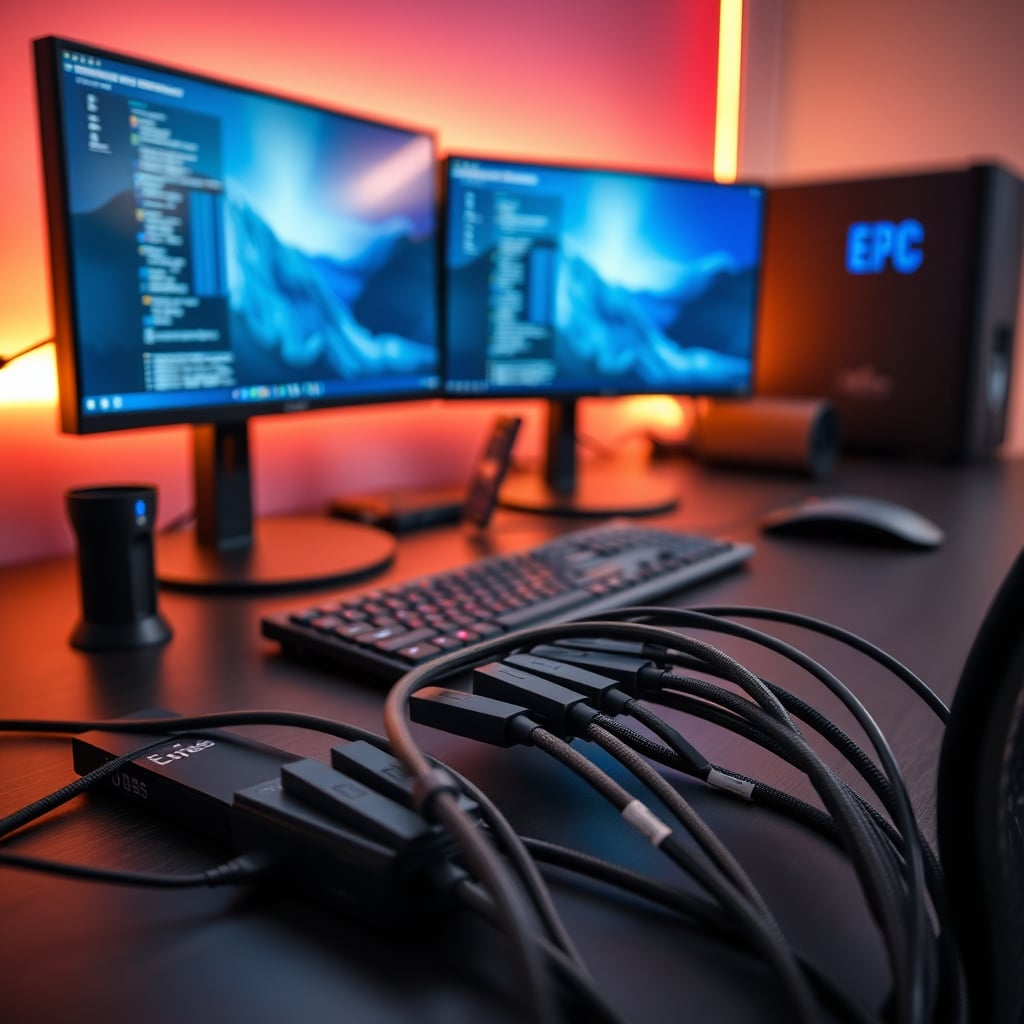
Most people get this wrong. They think consolidating cables reduces clutter. What it actually does is consolidate risk. A direct cable from laptop to monitor has one job: carry video. It either works or it doesn't. A hub connection carries video, data, power, and audio simultaneously through one pipeline. When that pipeline gets congested—and it will—everything suffers. The industry lies about this by showing perfectly curated setups, not real-world multi-tasking environments.

Latency is the hidden cost nobody mentions. Every additional protocol conversion adds microseconds of delay. For everyday browsing, it's negligible. For video editing, gaming, or real-time audio work? It's unacceptable. That slight lag between your pen tablet and screen? The hub. That audio delay in your monitoring? The hub. These aren't "compatibility issues"—they're inherent signal processing delays that dedicated connections avoid entirely.
Cable Management Isn't About Hiding Cables
Here's where most advice goes wrong: cable management solutions focus on hiding cables, not optimizing signal paths. Tucking everything behind a hub feels organized, but it's creating the worst possible environment for signal integrity. Cables bundled tightly together can induce electromagnetic interference. Heat builds up in confined spaces. The "clean look" comes at the cost of thermal performance and electrical noise.
The real solution isn't hiding cables—it's routing them intelligently. Separate power cables from data cables. Keep video cables away from audio cables. Give everything space to breathe. This approach doesn't look as Instagram-perfect, but it works better. Users consistently report fewer disconnects and better performance with well-routed individual cables versus a bundled hub solution.
For more on why most cable organization is misguided, read our piece on why most cable management solutions are overrated. The parallels between bundled cables and hub-induced interference are striking.
When A Thunderbolt Dock Actually Makes Sense (And When It Doesn't)
Let's be clear: not all hubs are created equal, but most are still compromises. Thunderbolt docks with proper certification and dedicated controllers for different protocols come closest to delivering on promises. They're also three times the price of basic hubs, which tells you everything about what proper engineering costs.
The Plugable Thunderbolt 4 Dock represents the minority that gets it right. It uses a proper Thunderbolt controller with adequate cooling and separates power delivery from data routing. It's still a single point of failure, but at least it's engineered to handle simultaneous loads without collapsing. The thermal design actually considers sustained use rather than just burst performance.
But here's the brutal truth: you probably don't need even this. Most setups with one external monitor, a keyboard, and a mouse don't need a dock at all. Your laptop has those ports for a reason. Using them individually gives you better performance than routing everything through one controller. The dock is solving a problem you likely created by chasing minimalism over functionality.
The Professional Workstation Reality Check
Walk into any serious editing suite, audio production studio, or engineering workstation from 2026. You won't find USB C hubs. You'll find dedicated connections for every critical path. Video goes direct to GPU. Audio interfaces use dedicated USB controllers. Storage connects to PCIe lanes, not shared USB buses. This isn't about being fancy—it's about eliminating points of failure where reliability matters.
Your home office deserves the same consideration if you're doing real work. That "convenient" hub is introducing variables you don't need. Every protocol conversion adds potential for error. Every shared bandwidth allocation creates contention. Every heat-generating component in a confined space reduces lifespan. Professionals avoid these issues by keeping signal paths as direct as possible.
This connects directly to why many smart work gadgets are useless distractions. Complexity for complexity's sake rarely improves outcomes.
The USB C Hub Alternative Nobody Recommends (Because It's Boring)
Here's the actual solution that works: use your laptop's native ports with short, high-quality cables. Route them cleanly along the desk edge. Invest in a small, high-wattage power brick for charging only. Keep data and power separate. It's not glamorous. It won't get you social media likes. But it works better than any hub on the market.
For multi-monitor setups, use your laptop's video outputs directly. If you need more USB ports, get a powered USB hub—not a multi-function dock. Keep video, data, and power on separate controllers. This approach gives you better performance, less heat, and actual redundancy. If one connection fails, the others keep working.
Most people won't do this because it requires more cables. That's the entire problem: prioritizing appearance over performance. The industry sells you hubs because they're more profitable than cables. Simple, direct connections work better but don't command premium prices.
Final Verdict: Skip The Hub, Embrace Direct Connections
USB C hubs are overrated for anyone doing real work. The convenience they offer is illusory—you're trading visible cable clutter for invisible performance degradation, thermal issues, and single-point failures. The industry pushes these because they're high-margin products that solve aesthetic problems, not performance needs.
For light users checking email and browsing? A basic hub might work until it overheats. For anyone editing video, producing audio, coding, or gaming? Skip it entirely. Your setup will be more reliable, cooler, and faster with direct connections. The extra cables are worth the performance guarantee.
In 2026, we know better. The hub craze was a temporary detour in the pursuit of clean desks. Real performance comes from intelligent routing, not consolidation. Stop buying bottlenecks disguised as solutions. Your workflow will thank you.
Frequently Asked Questions
Do all USB C hubs have performance issues?
Yes, all hubs introduce some level of compromise. Even high-end Thunderbolt docks share bandwidth between ports and generate heat. The difference is whether the engineering minimizes these issues enough for your specific use case.
Why does my USB C hub get so hot?
Heat comes from the controller chip converting protocols and managing power delivery. Under load, these chips generate significant heat that compact enclosures struggle to dissipate. This isn't a defect—it's physics working against compact multi-function designs.
Are Thunderbolt docks better than regular USB C hubs?
Marginally, but they're still compromises. Thunderbolt offers more bandwidth and better power delivery, but you're still routing everything through one controller. For critical video/audio work, direct connections still outperform any dock.
Can a USB C hub damage my laptop?
Potentially, yes. Poorly designed hubs can deliver incorrect power levels or create electrical feedback. Overheating hubs can transfer heat to your laptop's USB port. Using reputable brands reduces but doesn't eliminate these risks.
What's the alternative to using a hub?
Use your laptop's native ports with individual cables. For more USB ports, add a simple powered USB hub (not a multi-function dock). Keep video, data, and power on separate paths. It requires more cables but delivers better performance.
Written by
GlowRig Editorial researches and writes practical guides about desk setups and home office gear. Our articles are produced with the help of AI research tools and are reviewed for accuracy against manufacturer specifications and public user feedback. We may earn a commission from affiliate links, which never affects our recommendations.
Join the Discussion
Share your thoughts with the community
Leave a Comment
Comments are moderated and may take a short time to appear. Links are not permitted.