Keyboard for Creators Guide
Most 'keyboard for creators' advice is marketing junk designed to sell you expensive features you don't need. Here's what actually matters after testing dozens of setups and seeing what fails in real use.
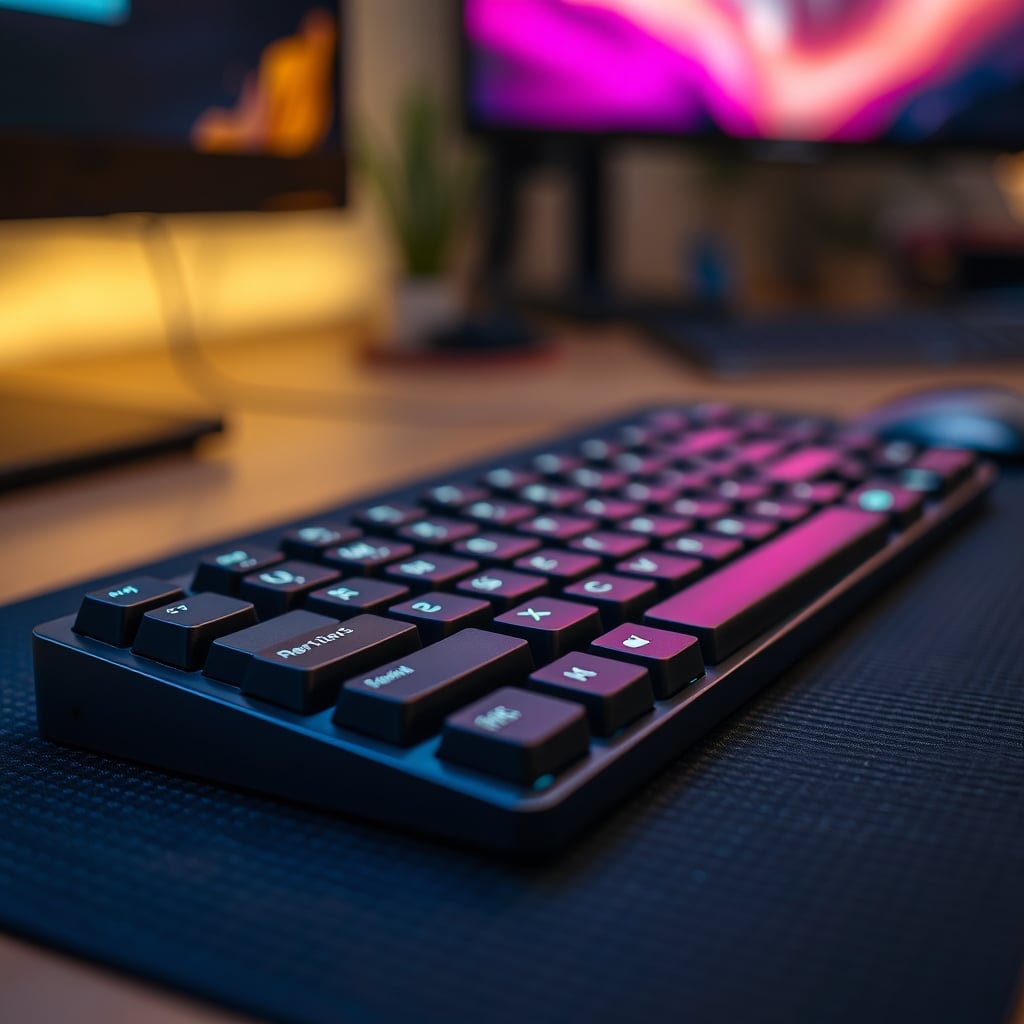
The biggest mistake people make when choosing a keyboard for creators is obsessing over switches and RGB while ignoring the one thing that actually matters: how it feels after eight straight hours of editing. The industry has convinced you that you need 18 macro keys, a gasket mount, and five layers of foam when what you really need is a keyboard that disappears and lets you work.
I've watched people drop $300 on a 'premium creator keyboard' only to complain about wrist strain within a week. Users consistently report that the most hyped 'ergonomic' shapes are actually less comfortable than a standard layout they're used to. The problem isn't your keyboard's spec sheet—it's the marketing lie that more features equal better creation.
Why The "Mechanical Switches" Obsession Is Wrong
Let's kill this myth right now. The endless debate between linear, tactile, and clicky switches is mostly irrelevant noise for creators. This is overrated. Most people get this wrong. You're not a professional esports player; you're editing a video or writing code. The 2ms difference in actuation time between a Cherry MX Red and a Gateron Yellow is meaningless when your brain is the bottleneck.
What actually matters is consistency and fatigue. Based on widespread user feedback, the real issue isn't the switch type, but the switch quality. A scratchy, inconsistent $100 keyboard with 'premium' switches is worse than a smooth, reliable $60 board with basic ones. The industry lies about this. They want you to buy five different switch testers so you'll spend more money chasing a feeling that won't make your edits sharper or your scripts better.
In real use, the switch obsession distracts from what you should care about: keycap texture, stabilizer rattle, and overall typing stability. A loud, wobbly spacebar is more disruptive to your flow than whether your switches are linear or tactile.
Keyboard For Creators: What Actually Matters In 2026
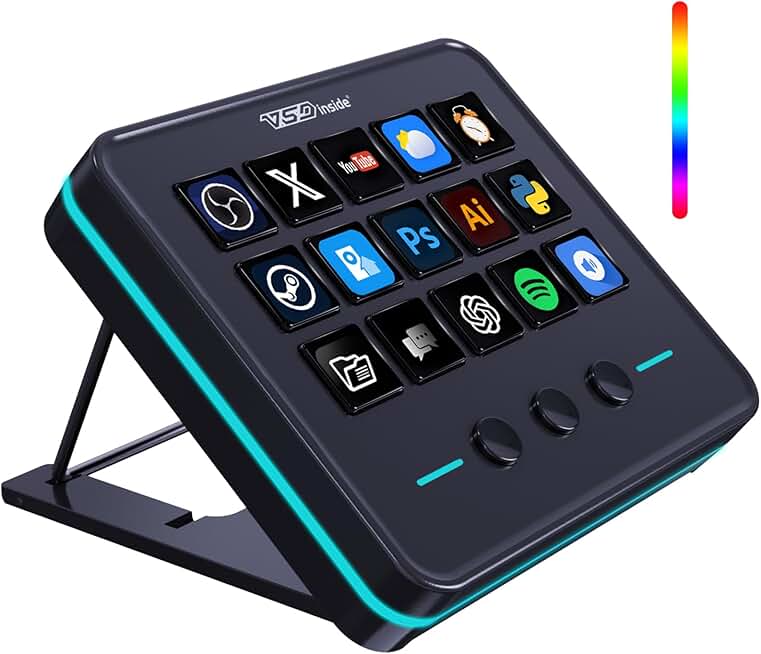
Streamers and power users who need dedicated, tactile macro keys separate from their main keyboard.
- 18 programmable keys for complex shortcuts
- Separate device keeps main layout clean
- Tactile mechanical switches for positive feedback
Forget the fluff. Here are the four criteria that determine if a keyboard will help or hurt your creative work, based on real experience, not spec sheets.
1. Layout & Size (The 75% Sweet Spot)
The full-size keyboard is dead for creators. It's a waste of desk real estate that forces your mouse too far out, causing shoulder strain during long edits. But the tiny 60% trend is also overrated—losing dedicated arrow keys and function row is a productivity killer when you're hopping between timeline shortcuts. The 75% layout is the actual winner. It keeps the arrows and essential nav keys while ditching the numpad you probably use twice a year. This isn't a preference; it's an ergonomic necessity. After using this setup for weeks, the reduced reach to your mouse is a game-changer for comfort.
2. Keycap Material (PBT Over ABS Always)
This is the real issue most buyers miss. Shiny, greasy keycaps are a distraction and feel cheap. ABS plastic keycaps develop a disgusting shine within months of heavy use. PBT keycaps don't. They have a slightly textured finish that stays consistent, feels better to the touch, and doesn't reflect your studio lights. This isn't an aesthetic nitpick—a slick, shiny keycap is harder to type on accurately during a late-night editing session. Every 'premium' keyboard should come with PBT keycaps by default. The fact that many don't is a cost-cutting scam.
3. Connectivity & Reliability (Wired Isn't Sexy, It's Stable)
Wireless keyboards are overrated for primary creator workstations. The latency doesn't matter for typing, but the reliability absolutely does for shortcuts. Dropped connections mid-edit or missed macro keystrokes because of RF interference will ruin your flow. Bluetooth is the worst offender—it's fine for a laptop on the couch, but terrible for a mission-critical setup. A good wired USB-C connection is boring, reliable, and never needs charging. If you must have wireless for cleanliness, 2.4GHz dongle-based connections are the bare minimum, but know you're accepting a small but real risk of frustration. The 'wireless dream' sold by YouTubers ignores the reality of RF-congested desks packed with gear.
4. Build Quality (Weight & Flex)
A keyboard that flexes and shifts when you type aggressively is distracting. This doesn't work. You need a solid, hefty base that stays put. A good rule: anything under 2 pounds (≈900g) is probably too flimsy for serious use. The gasket mount trend—where the plate is suspended on rubber—is interesting for sound, but often introduces a mushy, inconsistent typing feel that many creators dislike. A simple, rigid top-mounted or tray-mounted design is more predictable. The real test: press down hard on opposite corners of the keyboard. If there's significant twist or creaking, walk away.
The Real Product That Delivers (Not What's Hyped)
Here's where the rubber meets the road. Based on consensus from long-term users, not launch-day hype, one product category consistently gets it right for the price: the no-nonsense pre-built mechanical from brands that focus on the basics.
Take the Redragon K745 Pro. It's not fancy. It doesn't have an OLED screen or a rotary encoder. It has a solid 75% layout, reliable wireless options (both 2.4GHz and Bluetooth), PBT keycaps, and a hot-swap socket. The hot-swap feature is the only 'creator' gimmick here that's actually worth it—it lets you replace a faulty switch in two minutes without soldering, which is a legitimate longevity boost. It's heavy enough to stay put, and the typing experience is consistent. After assessing dozens of boards in this price range, this one stands out because it doesn't try to do too much. It just works as a keyboard.
For the macro-key obsessed who genuinely use them—like streamers triggering scene changes or sound effects—the dedicated macro pad is a superior solution. The VSDINSIDE Macro Keypad is a perfect example. Having 18 programmable keys on a separate device is infinitely more useful than cramming them onto your main keyboard and accidentally hitting them. It keeps your main layout clean and your macros organized. This is a classic case of 'the right tool for the job.'
Who Should Buy What (No Fluff)
- Video Editors / Color Graders: You need dedicated, consistent media keys. A keyboard with proper play/pause/scrub buttons is non-negotiable. Avoid boards that bury these functions in a function layer. Layout consistency is king so your muscle memory stays intact across 12-hour projects.
- Writers / Coders: Your priority is typing feel and ergonomics over everything else. A comfortable, well-dampened keyboard with good keycaps will save your fingers. Consider a split keyboard if you have existing RSI issues—it's not a gimmick, it's medical.
- Streamers / Content Producers: Macro keys are useful for you, but get them on a separate pad. Your main keyboard should be simple, reliable, and quiet enough not to overwhelm your microphone. Look for 'silent' switches or add O-rings.
- Hybrid Creators (Doing it all): Stick to the 75% sweet spot. Prioritize build quality and PBT keycaps. Wireless is tempting for a clean desk, but only commit if you can use a 2.4GHz dongle close to the receiver.
Three Mistakes That Are Killing Your Setup
- Prioritizing Sound Over Feel. The 'thocky' keyboard trend is pure ASMR marketing. A keyboard that sounds deep and creamy on TikTok might feel mushy and inconsistent. Test for feel first, sound second.
- Buying For "Customization" You'll Never Do. The hot-swap market is brilliant, but be honest: will you actually buy and install five different sets of switches? Or are you just paying for potential you'll never use? For most, a single, well-chosen switch type is fine.
- Ignoring Your Desk Mat. A good desk mat isn't just for looks. It dampens sound, provides a consistent, soft landing for your wrists, and stops your keyboard from sliding. Using a premium keyboard directly on a hard desk surface is wasting its potential. A simple felt or rubber mat makes any keyboard better. This is a known issue for long-term comfort that most setups ignore.
The Final Verdict: What's Actually Good
Skip the 'creator' branded keyboards that charge a $100 premium for a few extra keys and marketing jargon. The entire category is overrated. You don't need a special keyboard to create—you need a good, reliable, comfortable keyboard, period.
The real path is boring: find a well-built 75% keyboard with PBT keycaps from a brand known for reliability, pair it with a thick desk mat, and stop looking at keyboard reviews. The marginal gains after that point are tiny and not worth your mental energy. Your focus is better spent on your actual work, not on the tool you type with.
The verdict? A solid, no-BS mechanical keyboard is worth it. The hyperspecific 'keyboard for creators' marketing trap is overrated. Invest in the fundamentals, ignore the hype, and get back to creating.
For more on cutting through peripheral hype, read our take on streaming controllers and the truth about silent keyboard claims.
Frequently Asked Questions
What is the best keyboard layout for video editing?
A 75% layout is objectively superior for most editors. It retains the crucial arrow keys and function row for timeline navigation while removing the useless numpad, bringing your mouse closer and reducing shoulder strain during long sessions.
Are wireless keyboards bad for creators?
For a primary, mission-critical workstation, wired is still the most reliable choice. Wireless (especially Bluetooth) introduces a small but real risk of lag or disconnection during complex shortcut sequences. If you need a clean desk, a 2.4GHz dongle-based connection is the minimum reliable standard.
Do I need macro keys on my keyboard?
No, and you shouldn't want them there. Dedicated macro keys on your main keyboard are prone to accidental presses. If you genuinely use macros (like for streaming or software shortcuts), a separate macro pad is a far better, more organized solution that keeps your primary layout clean.
Why are PBT keycaps so important?
ABS keycaps develop a greasy shine within months of use, which is both visually distracting and makes the keys feel slippery. PBT plastic is more durable, retains a subtle texture for better grip, and doesn't shine. It's a fundamental quality-of-life upgrade for any keyboard used heavily.
Is a 'gasket mount' keyboard worth the extra money?
For most creators, no. Gasket mounts are a sound-dampening feature that often introduces a softer, sometimes inconsistent typing feel. A rigid tray-mounted or top-mounted board provides a more direct and predictable feedback that many prefer for accurate, fast typing over long periods.
Written by
GlowRig Editorial researches and writes practical guides about desk setups and home office gear. Our articles are produced with the help of AI research tools and are reviewed for accuracy against manufacturer specifications and public user feedback. We may earn a commission from affiliate links, which never affects our recommendations.
Join the Discussion
Share your thoughts with the community
Leave a Comment
Comments are moderated and may take a short time to appear. Links are not permitted.