Desk lighting automation that feels natural not robotic
Most desk lighting automation fails because it reacts to the clock instead of the room. This guide breaks down the triggers, dimming specs, and control layers that make automated light feel calm instead of corporate.
Here’s the edited version, with tighter pacing, clearer transitions, and a few technical terms defined without slowing the article down.
Good desk lighting automation should disappear. If your lights snap from daylight to amber at a fixed time, strobe during video calls, or leave you hunting for a switch, the automation is working against the room. The fix isn’t more gadgets; it’s fewer triggers, slower transitions, and dimming that respects how LED drivers actually behave. In practical terms, desk lighting automation works best when it follows ambient light and occupancy—not a rigid clock—and when every automated scene still has a physical override.
That’s the short answer: automate the layers, not the whole desk. A warm bias light behind the monitor, a focused task light, and one soft accent should run on separate rules. When they all flip together, the room reads like a showroom demo. When they fade in sequence, it reads like a room.
Why Desk Lighting Automation Feels Robotic After a Week
Most first attempts fail because they trigger on a clock instead of a condition. A 6 p.m. sunset scene is great in November and wrong in June. If the room still has daylight, 2700K at 40% looks muddy. If the room is already dark, 4000K at 100% feels like a dentist’s office. The automation isn’t wrong about the time. It’s blind to the room.
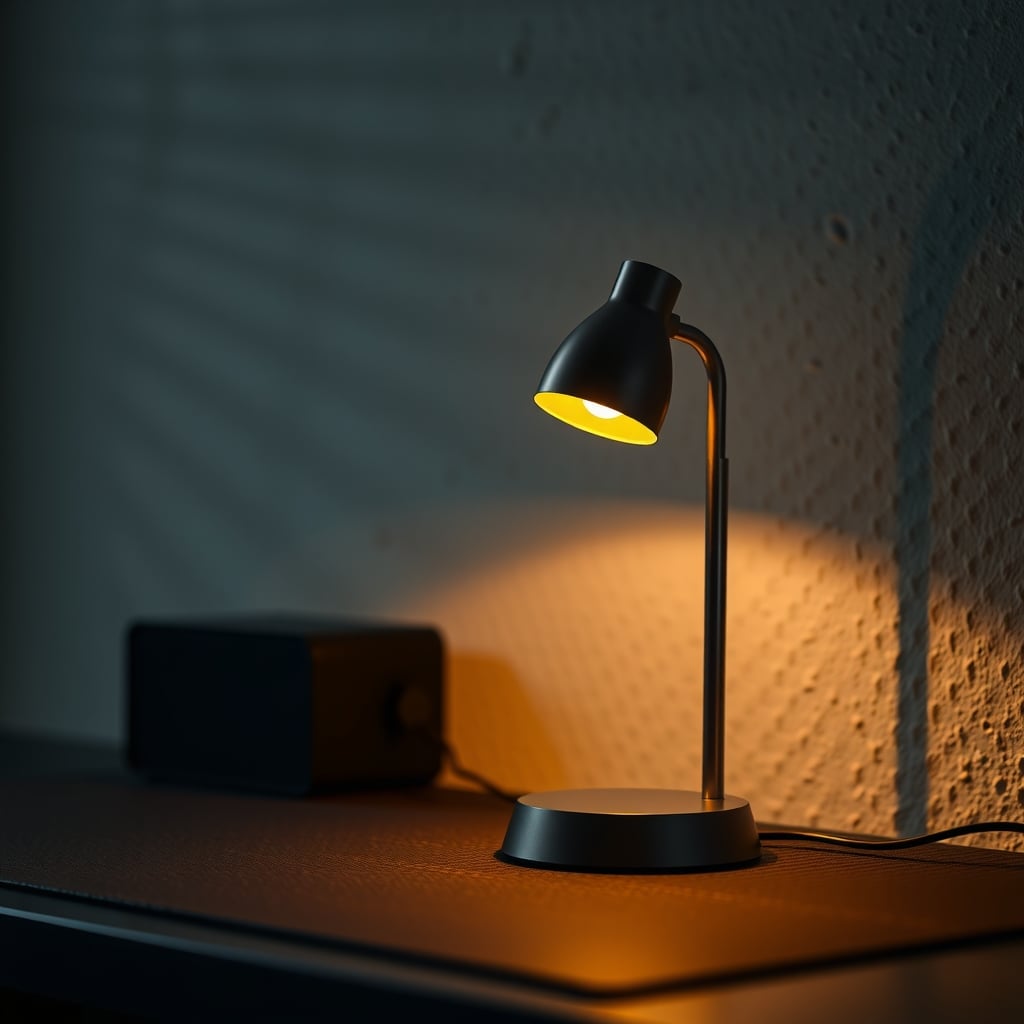
The spec sheet won’t tell you this, but the emotional read of a desk comes from contrast and texture. Warm light raking across oak, matte black aluminum, or a plaster wall makes those surfaces look expensive. Flat overhead light erases them. That’s why a single automated overhead fixture often feels worse than a manual lamp: it floods the room instead of shaping it. For more on contrast over raw brightness, see ambient office lighting that won’t fight your monitor.
Long-term smart-lighting threads tend to repeat the same complaint: the schedule works for two weeks, then becomes annoying. The fix is usually not a better app. It’s a better trigger.
The Three Signals That Make a Room Feel Awake
Ambient light is the first signal. A small lux sensor—or a smart plug that uses local sunrise and sunset—is already better than a fixed 7 a.m. wake-up. The room knows when it’s dim; your schedule doesn’t. Set solar offsets 30 to 60 minutes after sunrise and before sunset, then let the room dim gradually instead of jumping.
Occupancy is the second. Passive infrared (PIR) motion sensors are cheap and fine for a hallway, but they miss small desk movements. A presence sensor using mmWave radar can detect someone typing, though it can also trigger through thin partitions if you aim it badly. If you use occupancy, set the hold time to 10 or 15 minutes. A 30-second timeout will plunge you into darkness while you’re reading a spec sheet.
Color temperature is the third. A useful range for a desk is roughly 2700K to 4000K: warm enough for evening texture, neutral enough for daytime focus. High CRI matters more than RGB here. Look for CRI 90+ on task lighting so wood, fabric, and printed color don’t go gray. If you’re chasing the circadian angle, the practical version is simpler than the marketing: cooler and brighter earlier, warmer and dimmer later. Circadian desk lighting: what actually works in 2026 covers where that claim holds up and where it doesn’t.
What the Spec Sheet Won’t Tell You About Dimming and Color
Dimming is not linear. Human perception is roughly logarithmic, so a drop from 100% to 50% can feel smaller than a drop from 10% to 5%. Good automation uses slow fades and avoids the bottom 5%, where cheap drivers buzz or flicker. If you shoot video at your desk, DC dimming or high-frequency PWM is worth prioritizing. As a rule of thumb, PWM above 1 kHz is less likely to show banding on camera; IEEE 1789 is the reference most lighting engineers use when discussing flicker risk.
LED driver compatibility is the compatibility gotcha almost nobody checks before buying. A smart dimmer may claim LED support, but the driver in your fixture still needs to work with it. TRIAC dimmers often have a minimum load—commonly in the 20–40W range—so a single 9W LED can misbehave even when the box says dimmable. If the light flickers at low levels, the fix is usually a different driver or a fixture rated for the dimmer, not a new app.
Color temperature transitions should be slow. A 10-minute fade from 4000K to 2700K reads as dusk. A two-second jump reads as a software update. The same goes for brightness: fade over 5 to 15 minutes for evening scenes, and use instant-on only for task lighting when you sit down. Material texture is the reward. Warm light at low output makes a plaster wall look soft; cold light at high output makes it look like a rental office.
The Control Layer: Timer, Sensor, or Local Scene
Here’s the practical split. You don’t need a full hub for one lamp, and you don’t want a timer-only plug running a three-light scene. The control layer should match the number of fixtures and how much you care about latency.
Control layer Typical cost Latency Works offline Dimming quality Best for Smart plug on a dumb lamp $15–$30 1–3 s Usually yes for onboard schedules On/off only One accent or floor lamp App-controlled smart bulb or strip $20–$80 per fixture Under 1 s local; 1–3 s cloud Depends on model Good models reach 1–5%; cheap ones buzz below 10% Renters and single-lamp desks Occupancy sensor plus local controller $60–$200 Under 500 ms Yes Depends on dimmer and driver Shared studios and rooms with traffic Smart relay behind a wall switch $40–$120 plus install Instant Yes Excellent with a compatible driver Permanent desk wall control Hub or protocol system using Matter, Thread, or Zigbee $100–$300 to start Under 1 s local Yes if local Varies by fixture Three or more light layersMatter matters in 2026 because it is the closest thing to a neutral handshake between fixtures and controllers. The Connectivity Standards Alliance publishes the spec, and Matter can run over Wi-Fi, Thread, or Ethernet. Thread and Zigbee both live on 2.4 GHz, which is fine but crowded in apartment buildings. If you want the lights to work when the internet is down, prioritize local control: a wall switch, a local hub, or a fixture with onboard schedules.
Common Mistakes That Wreck the Mood
Automating brightness instead of contrast is the big one. If the whole room brightens at 9 a.m., your monitor becomes a mirror. Fix it by dimming the ambient layer and keeping the task light focused. The goal is a bright desk surface against a calmer room, not a bright room overall.
Using a motion sensor with a short timeout is another. Fix it with a 10–15 minute hold time, or use a presence sensor aimed at the chair rather than the doorway. Scheduling by clock instead of sunrise is the third. Fix it with solar offsets and a lux threshold so the scene waits for the room to actually get dim.
Mixing color temperatures in one scene makes a desk look messy. Fix it by keeping task light around 3500–4000K and ambient light around 2700–3000K. Dimming an incompatible LED driver causes flicker or buzz; fix it by checking driver compatibility and minimum load before buying a smart dimmer. Automating every fixture as one group is the last common mistake. Split the layers: bias light, task light, accent. A sequence feels intentional; a group switch feels like a power cut.
Who Should Automate—and Who Should Just Buy a Dimmer
Automate if you have at least two light layers and one of them is annoying to switch manually. A renter with a floor lamp and a monitor bias light is a perfect candidate: one smart plug for the lamp, one app-controlled strip behind the monitor, and a sunset offset can transform the room for under $80. If you work late and want the room to warm up without thinking about it, that’s the underrated use case.
Skip the hub if you have one lamp. A $15–$30 smart plug with an onboard schedule is enough, and it fails less often than a cloud-dependent scene. Skip occupancy sensing if your desk is in a busy room where people walk behind you; the lights will trigger constantly. Skip RGB task lighting if you need accurate color. RGB is for accent and mood, not for judging print or skin tones.
Buy a proper dimmer or a fixture with a compatible driver if you see flicker at low levels. That’s not a software problem, and no app update will fix a driver that can’t hold a low load. If you need camera-consistent light, prioritize high CRI and flicker-free dimming over smart features. A dumb but clean 95 CRI lamp on a smart plug will look better on camera than a colorful smart bulb with visible PWM banding.
The Bottom Line on Calm Desk Lighting
For most desks, the right first step is boring: put one existing lamp on a smart plug, set a 10-minute fade, and offset the schedule from local sunset. Add a second layer only when you know which light you actually want to change. Add occupancy only if you leave the desk and want the room to close down behind you. Add a hub only when you have three or more fixtures that need to talk to each other.
The best desk lighting automation is not the one with the most triggers. It’s the one you stop noticing because the room always feels like it’s at the right temperature, at the right contrast, at the right time. Keep the layers separate, keep the transitions slow, and keep a physical switch within reach. That’s the whole trick.
Frequently Asked Questions
What is the best trigger for desk lighting automation?
Use ambient light plus occupancy, not a fixed clock. A lux sensor or solar offset lets the room decide when it is actually dim, while a presence sensor with a 10 to 15 minute hold time prevents the lights from dropping out while you are still at the desk.
Do I need a hub for desk lighting automation?
Not for one or two lamps. A smart plug with an onboard schedule or a local smart bulb is enough. A hub or protocol system makes more sense when you have three or more fixtures and want local scenes, lower latency, and offline control.
Why do my smart lights flicker when dimmed?
Flicker usually comes from an incompatible LED driver, a dimmer below its minimum load, or low-frequency PWM. Check that the fixture is rated for the dimmer, confirm the minimum load, and look for DC dimming or PWM above 1 kHz if you need camera-safe light.
What color temperature should automated desk lighting use?
A practical range is about 2700K to 4000K. Keep task lighting around 3500 to 4000K for daytime focus and ambient lighting around 2700 to 3000K for evening warmth. High CRI matters more than RGB for making wood, fabric, and printed color look natural.
Can desk lighting automation work without Wi-Fi?
Yes. Local relays, wall switches, onboard schedules, and protocol systems such as Thread or Zigbee can run scenes without cloud access. If reliability matters, prioritize local control and keep a physical switch as an override.
Written by
GlowRig Editorial researches and writes practical guides about desk setups and home office gear. Our articles are produced with the help of AI research tools and are reviewed for accuracy against manufacturer specifications and public user feedback. We may earn a commission from affiliate links, which never affects our recommendations.
Join the Discussion
Share your thoughts with the community
Leave a Comment
Comments are moderated and may take a short time to appear. Links are not permitted.