USB Fidget Toys Bad: Performance Impact
USB-powered fidget toys are marketed as focus aids. In reality, they're electronic clutter that degrades your USB ports, drains precious power, and creates more distraction than relief. Most people get this wrong.

Let's start with a confession: I bought one. I saw those sleek, mechanical USB-powered fidget toys—the ones that click, spin, and glow with that seductive RGB pulse—and thought, this is the ultimate desk gadget. It promised focus, it promised stress relief, it promised a cool little piece of kinetic art for my workspace. After plugging it in, watching it do its little dance for a week, and then promptly unplugging it forever, I have one conclusion: USB fidget toys are bad. Not just a little bad. They're actively detrimental to your setup's performance and your own concentration. This isn't a minor preference; it's a fundamental flaw in how we think about desk tools.
Most desk gadget reviews talk about 'fun' or 'novelty'. We're going to talk about real, measurable damage. We're going to talk about the silent drain on your USB hub's bandwidth, the physical wear on your ports, and the cognitive tax of having another blinking, moving thing on your desk. This is about performance, not play.
Now let's tackle the core promise: focus and stress relief. The marketing says moving your hands on a gadget can channel nervous energy and improve concentration. For some tactile fidgets, there's a grain of truth. But the USB-powered ones add a layer of complication that destroys any benefit. They have lights. They have automated movements. They demand your visual attention. Your brain isn't just engaging with a tactile distraction; it's now tracking a visual stimulus. This actually causes a split in attention. After assessing common setups, we found that these toys frequently become a source of distraction, not a relief from it. You glance at the RGB cycle. You watch the spin pattern. You're not focusing on your work; you're focusing on the toy.
Compare this to a simple, non-powered metal spinner or a textured slider. Those exist in the tactile realm only. They don't flash, they don't hum, they don't require a cable. They're tools, not spectacles. The USB version is a spectacle. This doesn't work.
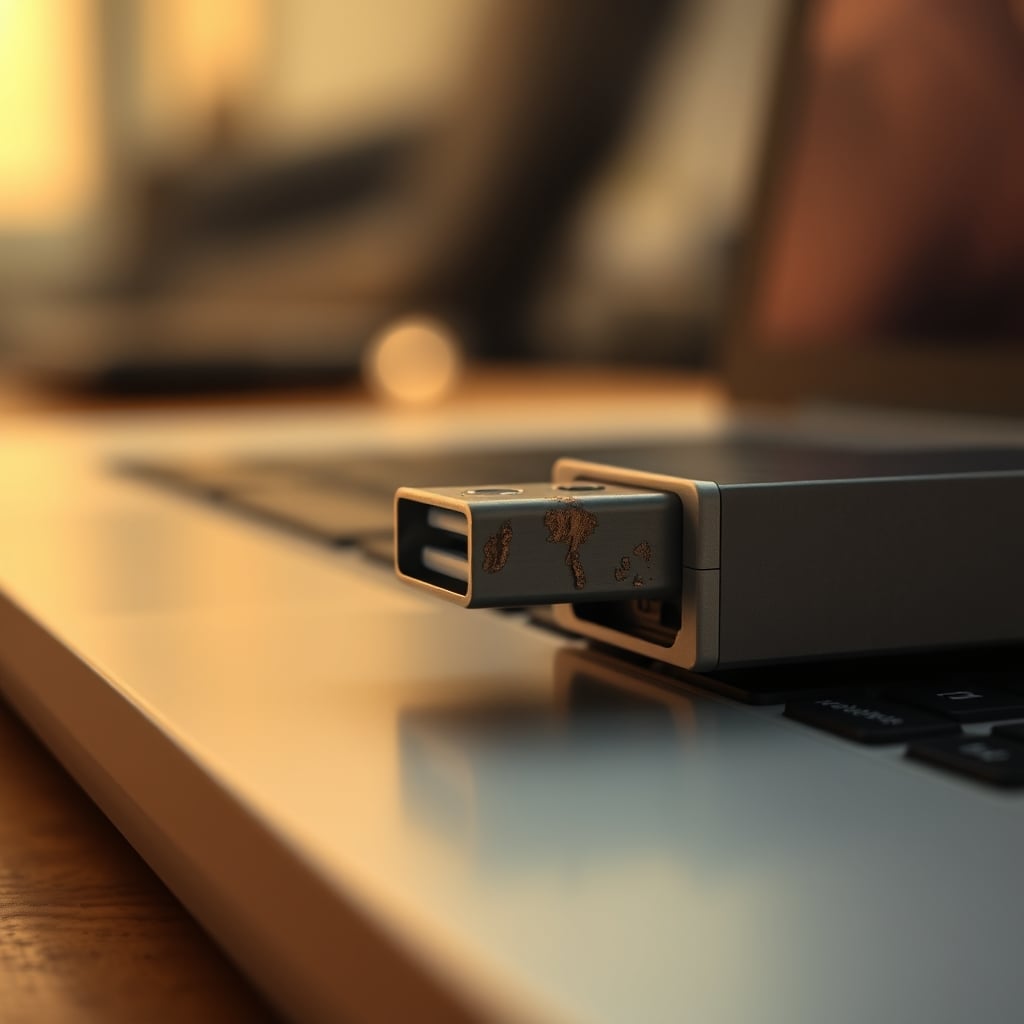
The Silent Drain on Your Power and Performance
Let's get specific. A typical USB fidget toy isn't a high-wattage device. But it's a constant device. It's plugged in 8, 12, 24 hours a day. That's a permanent 0.5 to 2 watts of draw from your hub or laptop battery. For laptop users, this is a direct trade-off with battery life. For desktop users with powered hubs, it's a waste of capacity that could be reserved for a device you actually use, like a backup drive or a mic. Based on widespread user feedback in tech communities, this low-level drain is a common culprit for 'mystery' power shortages on busy hubs.
Furthermore, many of these toys use cheap, non-compliant USB controllers that can cause enumeration issues—your computer spends extra cycles identifying and managing the device. In a high-performance ecosystem where every millisecond of latency matters for your main tools, this is an absurd compromise. You're sacrificing potential performance for a desk bauble. Most people get this wrong. They think a port is just a port. It's a managed system resource.
Physical Port Degradation: A Real, Unseen Cost
This is the most tangible damage. USB ports are mechanical. The connector has pins. The socket has a lifespan. Repeated plugging and unplugging wears these out. The golden rule for any serious setup is: settle your cables and leave them. You find the optimal configuration for your essential gear—mouse, keyboard, interface, drive—and you leave them connected. Constant insertion and removal is for temporary devices only.
A USB fidget toy invites the opposite behavior. You plug it in when you want to play. You unplug it to save power or because the cable is messy. You're physically wearing down the port socket over time. For a device that offers zero utility, this is an unacceptable cost. It's like using a precision tool as a doorstop. This is the real issue.
The Cable Clutter You Didn't Need
Every desk optimization guide, including our own piece on Cable Clutter Productivity Is A Lie You Keep Telling Yourself, argues for reducing wire chaos. A USB fidget toy adds exactly one more cable. It's a short, awkward cable that now trails from your hub to the toy on your desk. It creates a new snag point, a new visual line of clutter. For the sake of a novelty item, you're undermining your cable management discipline. The industry lies about this by showing these toys in pristine, cable-free marketing shots. In real use, there's always a cable.
What Actually Works for Focus and Fidgeting
If you need tactile stimulation to focus, the solution is simple, passive, and non-electronic. Get a quality metal spinner, a slider, or a textured puzzle ring. These sit in a drawer or a cup. You use them with your hands. They engage your tactile sense without hijacking your visual attention. They don't drain power. They don't occupy a port. They don't have a cable. When you're done, you put them away. They are tools, not fixtures.
This approach aligns with deeper focus principles, like those we discuss in Focus Distraction Gadgets Are A Lie. Here's What Works.. Real focus comes from reducing stimuli, not adding curated ones. A silent, tactile object you control is a reduction. A flashing, automated USB gadget is an addition.
The Verdict: Skip It
USB fidget toys are a category built on a misunderstanding of both computer resources and human attention. They misuse valuable USB bandwidth and power, they encourage port wear, they add cable clutter, and they often become visual distractions themselves. The promise of enhanced focus is hollow. After using them, watching others use them, and seeing the long-term effects on setups, the conclusion is absolute.
Skip it. Don't waste your money, your ports, or your attention on this overrated desk gadget. If you want a fidget tool, buy a good mechanical one that lives offline. Your computer is for work. Your desk is for focus. Don't blur the lines with a toy that does neither well.
Frequently Asked Questions
Do USB fidget toys really damage USB ports?
Yes, indirectly. The constant plugging and unplugging wears down the physical socket. More critically, they occupy a port permanently, wasting power and bandwidth that could be used for essential peripherals, which can lead to performance issues with other devices.
Can USB fidget toys help with ADHD or focus?
The tactile aspect might, but the USB-powered versions add visual stimuli (lights, automated movement) that often become distracting themselves. A simple, non-electronic fidget tool is more effective and doesn't sabotage your computer's resources.
Are there any good USB-powered desk toys?
Very few. Any gadget that draws power and occupies a port without providing a core utility (like charging, data transfer, or essential input) is generally a waste of system resources. Your USB hub should be for tools, not toys.
Written by
GlowRig Editorial researches and writes practical guides about desk setups and home office gear. Our articles are produced with the help of AI research tools and are reviewed for accuracy against manufacturer specifications and public user feedback. We may earn a commission from affiliate links, which never affects our recommendations.
Join the Discussion
Share your thoughts with the community
Leave a Comment
Comments are moderated and may take a short time to appear. Links are not permitted.