Desk Mounted Shelves Problems Sabotaging Small Space Setups
You bought a desk mounted shelf for that clean, elevated look. The reality? It's probably creating more problems than it solves. Here's the brutal truth about why this popular accessory is failing small space setups in 2026.
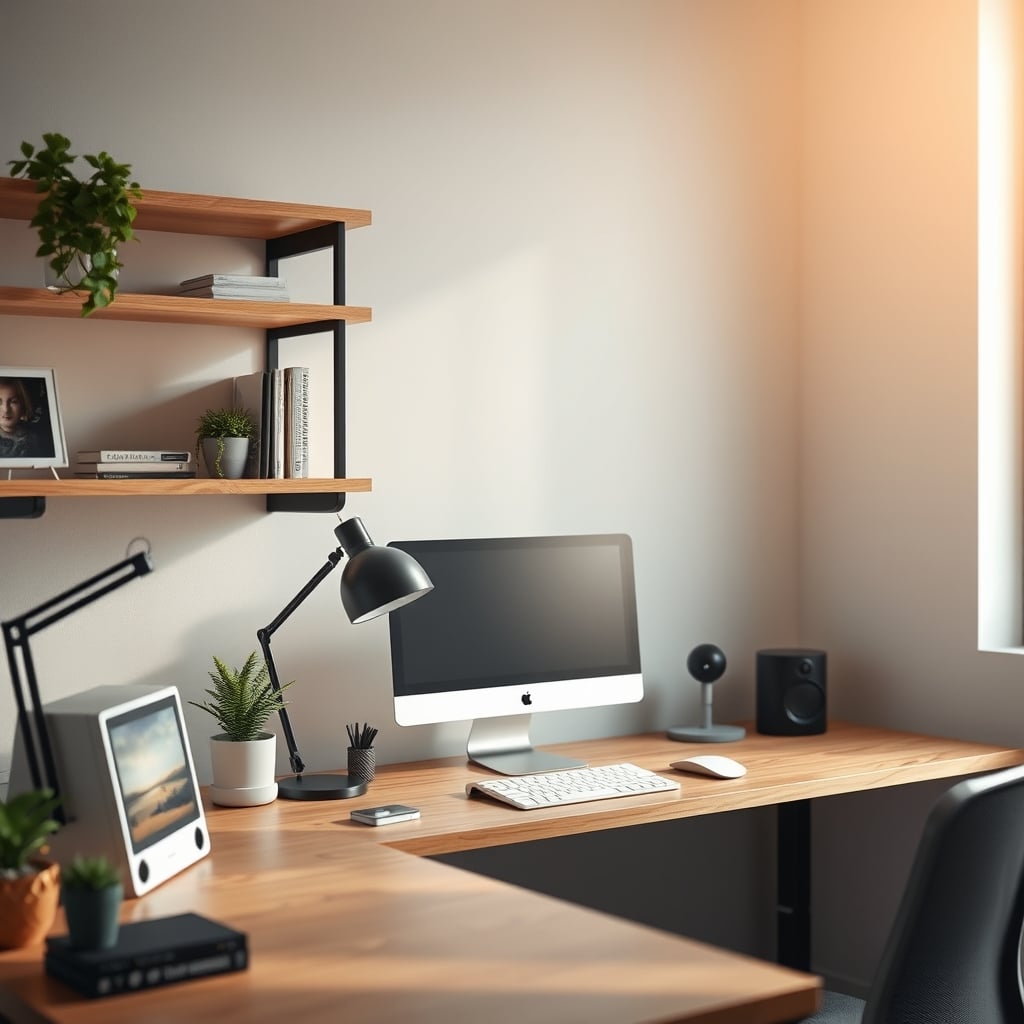
Let's start with the biggest mistake people make with desk mounted shelves: they believe the marketing photos. You see that pristine image of a single laptop floating above a perfectly empty desk and think, "That's the solution." The reality is a cluttered, unstable, and ergonomic nightmare that's actively making your small workspace worse. The core desk mounted shelves problems stem from chasing an aesthetic over solving a functional need. We need to talk about why this $30 piece of metal or wood is one of the most overrated purchases you can make for a small desk.
The Instability Myth No One Talks About
Here’s the lie you’ve been sold: any monitor riser is stable if it has rubber feet. This is overrated. The real issue isn't the shelf wobbling on your desk—it's the entire structure turning into a resonant cavity for keyboard vibrations, arm movements, and even typing intensity. Users consistently report their monitors subtly shaking during fast typing sessions, creating a distracting, low-frequency wobble that ruins focus. In a small space, where your desk might not be a 200-pound solid wood slab, this problem is amplified. That "premium" feeling of elevation comes at the cost of introducing a new point of failure. Most cheap, mass-produced shelves have hollow construction or thin materials that act like drums. You're not getting stability; you're buying a vibration platform.
Why Vertical Space Is a Trap for Small Desks
The common advice is to "go vertical" to save space. This is wrong. In most small desk setups, your primary constraint isn't just surface area—it's your field of view and comfortable reach. Stacking your monitor, laptop, or peripherals higher changes your neck angle, often for the worse. It pushes your screen into an unnatural line of sight unless you drastically adjust your chair or desk height, which then throws off your arm position for typing. You're solving a storage problem by creating an ergonomic one. Based on widespread user feedback, this leads to more neck strain and fatigue over an 8-hour workday than a standard, flush-mounted setup. The industry lies about this by only showing you the clean front profile, never the hunched-over user struggling to look up at their now-too-high webcam.
The Cable Management Lie Under Your Shelf
This is where the fantasy completely falls apart. The promise is a hidden cable tray or a clean pass-through to route your wires. The reality? You create a dark, cramped, inaccessible cavern that becomes a permanent home for dust bunnies and tangled cables you’ll never sort again. Any minor adjustment requires you to lift the entire shelf, potentially unplugging everything. In real use, this "solution" actually causes more cable mess and frustration than simply using a few clips under the desk. It’s a lazy approach that looks good for a YouTube setup video but fails in the long term. You're better off implementing a real cable management system, like the ones we discuss in Cable Management Fails You Keep Making in 2026.
The Real Desk Mounted Shelves Problems: Drawers and Storage
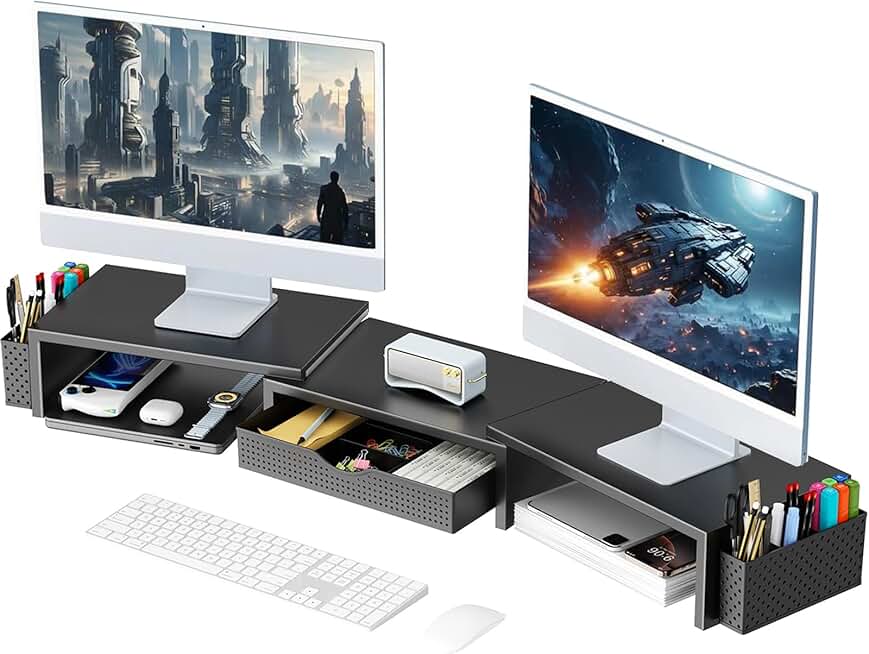
Ah, the built-in drawer. The ultimate temptation. Surely adding storage to a small desk is a win? Not worth it. These drawers are universally tiny, shallow, and flimsy. They're good for holding about six paperclips and a USB drive you'll forget exists. For anything substantive—like a notebook, headphones, or even a full-sized keyboard—they're useless. Yet, they add bulk, weight, and complexity to the shelf. That extra "feature" is a marketing checkbox, not a functional benefit. It convinces you you're getting more value when you're actually just buying more problem.
The Overrated Aesthetic You're Chasing
Let's cut to the chase: you bought it for the look. The minimalist, elevated, "content creator" aesthetic sold to you by every setup tour in 2026. This is overrated. That clean gap of negative space under your monitor collects an astonishing amount of dust and is impossible to clean without moving the whole unit. The "clean" look lasts approximately 47 minutes after you plug in your second monitor cable, your USB hub, and realize your desk lamp cord doesn't reach anymore. You've traded a flat, usable surface for a stratified, complicated one, all for a photo op. This doesn't work for actual daily productivity.
What Actually Works for Small Desks
So, if desk mounted shelves are mostly a trap, what should you do? Focus on integration, not addition.
First, consider a monitor arm. It mounts directly to the desk or a grommet hole, freeing up the entire footprint of the monitor stand. It gives you true adjustability (height, tilt, swivel) without consuming desk space. This is a real solution for small spaces.
Second, embrace under-desk mounting. Your keyboard tray is a better place for a laptop shelf than on top of your desk. Use the vertical space under the work surface, not above it, to keep your sightlines clean.
Third, if you must have a shelf, get one that's part of a larger, cohesive system. We reluctantly recommend the WESTREE Dual Monitor Stand Riser. Not because it's perfect—it's not—but because its extra-large, single-platform design minimizes the instability of two separate stands and its cable passthroughs are at least properly sized. It’s a compromise, but a better one than most.
Fourth, question the need entirely. Often, the best upgrade is a deeper desk or a better layout, not another accessory. Our article on The Non-Linear Desk Layout Masterclass 2026 offers smarter approaches.
Common Mistakes When You Still Buy One
If you ignore all this and buy one anyway, avoid these critical errors:
- Ignoring Weight Capacity: The listed capacity is for perfect, centered distribution. In real use, with a heavy monitor pushed to the back, you'll approach the limit fast. Exceed it, and you get permanent sag or catastrophic failure.
- Blocking Ventilation: Laptops vent hot air from the bottom. Placing one on a solid shelf with no gap is a great way to cook your CPU. You need a stand with open airflow or dedicated cooling channels.
- Forgetting About Peripherals: Where does your stream deck go? Your audio interface? Your tablet? The shelf eats the only real estate for these tools, forcing you to clutter the space around it.
The Final Verdict: Skip It
For the vast majority of people with small desks, a generic desk mounted shelf is an overrated purchase. It introduces more problems—instability, ergonomic strain, and false storage promises—than it solves. The industry has sold you a solution to a problem you might not even have, all for the sake of a trend. Your money and your limited space are better invested in a quality monitor arm, a deeper desk, or simply learning to work with less clutter. The aesthetic is a lie; the functionality is a compromise. In 2026, it's time to see this accessory for what it is: a band-aid on a setup that needs smarter design, not more stuff.
Frequently Asked Questions
Do desk mounted shelves actually save space?
Not meaningfully, and often at a high cost. While they clear a few square inches of desk surface, they consume valuable vertical space in your immediate field of view, often forcing poor ergonomics. The 'saved' space is usually just shifted, not eliminated.
What is the biggest problem with monitor riser shelves?
The most common and damaging problem is instability and vibration transfer. Even shelves that feel solid can amplify typing vibrations, causing monitor wobble. This is a widespread issue with hollow or lightweight constructions and is deeply distracting during use.
Are there any good alternatives to a desk shelf?
Yes. A monitor arm is the superior alternative, as it truly frees up desk space and offers full adjustability. Under-desk keyboard trays or laptop mounts are also more space-efficient. Investing in a slightly deeper desk often provides more real benefit than any add-on shelf.
Can a desk shelf improve my posture?
It's highly unlikely. Unless your chair and desk heights are perfectly adjusted to match the new, fixed height of the shelf, it will likely force you into a worse neck position. Proper ergonomics require dynamic adjustability, which fixed shelves do not provide.

Written by
Mia is an interior designer turned tech minimalist. She curates the most aesthetic, clutter-free desk setups on the internet, focusing on natural light and wood tones.
Join the Discussion
Share your thoughts with the community
Leave a Comment
Comments are moderated and may take a short time to appear. Links are not permitted.