Holistic Studio Setup Masterclass: The Brutal 2026 Truth
You're building a desk, not a studio. The obsession with gadgets is creating a disjointed workspace. In 2026, the only setup worth having is a true holistic studio setup—a unified ecosystem designed for immersion, not Instagram.
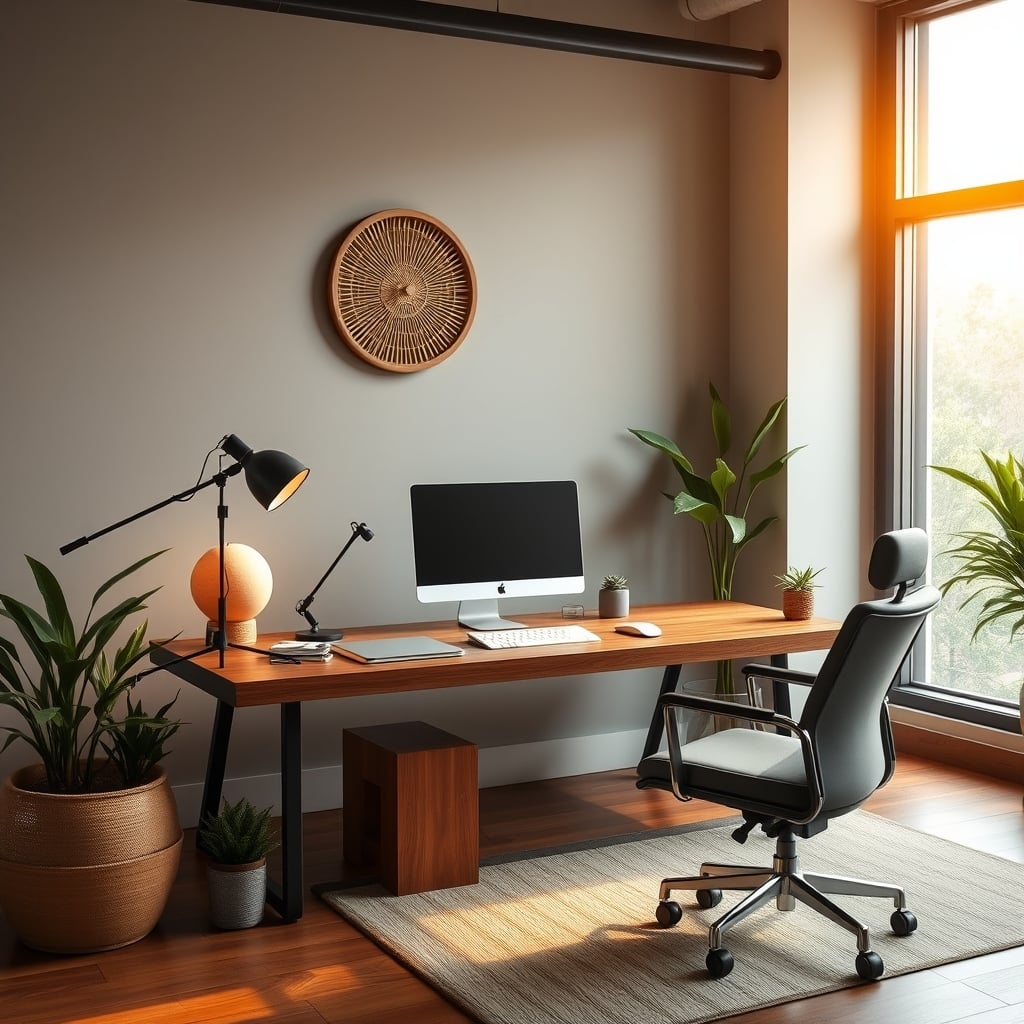
Most creators in 2026 are still assembling glorified desks, not building a true holistic studio setup. They pile on monitors, slap up some acoustic foam, and chase the latest ‘clean aesthetic’ gear. The result? A chaotic, disjointed workspace that looks great for a thumbnail but feels like a torture chamber after eight hours of real work. The failure point isn't your camera or your mic; it's the fundamental disconnect between every piece of your environment. You’ve built a collection of parts, not a cohesive system. This is why you’re burning out. This is why your output feels strained.
The Desk Psychology Lie Sabotaging Your Focus
The industry sells you ‘ergonomic perfection’ and ‘distraction-free zones.’ This is overrated. A sterile, minimalist desk built for ‘focus’ is actually a creativity vacuum. Your brain needs subtle environmental cues and integrated tools to shift between tasks fluidly. When your audio gear is on a separate stand, your lighting requires a separate app, and your controller is tucked in a drawer, you’re introducing cognitive load every time you switch modes. The real issue isn't clutter; it's fragmentation. Most people get this wrong. They chase visual simplicity while creating operational chaos. A true holistic studio setup isn't about hiding cables; it's about weaving every function—audio, video, control, lighting—into a single, intuitive interface that your brain can navigate without thought.
Why Your Modular Gear Philosophy Is Wrong
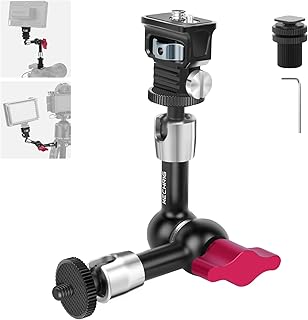
Permanently mounting cameras, lights, or microphones in a fixed, optimal position.
- 360° adjustable ball heads for precise locking
- Aluminum construction for stability
- Multiple 1/4" screws for versatile mounting
You’ve been told to buy the ‘best’ mic, the ‘best’ camera, the ‘best’ monitor, and assemble them. This doesn't work. It creates a tower of incompatible kingdoms, each demanding its own power, space, and attention. Users consistently report that after investing in top-tier individual components, their workflow feels slower, not faster. You’re constantly reaching, adjusting, and troubleshooting. The modular philosophy is a relic of the 2020s. In 2026, performance is defined by ecosystem synergy, not spec sheets. A microphone with slightly lower specs but native, one-click integration with your camera and software will outperform a ‘legendary’ standalone mic that needs a separate interface, driver, and gain adjustment every time you sit down. The industry lies about this. They want you buying more discrete boxes.
Your Workflow Is Your Most Important Peripheral
Before you buy another gadget, map your actual creative flow. Do you switch from writing to recording to editing within a single session? Where do your hands go? Where does your eyes travel? Your physical workspace must mirror that digital journey. If you constantly alt-tab between a script doc and your editing software, why are those functions represented by physically separate zones on your desk? Based on widespread user feedback, the single biggest productivity boost comes from placing the tools for adjacent digital tasks in adjacent physical spaces. This isn't about more gear; it's about intentional placement. Your mouse, your stream deck, your notepad—they should be in a line that mirrors your software tabs. Most setups ignore this, creating a spatial jumble that forces your brain to reorient every five minutes.
The Acoustic Integration Myth That Needs to Die
You slapped foam on your walls and called it a studio. This is overrated. Decorative acoustic panels are primarily a placebo. The real acoustic challenge in a holistic studio setup isn't room reflection; it’s the internal noise pollution from your own gear. The hum of your PC fans, the coil whine from your power supply, the subtle buzz from a cheap USB hub—these are the sounds your mic picks up. The solution isn't more foam; it's systemic silence. This means prioritizing gear with silent operation (fanless PSUs, passively cooled components) and physically isolating noise sources (like putting your PC in a separate ventilated enclosure under the desk). Treat your entire rig as an acoustic unit. The decorative foam scam is useless.
Light For Your Camera, Not Your Mood
The smart lighting craze has you syncing colors to your ‘circadian rhythm.’ This doesn't work for creation. Your primary light source must serve your camera’s sensor first, your eyes second. Mood lighting is a distraction. You need consistent, high-quality, diffused light that eliminates shadows and provides a flat, even illumination on your face and work surface. Anything else introduces variables that ruin video consistency. That expensive RGB system with 1000 scenes is actively harming your output because you’re tempted to change it, creating different color temperatures in every recording. Set it once for optimal camera performance and never touch it again. Smart lighting overstimulation is sabotaging your brain.
Control Surface Consolidation: Your Secret Weapon
The average creator desk in 2026 has a keyboard, a mouse, a stream controller, a MIDI board, and a phone. This is a control surface disaster. Your hands should have a primary home—a single zone where every high-frequency action can be performed without searching. Consolidate. Use a keyboard with deep macro layers (like QMK/VIA firmware) to replace dedicated stream deck buttons. Use a mouse with onboard profile switching to replace a separate app launcher. The goal is to reduce the number of discrete physical devices you must touch. Every additional dedicated gadget increases mental load. Single-task gadgets are killing your focus.
Cable Management Is a Signal Integrity Issue
You’re bundling cables for looks. This is wrong. Cable management in a studio is first about signal integrity, second about safety, third about aesthetics. Running your high-bandwidth USB-C video capture cable next to a power cable for your monitor can introduce interference. Coiling audio cables with power cables is asking for a ground loop hum. You need to plan cable routes based on signal type, not just neatness. Keep power separate from data. Keep audio separate from both. Use the desk structure itself to create segregated channels. Most cable management guides ignore this, leading to setups that look clean but sound noisy.
The Holistic Studio Setup Verdict
Building a true holistic studio is a paradigm shift. It’s not about buying better things; it’s about buying fewer, more integrated things and arranging them with ruthless intentionality. It means your audio interface is mounted under the desk, directly plugged into your PC, with gain knobs accessible without moving your chair. It means your key light is bolted to a boom arm that stays in one perfect position forever. It means your primary monitor is on an arm that puts it in the exact same place every time you sit down, because muscle memory is more valuable than flexible positioning.
The verdict? Worth it. The initial effort to integrate is high, but the long-term payoff in reduced cognitive fatigue, faster session startup, and consistent output quality is immense. Skip the next gadget that ‘completes your desk.’ Instead, spend a weekend ruthlessly auditing your current rig. Ask of every item: “Does this integrate, or does it just occupy space?” Your 2026 studio shouldn’t be a desk. It should be an instrument.
If you're still thinking about acoustic foam, read our brutal take on The Decorative Sound Panels Scam You're Still Believing. And if your lighting is more about mood than function, you need the truth about Smart Lighting Overstimulation Is Sabotaging Your Brain.
Frequently Asked Questions
What's the biggest difference between a 'YouTuber desk' and a 'holistic studio setup'?
A YouTuber desk is a collection of aesthetically pleasing, often disconnected gadgets arranged for looks. A holistic studio setup is a single, integrated ecosystem designed for functional immersion. Every component's placement and connection serves a direct role in a seamless workflow, reducing cognitive load and physical friction.
Is expensive acoustic foam necessary for a good studio?
No. Decorative foam is largely a placebo for voice recording. The real acoustic issues are internal noise from PC fans, power supplies, and electrical interference. Prioritize silent operation components and smart cable routing to separate power from audio/data lines first.
Can I build a holistic studio on a budget?
Absolutely. The philosophy is about integration, not expense. Start by consolidating control surfaces (use keyboard macros instead of a separate stream deck), planning intentional cable routes, and mounting existing gear for permanent, ergonomic placement. Budget constraints force smarter integration, not more boxes.
Why is flexible monitor arm positioning a bad idea?
Constant adjustment breaks muscle memory and visual consistency. Your eyes and neck develop a fixed reference point for optimal comfort and focus. If you're moving the monitor daily, you're reintroducing ergonomic variables that cause subtle strain and reduce deep work immersion. Set it perfectly once and lock it.

Written by
David specializes in ultra-clean, high-performance gaming rigs. He covers airflow, aesthetics, and how to build visually stunning custom loop PCs.
Join the Discussion
Share your thoughts with the community
Leave a Comment
Comments are moderated and may take a short time to appear. Links are not permitted.