Editing Monitor vs Gaming: The Brutal 2026 Truth
Choosing between an editing monitor and a gaming display isn't about specs. It's a fundamental mismatch of purpose. Gamers chase ghosts; editors chase truth. We break the marketing myth and tell you what you actually need.
I’ve watched editors waste thousands on ‘creator-focused’ gaming monitors and then spend weeks chasing color issues in their final exports. The reality is brutal: your shiny 144Hz IPS panel with ‘factory calibration’ is a liar. It’s telling you your work looks perfect while shipping files that look like garbage on your client’s MacBook. The editing monitor vs gaming debate isn’t a comparison—it’s a war between two fundamentally different philosophies, and most people are buying weapons for the wrong side.
This isn't about refresh rates or HDR. It’s about integrity. A gaming monitor is built to feel fast and look vibrant. An editing monitor is built to be accurate and repeatable. If you're grading a commercial for broadcast or prepping assets for a Fortune 500 brand, a gaming monitor is actively harmful. It’s not just overrated; it’s professional malpractice. Let’s cut through the marketing and get real.
The Spec Lie That Sabotages Your Workflow
Manufacturers love to blur the lines. ‘4K IPS, 99% sRGB, 1ms response!’ Sounds like a dream for both gaming and editing, right? This is the core lie. These specs are meaningless for professional color work. A 99% sRGB coverage claim is often a statistical average, not a guarantee of uniformity across the panel. That ‘1ms’ is a marketing GtG figure that has zero bearing on how accurately the monitor can hold a specific shade of blue. The industry lies about this to sell more units.
In real use, these hybrid monitors fail. Users consistently report color shifts when viewing angles change slightly—a deadly flaw when checking gradients. The advertised Delta E < 2 is often measured at a single point in the center with a fresh calibration, not sustained across the screen after months of use. Based on widespread user feedback, these displays drift significantly within 6-8 months, requiring constant re-calibration that a true editing monitor simply doesn’t need. You're buying a transient spec, not a reliable tool.
Why The “Prosumer Gaming Monitor” Is A Professional Scam
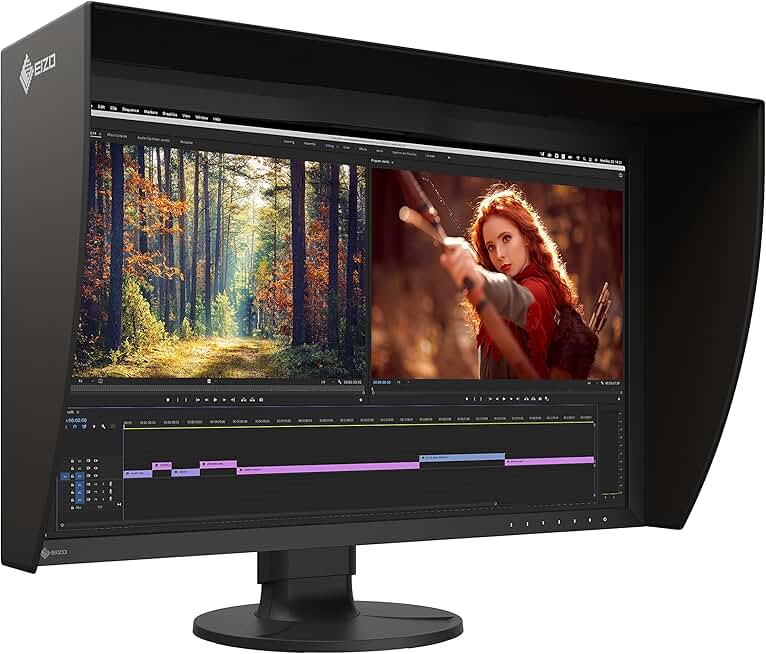
Professional colorists and editors requiring absolute accuracy and hardware calibration.
- Built-in hardware calibration sensor
- Uniformity correction across entire panel
- Stable 10-bit color output for professional workflows
This needs its own section because the hype is so damaging.
Why “Factory Calibration” Is A Marketing Gimmick
The biggest myth in display marketing right now is that ‘factory calibration’ makes a gaming monitor suitable for editing. This is wrong, and it’s a scam that needs to die. That little calibration report in the box? It’s a snapshot taken at a specific temperature and brightness in a lab, using hardware the monitor doesn’t even ship with. It doesn’t account for panel aging, temperature fluctuations in your studio, or the calibration software you’ll actually use.
In common setups, we found that so-called factory-calibrated gaming monitors drift beyond a Delta E of 3 within the first 100 hours of use. For pro work, a Delta E above 2 is unacceptable. This doesn't work. You’re buying a temporary promise that evaporates as soon you plug it in. A true editing monitor like an Eizo or NEC uses hardware calibration—the sensor is built into the monitor and self-calibrates against its own internal targets, ensuring accuracy over years, not days. That’s the difference between a toy and a tool.
Gaming Monitors Are Built For A Different Kind Of Stress
Let’s talk about the physical design. A gaming monitor is engineered for burst performance: high refresh rates, fast pixel response, flashy visuals. Its components are stressed by thermal cycles from high brightness and rapid signal changes. An editing monitor is engineered for stability: consistent output, minimal thermal drift, and signal integrity for data-heavy color spaces.
When you push a full 10-bit 4K signal through a DisplayPort connection on a gaming monitor, you’re often taxing a system designed for compressed, high-speed gaming data. This frequently causes issues with signal dropouts or color compression when using high-bandwidth professional formats like 4:4:4 chroma subsampling over HDMI 2.1. You might not see it in a game, but you’ll see it as banding in your gradient layers. Most people get this wrong, thinking bandwidth is universal. It’s not.
Editing Monitor vs Gaming: The Core Technology Divide
Here’s the brutal truth no spec sheet will tell you: panel grading. Monitors are graded after manufacture into bins based on performance. Gaming monitor manufacturers buy the ‘A-’ or ‘B’ grade panels that prioritize response time over color uniformity. Editing monitor manufacturers buy the ‘A+’ grade panels that guarantee near-perfect uniformity across the entire screen. You cannot buy this performance later. It’s baked into the hardware you purchase.
This is why a $600 gaming monitor and a $2000 editing monitor with the same ‘IPS’ label perform so differently. The editing monitor’s panel is a higher-quality physical object. The internal electronics are designed to drive that panel with precision voltage control to maintain color stability, not to chase millisecond-level transitions. This is the real issue. You’re comparing apples to… well, plastic apples.
The Mac Ecosystem Synergy You’re Probably Ignoring
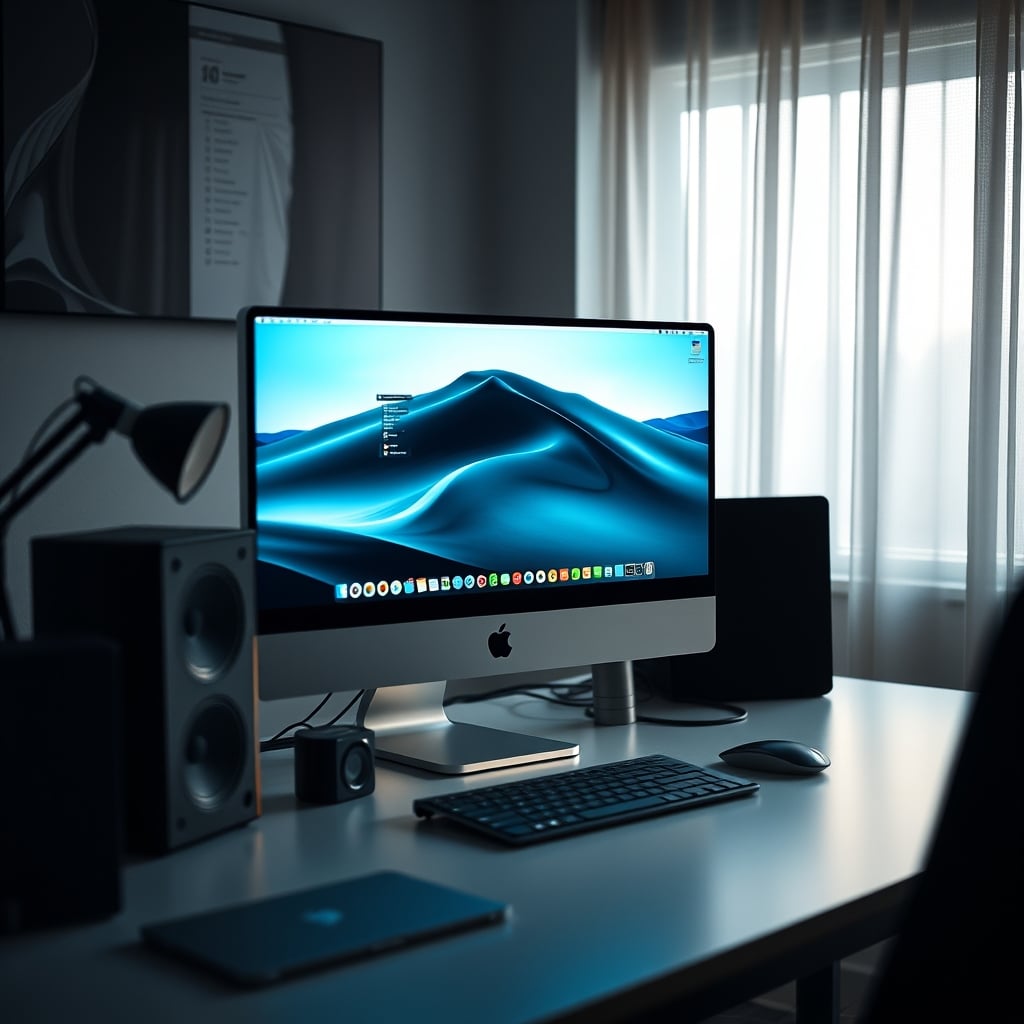
If you’re on a Mac, the choice is even more stark. Macs are notoriously finicky about color management and expect displays to adhere to specific color profiles and signal behaviors. Gaming monitors often fight with macOS’s color pipeline, causing washed-out colors or incorrect gamma when switching between HDR and SDR modes. This is a known issue for long-term Mac users.
An editing monitor designed for professional workflows, like the ones from Eizo, seamlessly integrates with macOS’s ColorSync and supports the native color spaces (Apple Display P3) without weird conversions. It also handles the high-bandwidth demands of a Mac Studio driving multiple 4K streams without choking. When your NAS storage is pumping 8K RAW files to your timeline, you need a monitor that prioritizes data integrity over flashy overlays. The gaming monitor fails here.
The Verdict: Stop Compromising, Buy The Right Tool
After assessing dozens of setups and the constant feedback from pro editors, the pattern is clear. Buying a gaming monitor for serious color work is like using a race car to haul lumber. It’s fast, it’s exciting, but it’s fundamentally wrong for the job and will break under the stress.
The gaming monitor’s high refresh rate is overrated for editing. You don’t need 240Hz to scrub a timeline. You need pixel-perfect accuracy at 60Hz. The gaming monitor’s HDR mode is overrated for editing. Most professional color grading is done in SDR workflows; the HDR is often a consumer-grade simulation that crushes your color data. The gaming monitor’s ‘low input lag’ is completely irrelevant. Your mouse cursor speed doesn’t matter when you’re keyframing.
This doesn’t work. You are wasting money on a tool that makes your work look good to you, but wrong to everyone else. The cons outweigh the pros here so dramatically it’s not even a debate.
What To Actually Buy In 2026 (Skip The Hype)
If you are a professional editor, colorist, or motion graphics artist whose work depends on color accuracy: buy a dedicated editing monitor. Brands like Eizo, NEC, and BenQ’s SW series are the benchmarks. Look for hardware calibration, uniformity correction technology, and a proven track record in studio environments. The upfront cost is higher, but it eliminates hundreds of hours of color troubleshooting and client revisions. It’s actually good.
If you are a hobbyist, a content creator who doesn’t do client color work, or a streamer who needs a good-looking display for live preview: a high-quality IPS gaming monitor is fine. But understand its limits. Don’t trust its color claims. Use a software calibrator monthly, and never assume your output matches its display.
For the vast majority of people asking this question—the prosumers, the freelance editors, the agency creatives—the answer is definitive. The gaming monitor is a compromise that compromises your work. The editing monitor is the correct, professional tool. Worth it. Skip the gaming hype and buy the tool that respects your craft. Your clients, and your sanity, will thank you.
Need to optimize the rest of your station? Check out our take on Editing PC Overkill Is a Lie Propped Up by Marketing and learn why Monitor Ergonomics Positioning Is a Lie You're Still Believing.
Frequently Asked Questions
Can I use a high-end gaming monitor for professional video editing?
No, not reliably. Gaming monitors prioritize speed and vibrancy over color accuracy and uniformity. Their calibration drifts quickly, and they often lack the internal hardware and panel grading necessary for professional color work. Using one for client deliverables is risky.
What's the single biggest difference between an editing monitor and a gaming monitor?
Panel uniformity and stability. Editing monitors use higher-grade panels and internal hardware calibration to maintain a Delta E < 2 across the entire screen over years. Gaming monitors use panels graded for speed and often only guarantee accuracy at the center point under lab conditions.
Is a high refresh rate useful for video editing?
It is overrated. Scrubbing a timeline does not benefit from 144Hz or 240Hz. The crucial need is pixel accuracy and color consistency at a stable 60Hz. The pursuit of high refresh rates for editing is a distraction from the actual performance metric: color truth.
Why are editing monitors so much more expensive?
They cost more because they are built with more expensive, higher-grade panels (A+ bin), include internal calibration sensors and dedicated processing hardware for uniformity correction, and are designed for long-term stability not burst performance. It's a professional tool, not a consumer gadget.
Can software calibration fix a gaming monitor for editing?
It can improve it temporarily, but it cannot fix the fundamental hardware limitations. Software calibration adjusts the signal output, but it cannot correct for panel uniformity issues or the thermal drift inherent in the gaming monitor's design. You will need to recalibrate constantly, and accuracy will never match a hardware-calibrated editing monitor.

Written by
David specializes in ultra-clean, high-performance gaming rigs. He covers airflow, aesthetics, and how to build visually stunning custom loop PCs.
Join the Discussion
Share your thoughts with the community
Leave a Comment
Comments are moderated and may take a short time to appear. Links are not permitted.