Streaming Controller Essentials Are a Total Lie
Everyone is selling you the wrong streaming controller essentials. Here's what you actually need for a professional stream, and why your shiny deck is probably holding you back.
Let's cut through the marketing fluff right now. The moment you think a dedicated streaming controller is essential, you’ve already been misled. The industry sells colorful, overpriced macro pads as the foundation of a professional stream. It’s a trap.
After setting up dozens of streams—from bedroom Twitch channels to dual-PC YouTube productions—I know the gear that truly matters is almost never the shiny box you’re eyeing. Real streaming essentials are about control, not buttons. Routing, not shortcuts. Integration, not gimmicks.
Most streamers get this wrong. They pour hundreds into a dedicated deck, then spend weeks configuring flashy animations while their audio routing is a mess and their lighting looks like a ghost. This is backwards. Your controller should be the last thing you buy, not the first.
The Macro Pad Myth That Needs to Die
The biggest lie in streaming is that you need a dedicated physical macro pad. It’s overrated. The obsession with tactile buttons for OBS or Streamlabs is a distraction masquerading as productivity.
In real multi-hour streams, these devices become glorified scene switchers. You program fifteen keys but only use three. The rest are for unnecessary effects that add zero value to the viewer experience.
Software already provides better control. Keyboard shortcuts, combined with a well-organized OBS profile, are faster and more reliable. A macro pad introduces another layer of potential failure: driver issues, USB conflicts, and physical wear on switches you don’t need.
After the initial excitement, these devices often become expensive desk ornaments. For most single-PC streamers, a macro pad is not worth it. You’re solving a problem that doesn’t exist.
The Real Essentials: Audio Routing Mastery
If you want to control your stream, start with your audio. A chaotic audio chain—where game sound, Discord, music, and your mic all clash—will ruin your stream faster than any missed scene transition. The essential controller here isn’t a button; it’s a virtual audio cable and a disciplined routing plan.
For dual-PC setups, this is non-negotiable. You need software like VoiceMeeter or a physical mixer to route audio cleanly between computers. But even for single-PC streamers, mastering OBS’s audio tracks is your most powerful control tool.
Assigning sources to specific tracks for separate recording, applying filters only where needed, and setting up clean monitoring paths—this is actual control. It’s boring, technical, and utterly essential. Most people get this wrong because it’s not a shiny product you can buy; it’s knowledge you have to earn.
The difference between a professional and an amateur stream is almost always here, not in your flashy deck.
Streamer Lighting: Your Forgotten Control Panel
Your face is on screen. You are the primary subject. Yet most streamers treat lighting as a decorative afterthought, not a control variable. This is wrong.
Your lighting setup directly controls viewer engagement and perceived quality. The angle, intensity, and color temperature of your lights dictate how you look, how you feel on camera, and how viewers perceive your energy.
The common advice—buy a ring light and point it at your face—is often bad. It creates flat, overexposed, unflattering light and can cause glare on glasses or monitors.
Real control comes from understanding three-point lighting (key, fill, and backlight) and using it to sculpt your appearance. A simple setup with two LED panels at 45-degree angles and a third light to separate you from the background gives you immense control. You can adjust this for mood, time of day, or content type.
This is a controller that works every second of your stream, unlike a macro pad you tap once every ten minutes. Improving lighting has a more immediate and positive impact on stream quality than any other gear upgrade.
OBS Hardware Encoding: The Silent Performance Controller
Here’s a controller you never touch but that dictates everything: your encoder settings. Using software (x264) encoding on a single PC while gaming is like driving with the parking brake on. It steals CPU cycles from your game, causing frame drops and input lag.
The real essential is leveraging hardware encoding—NVENC on NVIDIA GPUs or AMF on AMD cards.
This isn’t just a checkbox in OBS; it’s your most important performance control. Enabling it properly, setting the correct preset (Quality, not Performance), and pairing it with a sensible bitrate delivers a stable, high-quality stream without murdering game performance.
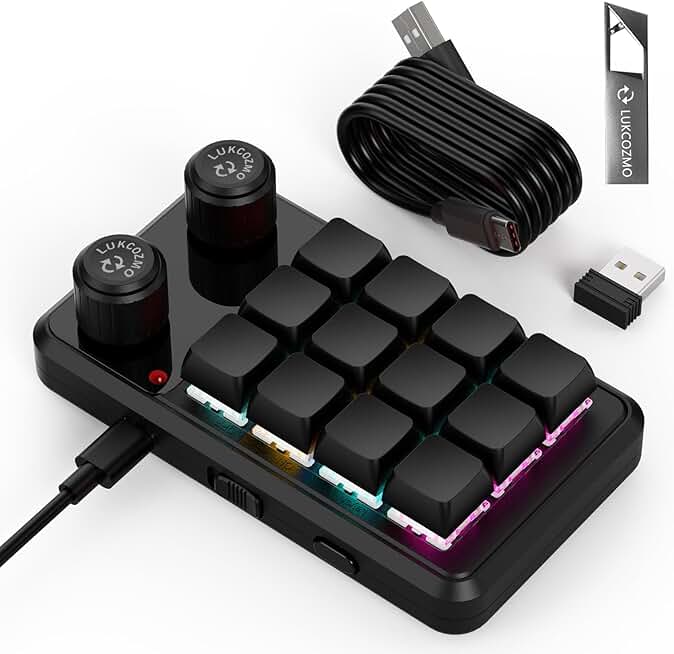
Streamers who need simple, reliable button automation for repetitive tasks.
- 12 programmable mechanical keys
- Compact, no-frills design
- Cost-effective alternative to branded decks
Most people get this wrong. They chase a higher bitrate while running software encoding that destabilizes their entire system. The control you gain here is stability, which is far more valuable than triggering a flashy transition with a physical button.
If your stream is crashing or your game is stuttering, checking your encoder is the first fix—not buying more gear.
For a deep dive on related audio pitfalls, read our guide: The AI Microphone Problems Ultimate Guide.
The Only Physical Controller Worth Considering
So, after all that, is there a place for a physical device? Sometimes. But its role is misunderstood.
A small programmable keypad can be useful not for streaming, but for productivity tasks that support streaming. Automating tweet posts, clipping highlights, switching between chat moderation tools, or controlling lighting systems—these are valid uses.
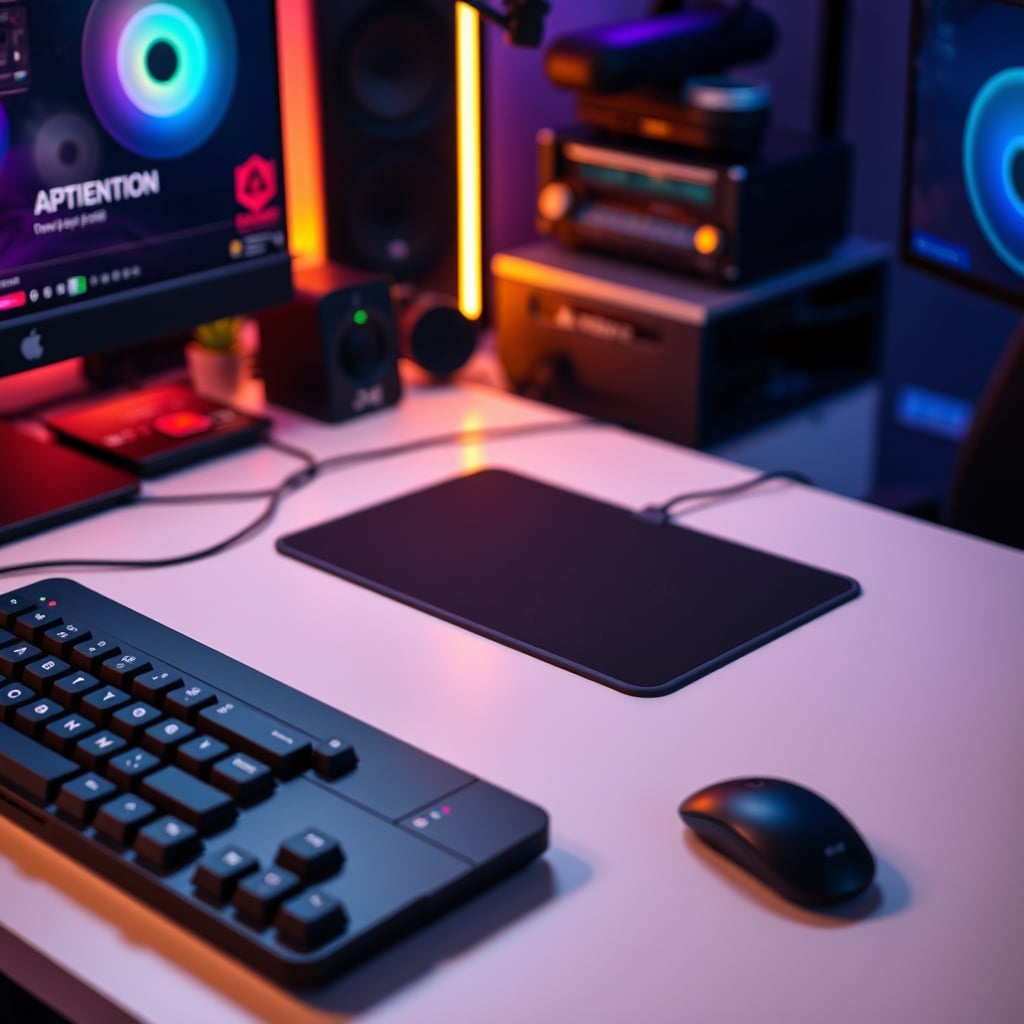
You don’t need a $200 Stream Deck for this. A simple, no-frills mechanical macropad like the LUKCOZMO Macro Pad provides the same core functionality: programmable keys. You’re paying for utility, not streaming-branded hype.
In real use, the expensive decks’ fancy screens become irrelevant; you memorize key positions within a week. The tactile feedback of a mechanical switch is what matters, and any macropad provides that. The value is a cheap, reliable button box for the boring, repetitive tasks around streaming, not for the streaming itself.
The Ultimate Mistake: Buying First, Planning Last
The most common and expensive mistake is buying a streaming controller before you’ve mastered the software. You end up with a device configured to do the wrong things.
You program buttons to switch to a “BRB” scene, but you haven’t set up a proper audio filter for your mic during that scene. You have a button to toggle your camera, but your lighting isn’t adjusted for when you’re off-camera. The device becomes an island of automation in a sea of chaos.
The community lesson is clear: Build your control in OBS first. Create a logical scene hierarchy. Set up your audio tracks and filters. Configure your encoder. Dial in your lighting.
Then, and only then, ask yourself: “What repetitive action would be faster with a dedicated button?” If the answer is “switching between my Game and Talking scenes,” that’s a valid use. But you’ll likely find you’ve already optimized that process into a simple keyboard shortcut.
The myth of essential physical controllers persists because they’re fun to buy and easy to market. The truth is they’re a solution for a workflow you should optimize before you buy anything.
For more on optimizing your core workspace, see: The 'Ugly' Setup Secret: How Extreme Minimalism Unlocks Uninterrupted Deep Work.
Final Verdict: Skip It (At First)
The verdict on streaming controller essentials is brutally simple: Skip the dedicated streaming deck as your first purchase.
The real essentials—audio routing, lighting control, and encoder mastery—are free or cheap skills and software setups. They provide more control and have a greater impact on quality.
If, after months of streaming, you find a specific repetitive task that a physical button would solve, then consider a simple, inexpensive macropad. Treat it as a utility tool, not a magic stream-improvement box.
Your money and focus should go to the fundamentals viewers actually notice: how you sound, how you look, and whether your stream is stable. That’s the control that matters.
Actually good? Mastering OBS. Actually essential? Your audio chain. Worth the hype? The $200 deck with a screen? Not even close.
Frequently Asked Questions
Are streaming decks like the Elgato Stream Deck completely useless?
They're not useless, but they're massively overrated as a first or essential purchase. Their core functionality—programmable buttons—can be achieved with cheaper macro pads or keyboard shortcuts. The premium is for the integrated screen and branding, which most streamers don't need after the initial learning period.
What is the single most important 'controller' for stream quality?
Your audio routing setup. Whether it's software like VoiceMeeter or a hardware mixer, cleanly separating and controlling your game audio, voice chat, microphone, and music is the foundation of a professional stream. A bad audio mix will ruin your stream faster than any missed scene switch.
Can I just use keyboard shortcuts instead of a streaming controller?
Absolutely, and for most streamers, this is the better approach. OBS and other broadcasting software are designed for keyboard control. Learning and using these shortcuts forces you to organize your scenes and sources logically, which is a better long-term habit than relying on a physical device.
Should I buy a macro pad if I have a dual PC streaming setup?
Even in a dual PC setup, the macro pad is still a secondary concern. Your primary controls are still audio routing and network stability between the PCs. A macro pad can be useful for controlling both machines, but it's a luxury purchase after you've solved the fundamental, complex problems of dual PC streaming.

Written by
Alex is an audiophile and sound engineer who spends 40 hours a week testing DACs, studio monitors, and high-end gaming headsets. He believes bad audio ruins good games.
3 Comments
Share your thoughts with the community
Solid overview of streaming controller essentials. The one thing I'd push back on is the assumption that one size fits all here.
Does this apply if you're working with a budget setup for streaming controller essentials, or is it mainly for premium builds?
Is there a specific order you'd recommend for upgrading streaming controller essentials, or does it depend on use case?
Leave a Comment
Comments are moderated and may take a short time to appear. Links are not permitted.