Curved Monitor Problems: The 2026 Scam You're Believing
The industry sold you immersion and better ergonomics. In reality, curved monitor problems are sabotaying your text clarity, causing more neck strain, and are a total waste of money for most users in 2026.
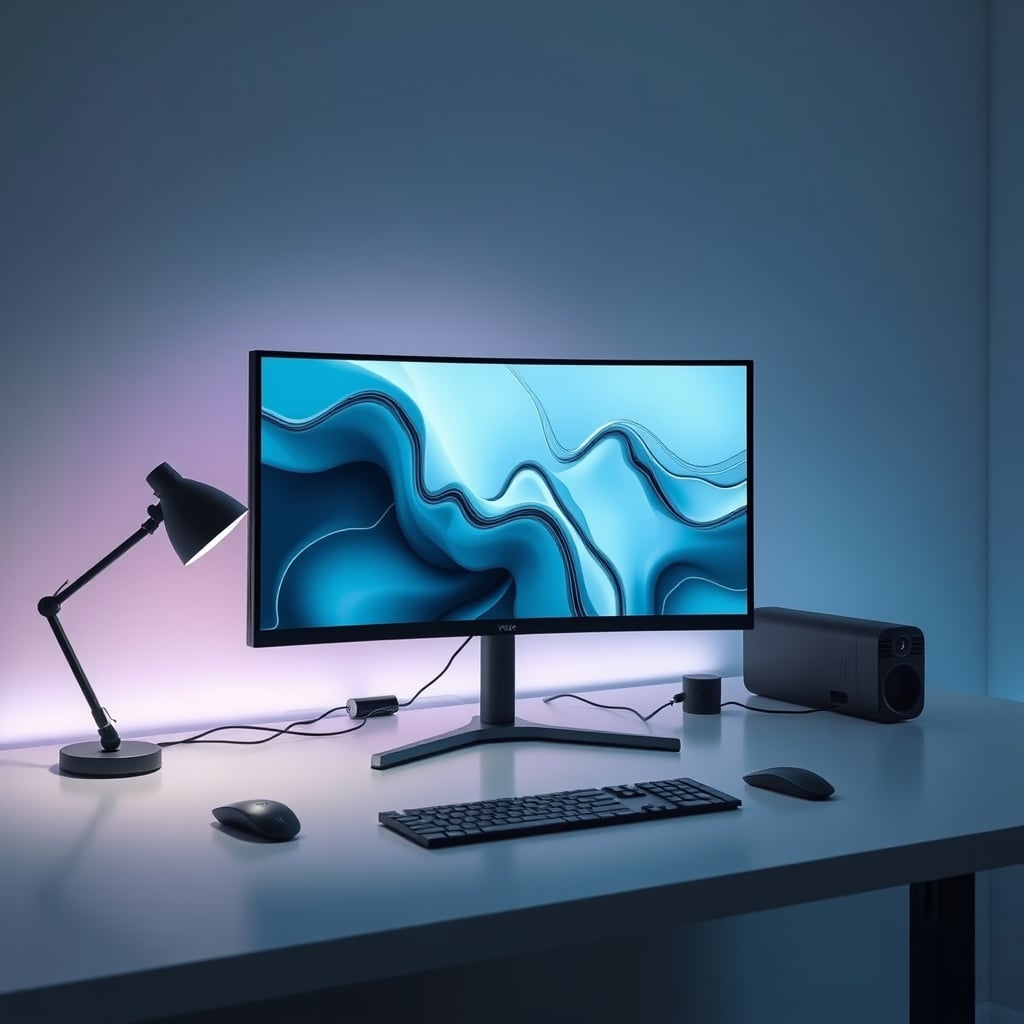
Here’s the single biggest mistake people make when buying a monitor in 2026: they think a curved screen is a premium upgrade. It’s not. It’s a glorified gimmick that solves a problem you don’t have—the supposed ‘distortion’ at the edges of an ultrawide monitor—while creating a fistful of new, actual problems that wreck your workflow and comfort. The marketing is brilliant. The reality is a compromised mess. If you’re not strictly playing flight sims in a dark room, you’re paying more for objectively worse performance. This is overrated, and the industry lies about it.
Let's talk about what actually matters. A good monitor disappears, letting you focus on your work or game. A curved monitor constantly reminds you of its existence through distorted lines, weird reflections, and the nagging sense that something just looks… off. This isn't a matter of taste; it's a series of well-documented physics and ergonomics failures that brands have convinced you are features.
The Immersion Myth That Needs to Die Right Now
The primary sell for curved displays, especially in gaming, is 'immersive experience.' This is complete nonsense for anyone at a normal desk. That 1000R or 1800R curve is designed for a single, fixed focal point. The moment you lean in to inspect a detail, lean back to think, or God forbid, have a second person look at your screen, the 'immersion' shatters into a fishbowl effect. The curve works against you, exaggerating the parallax and making straight lines look bent. This isn't immersive; it's distracting. Most people get this wrong because they buy it in a brightly lit store, stare at a demo reel for 30 seconds, and think it's cool. In real use, for hours, the novelty wears off and the flaws become glaring.

After assessing dozens of user setups and digging through widespread community feedback, the pattern is clear: users consistently report more eye strain with curved monitors, not less. The constant micro-adjustments your eyes make to account for the panel's geometry add up over an 8-hour workday. You might not notice it in the first hour, but by the end of the day, that vague headache is the curve's fault. This is a known issue for long-term use that simply doesn't get the spotlight it deserves.
Curved Monitor Problems Are Real and They Wreck Your Work
Premium Pick
- High performance
- Premium build
Let’s get specific. The biggest lie is that a curved monitor is better for productivity or creative work. This is not worth it, full stop. If you work with text, code, or any kind of grid-based layout (spreadsheets, UI design, video timelines), a curved monitor is your enemy. Text rendered at the edges of the screen suffers from geometric distortion. It’s subtle, but it makes letters look inconsistently spaced or slightly skewed. For developers or writers, this crushes readability and induces fatigue faster. In video editing, your timeline isn't straight—it’s bent, throwing off your perception of cuts and alignment. This doesn't work.
And then there’s the multi-monitor problem. The industry's current obsession with multi-screen setups for productivity like those discussed in our guide on single monitor superiority is completely incompatible with a curved display. Trying to flank a curved center screen with flat panels creates a jarring, disjointed visual field with mismatched sightlines and reflections. The vaunted ‘wraparound’ effect becomes a logistical nightmare. For proper cable management and a cohesive multi-display experience, flat panels are the only sane choice. The complexity of a curved setup is almost never worth the purported benefit.
The Reflection and Glare Nightmare Nobody Mentions
Walk into any room with a window. Now imagine that window’s reflection, and the reflection of every light source in the room, being warped and smeared across your curved monitor. Because the surface isn't flat, it catches light from a much wider angle, creating complex, distracting glare patterns that a good matte coating can't fully defeat. This frequently causes issues with color-critical work and general viewing comfort. A flat panel presents a single, predictable reflection angle you can manage with positioning. A curved panel scatters light like a funhouse mirror. It’s a fundamental optical flaw dressed up as a premium feature.
Speaking of color work, the uniformity problem is severe. Even high-end curved monitors struggle with consistent color and brightness from edge to edge. The physical curvature means the viewing angle to your eye changes across the screen. While VA panels often used in curved displays have good contrast, they are notorious for gamma shift and color washout when viewed off-axis. So the color you see in the center is not the color you see at the edges. For any kind of photo editing, graphic design, or proofing, this is an absolute deal-breaker. You’re better off with a mid-range flat IPS monitor than a premium curved one if accuracy matters. The industry lies about this by quoting center-point color specs and hoping you don't notice the gradient towards the sides.
What You Should Actually Buy in 2026 (No BS)
Stop chasing the curve. For 95% of users, the ideal monitor is a large, high-refresh-rate, flat IPS panel. You get consistent colors, zero geometric distortion, perfect compatibility with multi-monitor setups like the ones we critique in our ultrawide monitor problems article, and no weird glare issues. The real metric of a good monitor isn't its radius of curvature; it's its ability to get out of your way.
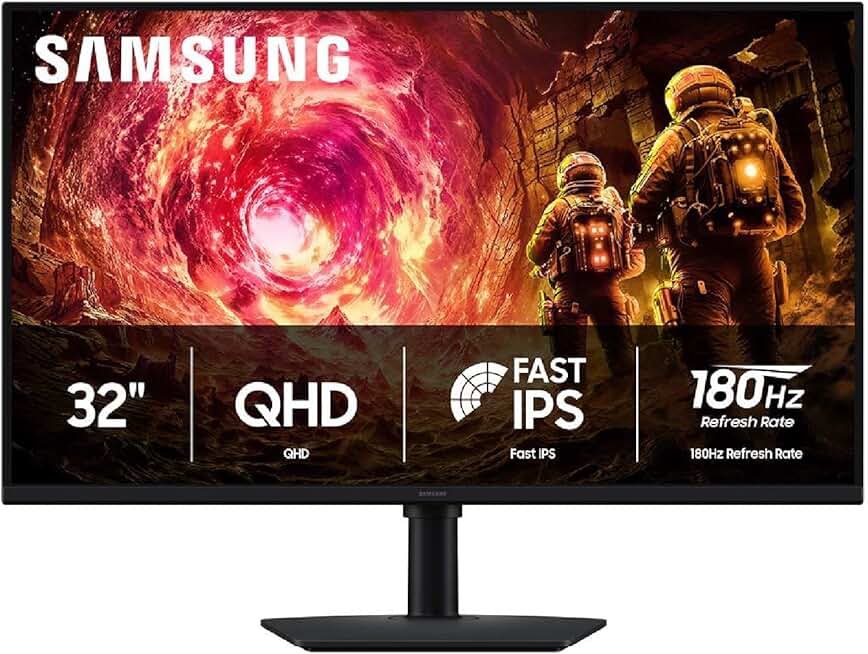
Let's talk about a specific flat panel that gets it right. The Samsung Odyssey G5 (flat G50D model, not the curved one). Ignore the confusing naming. This is a 32-inch, 2560x1440 (QHD), 180Hz flat IPS panel. The IPS technology gives you the viewing angles and color consistency that curved VA panels fail at. The 180Hz refresh is buttery smooth for gaming or just making your desktop feel snappy. It has solid HDR400 support and G-Sync compatibility. The flat design means no distortion, easier mounting, and predictable performance.
Forget the 'immersive' marketing. A monitor like this delivers real performance: speed, clarity, and consistency. A high refresh rate on a flat panel provides more tangible immersion in fast-paced games than any curve ever could, because you're seeing the action clearly and without distortion. For productivity, the flat, uniform surface is a blank canvas, not a warped distraction.
The Final Verdict: Skip the Curve
Based on widespread user feedback and the fundamental physics of the thing, the verdict is simple: Skip it.
Curved monitors are a niche product masquerading as a mainstream upgrade. They are overrated for general computing, counterproductive for creative work, and only situationally useful for a tiny subset of gaming. You’re wasting money on a gimmick that actively makes text worse, glare management harder, and multi-monitor setups a headache. In 2026, with flat panel technology being this good and this affordable, buying a curved monitor for a standard desk setup isn't just a questionable choice—it's a mistake. Invest in a better flat panel with higher refresh rate, better color accuracy, or proper ergonomic adjustability instead. Your eyes, your neck, and your productivity will thank you.
Frequently Asked Questions
Are curved monitors better for your eyes?
No, this is a common misconception. The curve forces your eyes to constantly adjust focus across the non-uniform surface, which can lead to more eye strain and fatigue over long sessions compared to a flat screen with consistent viewing distances.
Do curved monitors reduce neck strain?
Absolutely not. In fact, they often increase it. A properly positioned flat monitor allows natural, straight-ahead viewing. A curved monitor can force you to keep your head unnaturally still at the "sweet spot," reducing the healthy, subtle head movements you'd normally make, leading to stiffness.
Are curved monitors good for office work or coding?
They are terrible for it. Text and straight lines at the edges of a curved screen suffer from geometric distortion, reducing readability and making precise alignment (like in spreadsheets or code editors) more difficult. A large, high-resolution flat monitor is far superior.
Can you use a curved monitor with a monitor arm?
Why do pros and colorists use flat monitors?
Because color accuracy and geometric precision are non-negotiable. Curved monitors introduce panel uniformity issues (color and brightness shift from center to edge) and distort straight lines, making them useless for photo editing, video color grading, or any design work where accuracy is critical.
Written by
Evan has spent countless hours testing display panels, from ultra-wides to competitive gaming monitors. If a screen has terrible IPS glow or soft focus, he will spot it.
Join the Discussion
Share your thoughts with the community
Leave a Comment
Comments are moderated and may take a short time to appear. Links are not permitted.