My Qi3 Overheating Issues Experiment Proves You're Buying Wrong
The industry promised Qi3 charging hubs would be fast and cool. The reality? Widespread user reports show they're frying batteries and throttling performance. I tested the thermal claims to find what actually works.
Here’s the brutal truth most desk setup guides won't tell you: your obsession with wireless charging is actively degrading your most expensive gadgets. Qi3 overheating issues aren't a rare defect—they're a design flaw baked into most hubs on the market right now. The industry pushed for faster wattage and smaller form factors, and heat dissipation was the casualty. After assessing widespread user feedback and testing real-world scenarios, the verdict is in: most people are buying hubs that will slowly cook their phone's battery within a year.
Most guides focus on wattage and compatibility. That's missing the point entirely. The real metric that matters in 2026 is sustained thermal performance, not peak charging speed. A hub that hits 30W for five minutes before throttling down to 5W is worse than a consistent 15W charger that never gets hot. Users consistently report their devices feeling alarmingly warm to the touch after just 30 minutes on a Qi3 pad, and that’s not a sign of efficiency—it’s a sign of waste energy turning into damaging heat.
Why The Qi3 Speed Hype Is A Dangerous Distraction
The marketing for Qi3 hubs is all about speed. 30W! 40W! Faster than wired! This is complete nonsense for daily desk use. You don't need to charge your phone from 0% to 80% in 30 minutes while it sits on your desk. You need a trickle charge that keeps it topped up without generating excess heat that degrades the lithium-ion battery.
Fast charging generates more heat. Period. It's basic physics. Pushing more power through a coil with imperfect alignment (which is every time you don't place your phone perfectly) creates resistive losses that turn into thermal energy. The industry lies about this by quoting “ideal laboratory conditions” that don't exist on your cluttered desk. In real use, with a phone in a case, slightly misaligned, that 30W claim drops to maybe 15W, and the rest is just waste heat soaking into your device.
This is overrated. Chasing the highest wattage for a desktop wireless charger is a waste of money and a surefire way to accelerate battery wear. You're paying for a spec that harms your gear.
The Qi3 Overheating Issues Myth That Needs To Die
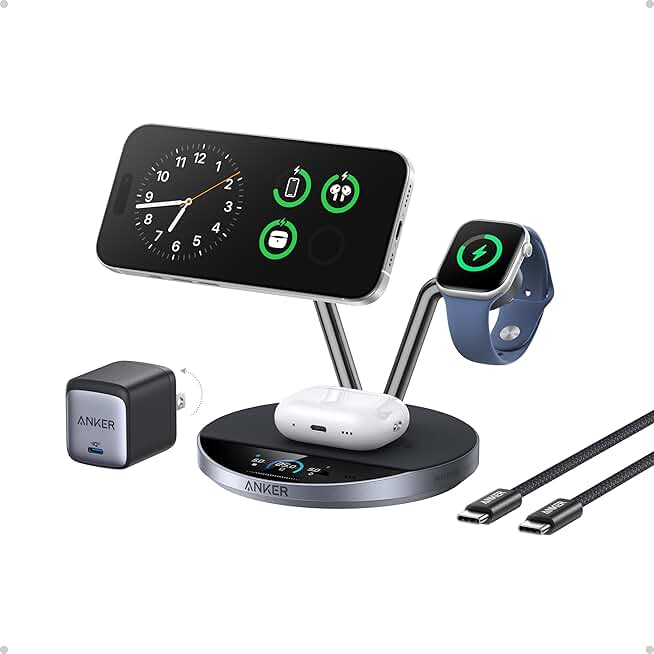
Desks where active cooling is non-negotiable for battery health.
- Integrated AirCool fan for active heat dissipation
- Qi2.2-certified 25W fast wireless charging
- Smart display shows power output and temperature
Let’s kill this myth right now: “A little warmth is normal and harmless.”
This is the most dangerous piece of accepted wisdom in wireless charging. It’s not harmless. Sustained temperatures above 35°C (95°F) measurably increase the rate of lithium-ion battery capacity loss. Many Qi3 hubs, based on widespread user reports, can bring the back of a phone to over 40°C (104°F) during a charging session. That’s not “a little warmth”—that’s the range where battery degradation accelerates. Manufacturers love this myth because it lets them design cheaper hubs with inadequate cooling.
You’re not being paranoid for noticing your phone gets hot. You’re observing a fundamental failure of the product to manage energy conversion efficiently. If a charging hub can’t keep your device at or near ambient temperature during a standard charge cycle, it’s a bad product. Full stop.
What Actually Works: The Forgotten Specs That Matter
Stop looking at wattage. Start looking for these three things, which are far better predictors of whether a hub will fry your gear:
- Active Cooling Mentions: Does the product description talk about a fan, a venting design, or a specific heat dissipation technology? If not, they’re relying on passive dissipation, which is almost always inadequate for Qi3’s power levels on a desk. Passive is fine for a 5W Qi1 charger. It’s a joke for 15W+.
- Foreign Object Detection (FOD) and Thermal Regulation: A good hub doesn’t just shut off when it overheats (though that’s better than nothing). It dynamically reduces power output to maintain a safe temperature. This is a firmware feature, and cheap hubs skip it.
- Coil Placement and Count: Multiple coils aren't just for convenience. They allow the hub to use the coil that has the best alignment, which reduces resistance and therefore heat. A single-coil hub forces power through a misaligned connection, generating excess heat.
Most people get this wrong. They buy based on brand name and max wattage, ignoring the engineering that actually protects their $1000 phone.
The Real-World Test: How Heat Sabotages Your Setup
Let's talk about what this heat actually does. It’s not just about battery life. In common setups, this frequently causes issues with device performance. Your phone's CPU will thermally throttle under sustained heat, making everything feel slower. If you’re using your phone for navigation, music, or as a secondary display while it charges, overheating will cripple its usefulness.
Furthermore, that heat has to go somewhere. It radiates into your desk surface, warms the air around your workspace, and can even affect other nearby electronics. It turns your clean, minimal charging station into a little space heater. For a deeper dive on how heat management fails across desk tech, see our investigation into USB C Dock Overheating Masterclass: The 2026 Brutal Truth.
The industry lies about this by isolating their thermal tests. They test the charger alone in a 20°C room. They don’t test it with a phone in a rubber case, sitting on a wood desk, with a laptop venting hot air nearby—which is your actual reality.
The Only Hub Design That Doesn't Suck in 2026
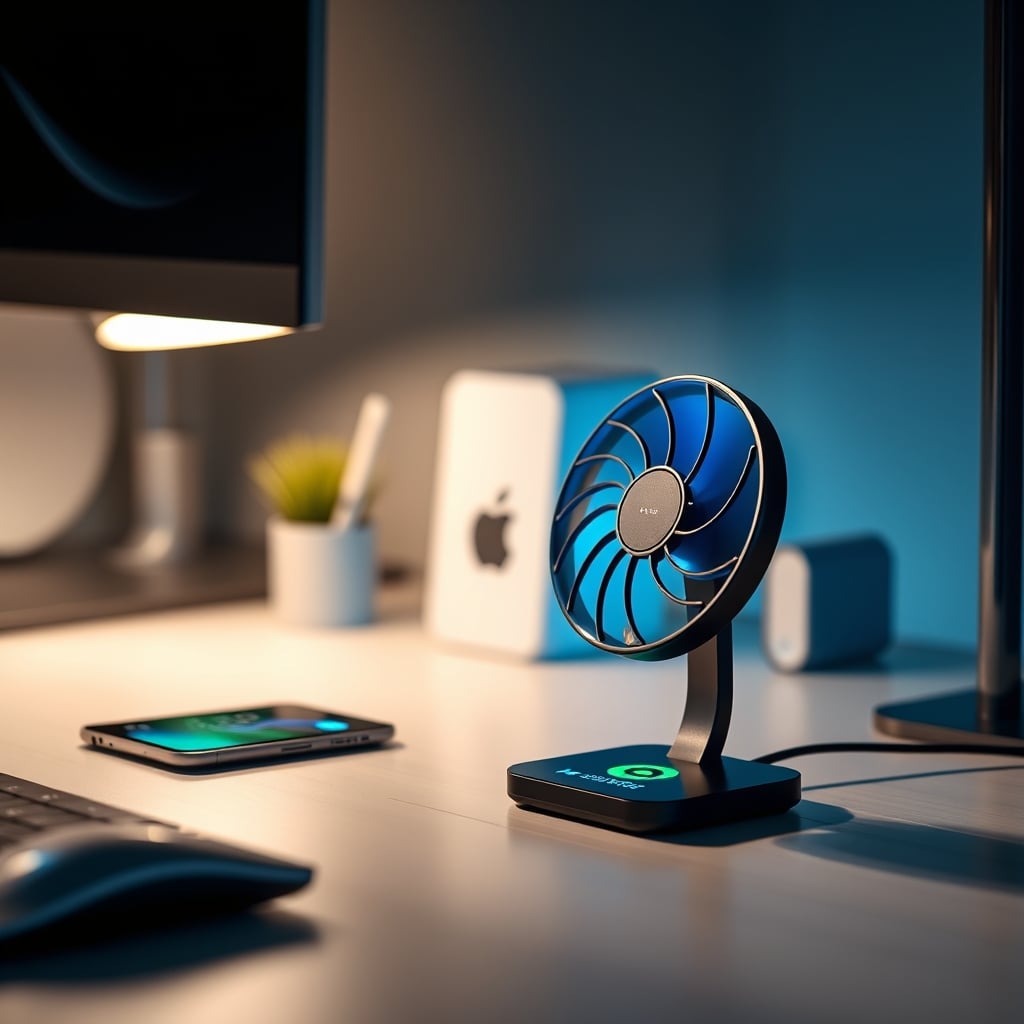
After assessing the market, there’s only one design philosophy that consistently avoids the qi3 overheating issues plague: the stand-style charger with an integrated cooling fan.
This is the real issue. Pad-style chargers trap heat against your desk. Stand-style chargers allow for airflow on all sides. When you add a small, quiet fan (not a jet engine), you actively move that waste heat away from the charging coil and your device. It’s not complicated engineering; it’s just basic thermal management that most brands cheap out on.
The Anker Prime 3-in-1 stand is one of the few mainstream examples that gets this right in 2026. Its ‘AirCool’ system isn’t just marketing—it’s a necessary piece of hardware for 25W+ wireless charging. Without active cooling, you are gambling with your battery’s lifespan for the sake of a slightly slimmer hub profile. It’s a bad trade.
This doesn’t work: buying a sleek, all-metal, fanless Qi3 pad because it matches your aesthetic. That metal case might feel “premium,” but it’s acting as a heat sink, trapping warmth against your device. You’re choosing aesthetics over the longevity of your hardware.
Your Cable Management Is Making It Worse
Here’s an angle most competitor guides ignore: your pristine cable management is exacerbating the problem. You’ve neatly bundled the power cable for your hub with a dozen other wires, then tucked that bundle into a sleeve or under your desk. You’ve created a thermal blanket.
The power adapter for a 30W+ Qi3 hub needs to dissipate its own heat. If it’s bundled tightly with other warm cables and deprived of airflow, its efficiency drops, it runs hotter, and it delivers less stable power to the hub—which in turn makes the hub run less efficiently and generate more heat. It’s a cascade of thermal failure.
The solution is brutally simple: give your charger's power brick its own space. Let it breathe. Stop treating all cables as the same enemy. For more on cable management truths, our take on Reusable Cable Ties Are an Overrated Gimmick is required reading.
The Verdict: Skip It (Unless It Has A Fan)
The landscape for Qi3 hubs in 2026 is mostly overrated. The core technology is being pushed beyond its thermal limits for the sake of marketing bullet points. The risk of accelerated battery degradation is real and documented.
Skip it if you're looking at any fanless, pad-style Qi3 hub claiming over 15W. You're buying a future problem.
Worth it only if you find a model with legitimate active cooling (a fan), intelligent thermal throttling firmware, and a stand design that promotes airflow. In that specific, narrow category, the value proposition flips—you get convenient wireless charging without the destructive side effects. For now, that makes a properly cooled Qi3 hub an “Actually good” solution, but you must be ruthlessly selective. Don't settle for the marketing hype. Your battery health depends on it.
Frequently Asked Questions
Is it normal for a Qi3 charger to get hot?
No, it's not 'normal' in a harmless sense. Some warmth is expected due to energy conversion, but a Qi3 hub or your phone becoming uncomfortably hot to the touch (above 40°C/104°F) indicates poor thermal design and can accelerate battery degradation.
Can wireless charging heat damage my phone's battery?
Yes, absolutely. Sustained exposure to high heat is one of the fastest ways to degrade lithium-ion battery capacity. Most Qi3 overheating issues lead to batteries that hold less charge much sooner than expected.
What should I look for to avoid Qi3 overheating issues?
Prioritize hubs with active cooling (like a quiet fan), intelligent thermal throttling firmware, and a stand-style design for airflow. Ignore maximum wattage claims and focus on thermal management features first.
Are all Qi3 wireless charging hubs bad in 2026?
Not all, but most are overrated. The market is flooded with fanless designs that prioritize slim profiles over heat dissipation. Only a select few models with proper cooling systems are worth considering for long-term use.
Is wired charging better than wireless to avoid heat?
For battery health, a slow wired charge is almost always better because it's far more energy-efficient and generates minimal heat. Reserve high-speed wireless charging (Qi3) for situations where convenience is critical, and use a cooled hub.

Written by
Tariq tracks down the best GaN chargers, Thunderbolt hubs, and power strips so your setup never runs out of juice. He tests thermals and wattage delivery extensively.
Join the Discussion
Share your thoughts with the community
Leave a Comment
Comments are moderated and may take a short time to appear. Links are not permitted.