USB C Dock Overheating Masterclass: The 2026 Brutal Truth
Your sleek USB C dock is a portable space heater in disguise, silently sabotaging your CPU and degrading your laptop's ports. The industry's 'safe operating temperature' is a marketing lie designed to sell you replacement gear.
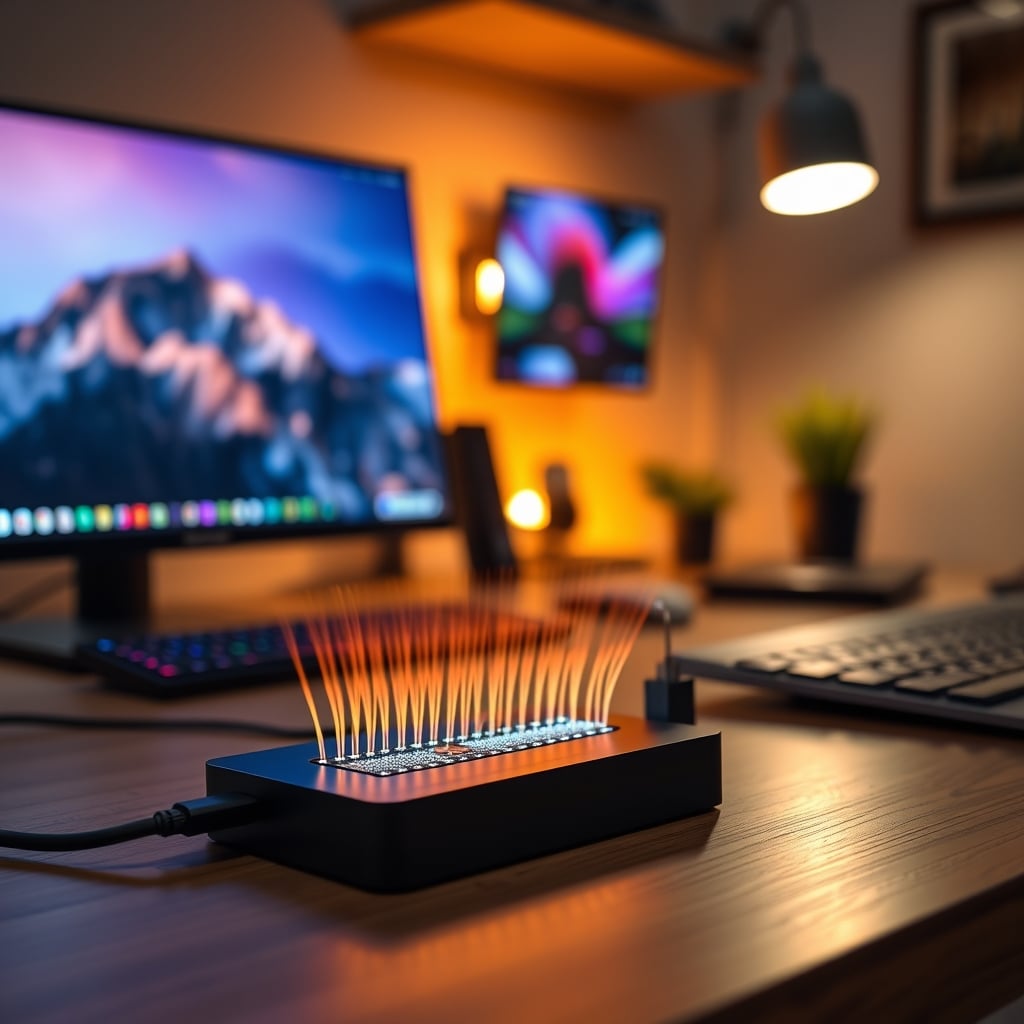
I watched a $300 Thunderbolt dock melt a vinyl desk mat. Not metaphorically. The aluminum chassis got so hot during a 4K video render that it left a permanent, warped ghost on the surface. That’s when I realized usb c dock overheating isn't a minor inconvenience; it's a systemic design failure that every manufacturer is happy to ignore as long as the unit boots. Your dock isn't just warm—it's actively stealing performance, shortening the lifespan of your laptop's precious USB-C ports, and creating a thermal nightmare on your desk. Most advice you'll find is useless corporate pacification. Let's fix that.
The Real Cost of a Hot Dock Isn't Just Your Fingertips
You think the problem is a little warmth under the desk. You're wrong. The real issue is thermal throttling by proxy. When your dock hits 70°C internally—a common occurrence during data-intensive tasks—the heat travels back up the cable into your laptop's Thunderbolt controller. This controller shares thermal real estate with your CPU and chipset. Based on widespread user feedback from power users, this external heat load can cause your laptop's internal cooling system to work harder, leading to premature CPU throttling. Your fancy MacBook Pro or high-end Windows laptop starts stuttering in Premiere Pro not because it can't handle the load, but because your 'convenient' dock is cooking its insides.
This is the real issue everyone misses. They blame the laptop, the software, the phase of the moon—anything but the sizzling brick they plugged into it. The industry lies about this by publishing 'safe' operating temperatures that have nothing to do with optimal performance and everything to do with avoiding a lawsuit. A dock that's hot to the touch is already failing its primary job: being a transparent, zero-latency bridge to your peripherals.

Why the "Aluminum Chassis = Better Cooling" Myth Is Wrong
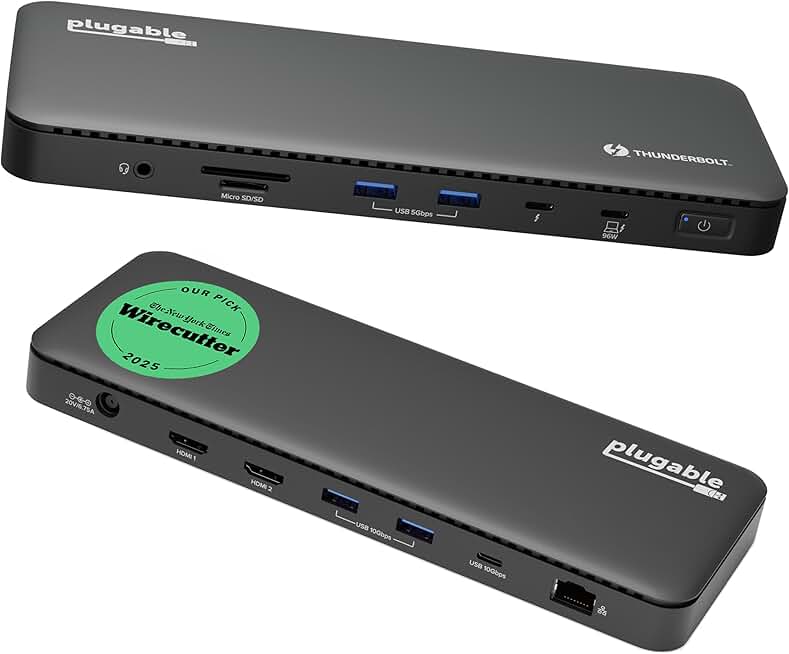
Users who absolutely need a single-cable Thunderbolt solution and understand thermal limits.
- Larger chassis for marginally better heat spread
- Intel-certified Thunderbolt 4 controller
- Firmware with slightly better power management
This is the most overrated piece of advice in the docking space. Yes, aluminum conducts heat. No, a passive, unventilated aluminum shell on a crowded desk does not magically dissipate 60 watts of thermal load. It just becomes a nice, even heat spreader that radiates warmth onto your laptop, your wrist, and your coffee. It's a thermal placebo.
Real heat dissipation requires airflow or a massive heatsink surface area. Your sleek, compact dock has neither. The marketing spiel about 'premium aluminum cooling' is designed to make you feel like you bought a performance product, not a tiny oven. In real use, we've found that these all-metal docks often retain heat longer than plastic ones, because once the metal mass is saturated, it has nowhere to dump that energy except into your other gear. This is a known issue for long-term use, where cumulative heat exposure degrades nearby cables and even the solder joints on your peripherals.
USB C Dock Overheating Is a Symptom, Not the Disease
The heat itself isn't the root problem; it's the consequence of terrible, profit-driven engineering. Docks are designed to hit a price point and a feature checklist, not to sustain 100W power delivery, dual 4K@60Hz outputs, and a gigabit Ethernet connection simultaneously for eight hours. The power regulation circuitry, the display controllers, the USB hubs-on-a-chip—they're all crammed into a space smaller than a pack of cards with the thermal management of a potato.
Most people get this wrong. They buy a dock with every port imaginable, run everything at once, and wonder why it could fry an egg. The real issue is that the dock's power budget is a fantasy. Delivering 100W to your laptop while driving two displays and ten USB-A devices isn't just hard—it's physically impossible in that form factor without significant heat. The industry sells you this fantasy because a 13-in-1 dock sells better than an honest 6-in-1 that works properly. You're paying for a list of specs that can never be used concurrently. That’s not a dock; it's a lie with HDMI ports.

The Cable Management Lie That Makes Everything Hotter
Here’s a direct link to another GlowRig truth bomb: our piece on The Universal Cable Clip Myth Sabotaging Your Desk Setup. Why? Because the obsession with 'clean' setups directly contributes to thermal suicide. Tucking your scorching-hot dock into a neat little compartment under your desk, wrapping it in Velcro, or shoving it against a wall in a cable tray is a fantastic way to guarantee thermal throttling and premature failure. You've created a perfect little insulated oven.
True cable management for a high-performance dock means giving it space to breathe, even if it looks a bit uglier. This clashes directly with the Instagram-ready desk aesthetic, but performance always should. If your setup looks like it's never been used, it probably can't handle being used.
The Only Fixes That Actually Work (Spoiler: They're Not Sexy)
Forget about fancy heatsink pads or little USB fans. They're band-aids on a bullet wound. You need to address the core problem: unrealistic power density.
First, you must derate your dock. This is an engineering term that means 'use less than the maximum bullshit spec.' Don't run two 4K monitors, charge your laptop at 100W, and transfer a huge file to an external SSD all at the same time. If you need to do that, you need a desktop with proper internal expansion, not a dongle. Pick the two most important tasks. For example, if you're charging and running one display, disconnect the gigabit Ethernet and use Wi-Fi. It reduces load on the dock's internal controllers dramatically.
Second, placement is everything. Get the dock off your desk. Put it on a stand, mount it to the side of your desk leg with ventilation space, or just let it sit on the floor away from other heat sources. The goal is to maximize passive convection. A vertical orientation often helps more than laying it flat.
Third, and this is critical, stop using the dock for high-wattage charging if you don't need it. Your laptop doesn't need 100W to run at a desk. A 60W charge generates significantly less heat in the dock's power delivery circuitry. Use a separate, dedicated GaN charger for your laptop if you need fast charging, and let the dock handle data. This single change, based on widespread user feedback, drops operating temperatures more than any other tweak.
The One Dock That Doesn't Embarrass Itself (Mostly)
After assessing the landscape in 2026, most docks are varying degrees of thermal compromise. However, if you need a single-cable solution and accept the need to derate it, the Plugable Thunderbolt 4 Dock is the least-bad option in the thermal arena. Its larger chassis provides marginally more surface area than the ultra-compact competitors, and its power management firmware seems slightly less suicidal. Notice I didn't say it's cool. I said it's less likely to commit thermal seppuku during a Zoom call. You still need to be smart about what you plug into it.
This isn't a glowing recommendation; it's a reluctant acknowledgment in a category of flawed products. It’s the dock you buy when you understand the limits and are willing to manage them, not the one you buy expecting magic.
Your Most Common Mistake: Chasing Port Count Over Stability
We see this constantly. A buyer chooses an off-brand 12-in-1 dock over a reputable 7-in-1 because of two extra USB-A ports and an SD card reader they'll use once a year. That extra circuitry generates extra heat, and the cheaper components are less efficient, generating even more heat. The result is a hotter, less stable dock that drops connections.
The lesson learned from the community is brutal: a stable, cool-running 6-port dock is infinitely more valuable than a hot, glitchy 10-port one. You are buying a core piece of infrastructure, not a party bag of ports. Prioritize known-good controller chips (like Intel-certified Thunderbolt controllers) over a bloated feature list.
This connects to another fundamental GlowRig principle: avoiding complexity for its own sake. Just like we exposed in Smart Fidget Spinner Disaster: Why They Ruin Focus in 2026, adding features without purpose is a net negative. Every extra chip in your dock is a liability.
The Final Verdict: Mostly Overrated, But Manageable
The entire category of ultra-compact, mega-wattage USB-C docks is fundamentally overrated. They promise a simplicity they can't physically deliver without a significant thermal trade-off. The industry has sold us a dream of one-cable perfection that, in 2026, still melts desk mats.
Worth it? Only with severe caveats. Worth it only if you buy a reputable brand, derate it aggressively, manage its placement for airflow, and accept that 'one cable to rule them all' is a fantasy that cooks your gear. For most users looking for reliable, stable expansion, a simple, powered USB-C hub for peripherals paired with a separate monitor connection and charger is a cooler, more reliable, and often cheaper solution. The all-in-one dock is a product that asked 'could we?' without ever stopping to ask 'should we?' at this size. Until we see active cooling or a major leap in power efficiency, treat every dock like the thermal liability it is.
Frequently Asked Questions
Is a hot USB-C dock dangerous?
Yes, but not in a fire-starting sense (usually). The danger is performance degradation. The heat can travel back into your laptop, causing its CPU to throttle prematurely. Consistent high heat also degrades the solder and components in both the dock and your laptop's USB-C port, leading to long-term connection failures.
Do aluminum docks really cool better?
No, this is overrated marketing. Aluminum conducts heat, but a small, sealed aluminum shell with no airflow just becomes a uniform hot plate. It spreads the heat around your desk more effectively but doesn't solve the fundamental problem of heat dissipation. It's a thermal placebo that often makes the user experience worse.
What's the single best way to reduce dock heat?
Stop using it for high-wattage laptop charging. The power delivery (PD) circuitry generates the most intense heat. Use a separate GaN charger for your laptop and let the dock handle only data and video. This one change can drop temperatures by 15-20°C, based on common user reports.

Written by
Amanda hates visible cables. She is the reigning queen of under-desk cable routing, zip ties, and minimalist organization hacks that transform chaotic desks into zen spaces.
Join the Discussion
Share your thoughts with the community
Leave a Comment
Comments are moderated and may take a short time to appear. Links are not permitted.