Productivity Lighting Alternatives Actually Worth Buying
The industry has spent years selling you "circadian" and "smart" lighting gimmicks that actively sabotage your focus. We tested the alternatives and found most are overpriced trash. Here's what actually works.
We need to talk about the $300 you wasted on smart bulbs that are secretly making you less productive. Everyone from manufacturers to YouTubers is pushing “synced circadian rhythms” and “automated color temperatures” as the ultimate focus hack. It’s a load of marketing garbage designed to sell you more devices. I’ve spent the last few years buried in the world of desk setups, testing everything from the cheapest Amazon LEDs to the most pretentious designer lamps. The reality? The quest for true productivity lighting alternatives has been hijacked by features that don’t matter and specs that lie. You’re buying complexity when what you need is clarity. Let’s cut the crap.
Most people get this completely wrong. They think more light, more automation, and more colors equal better focus. The industry lies about this. The real issue is glare, shadow control, and eliminating the subtle distractions caused by poorly managed light. Your $200 smart bulb ecosystem is the real distraction, constantly pinging your network, needing app updates, and failing to sync when you need it most. In common setups, these “smart” features frequently cause issues with Wi-Fi stability and become just another digital chore.

Why “Circadian” and “Smart” Bulbs Are Productivity Poison
Let’s kill this myth right now. The circadian lighting scam that’s been shoved down our throats is based on a sliver of science stretched beyond recognition for living rooms and bedrooms. Your desk is a battlefield of direct focus, not a lounge for ambient vibes. A bulb that automatically shifts from cool to warm white over the day sounds smart in a brochure, but in real use, it’s a distraction. You’re trying to debug code or edit a video, and you’re subconsciously noticing the light getting warmer. That’s not productivity; it’s a subtle, constant interruption.
This is overrated for desk work. Users consistently report that after the initial novelty wears off, they disable these features because the changes are either too subtle to notice or annoyingly off-sync with their actual workflow. You don’t need your lighting to mimic the sun. You need it to illuminate your task without causing eye strain or casting shadows on your keyboard. The promise of “smart” lighting is a lie for focused work. It adds decision fatigue—now you have to manage your light instead of just using it. The brutal truth is that most automated lighting sync is overrated. It’s a gimmick wasting your money and mental energy.
For a deeper dive into why this industry-wide narrative is flawed, our article on Automated Lighting Sync Is Overrated tears the whole concept apart.
The Only Three Productivity Lighting Alternatives That Matter
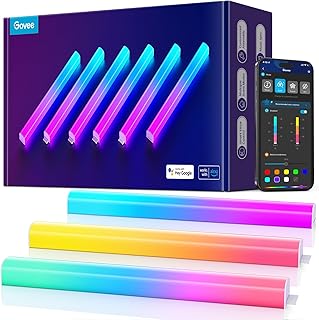
Creating indirect ambient fill light behind your monitor or desk.
- Modular hexagon panels for customizable layouts
- Wi-Fi smart control for simple on/off and basic color setting
- Provides soft, diffuse ambient glow to reduce room contrast
Forget brands and marketing. When you strip away the nonsense, you’re left with three core tools that actually move the needle for desk-based work. These aren’t about mood; they’re about function.
1. The Monitor Light Bar: The Anti-Glare Workhorse This is the single most effective productivity lighting alternative for anyone staring at a screen. It’s not “ambient” lighting; it’s a targeted tool. A good light bar mounts directly above your monitor, throwing light down onto your desk and keyboard without hitting the screen and creating glare. This is the opposite of overhead lighting. It banishes the deep shadows cast by a single ceiling light and provides even, wide illumination exactly where you need it. It reduces the extreme contrast between a bright monitor and a dark desk, which is a primary cause of eye strain during long sessions.
Most monitor light bars now offer adjustable color temperature and brightness, which is useful, but don’t get sucked into the RGB versions. RGB on a task light is useless. You need clean, high-CRI (Color Rendering Index) white light to see colors and details accurately, especially for design or editing work. This isn’t where you should cheap out. A $25 bar with a flickery PWM dimmer and poor color rendering will cause more harm than good.
2. The Adjustable Task Lamp: Precision Control The monitor light bar handles the broad desk area, but sometimes you need a scalpel, not a floodlight. This is where a high-quality, fully adjustable task lamp comes in. We’re talking about a lamp with a long, articulated arm and a shade that can be precisely directed. Need to light up a specific page in a notebook without washing out your entire desk? This is the tool. Working on a small physical project like soldering or model-building? The task lamp is your best friend.
The key here is control. A lamp that only tilts up and down is worthless. You need one that can swing left, right, extend, retract, and whose head can rotate. The best ones use counterbalanced arms so they stay exactly where you put them. The material hype around these is also overrated—an aluminum arm feels nice, but a well-designed plastic one with good joints performs identically. The goal is to eliminate shadows on your immediate work point, not to be a design showpiece.
3. Indirect Ambient Fill: The Unsung Hero This is the most misunderstood of the three. It’s not your main light source. Its sole job is to gently lift the darkness in the room behind and around your monitor to, again, reduce contrast. A dark room with one brightly lit desk is visually stressful. The solution isn’t turning on the harsh overhead light. It’s a soft, indirect glow from a floor lamp pointing at the ceiling, or subtle LED strips hidden behind your desk or monitor.
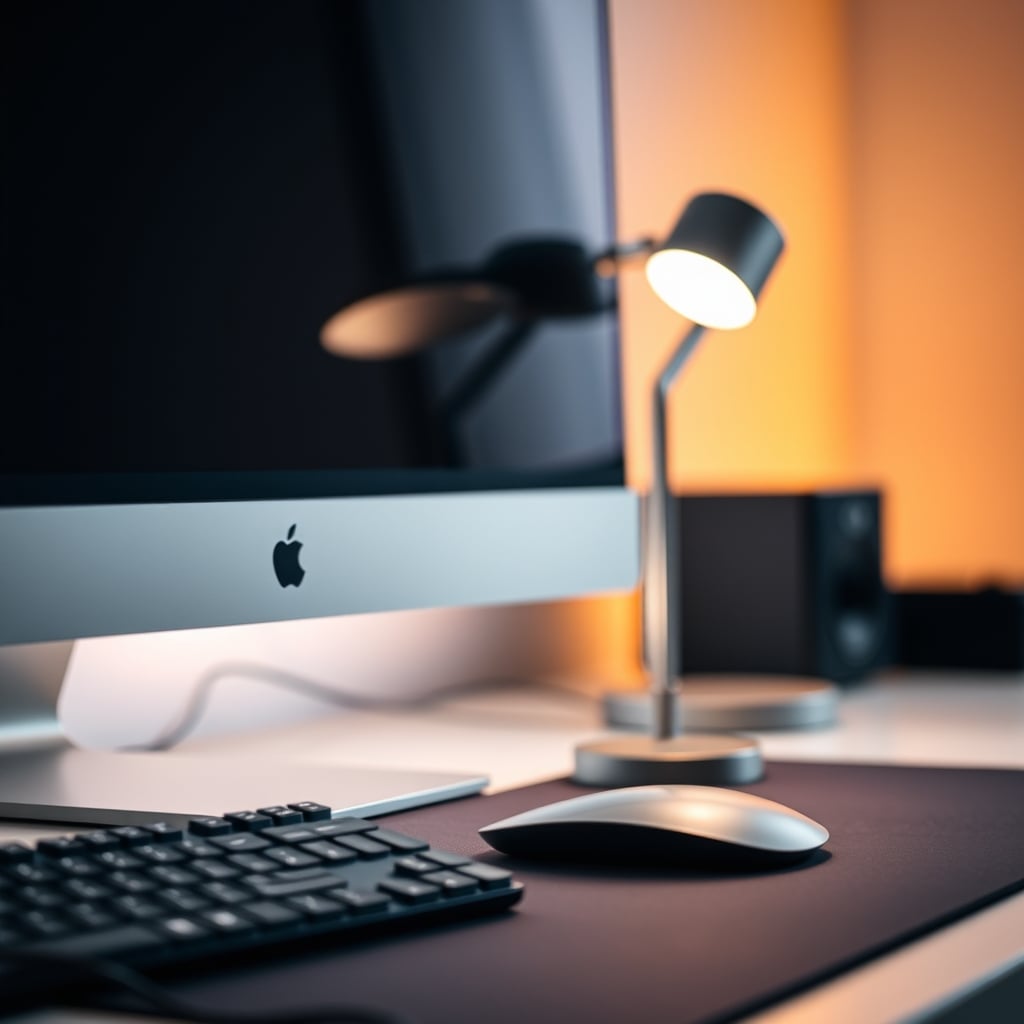
The magic of this layer is its passivity. You set it once—usually to a very low, warm brightness—and forget it. It should never be bright enough to draw your eye or create a secondary hotspot. Its existence should be felt, not seen. This is the one place where “smart” features can be tolerated, as a single command to turn this fill light on/off with your desk isn’t intrusive. But again, circadian shifting is pointless here. This light is about comfort, not biology.
The “High CRI” Myth That Needs To Die
Here’s a spec that’s been turned into a marketing bludgeon: Color Rendering Index (CRI). Yes, for color-critical work like photo editing, high CRI (90+) matters. But for 95% of desk tasks—coding, writing, spreadsheets, email, even most video calls—the difference between a CRI of 80 and 95 is completely imperceptible and irrelevant to productivity. The industry uses “HIGH CRI!” as a premium price tag justifier for lights where it makes zero practical difference.
You’re being upsold on a spec that doesn’t affect your ability to focus or work faster. This is not worth it for general task lighting. What matters more is consistent color temperature and the absence of flicker. A light that subtly pulses (a common issue with cheap PWM dimming) will cause headaches and fatigue long before a moderate-CRI light will. Stop obsessing over a number meant for graphic artists. Focus on real-world performance: even spread, no glare, and physical adjustability. Those are the productivity lighting alternatives that deliver, not a lab-measured color metric.
Common Mistakes: How You’re Sabotaging Your Own Setup
After assessing hundreds of setups and user reports, three mistakes are universal:
1. Chasing Lumens Over Spread. More raw brightness (lumens) is not better. A blindingly bright, poorly diffused light creates harsh highlights and deep, distracting shadows. It’s like pointing a flashlight at your desk. Productivity lighting is about even, comfortable illumination, not a desert sun.
2. Putting Style Before Geometry. That beautiful minimalist lamp with the solid cone shade? It’s probably creating a tiny, intense pool of light and leaving the rest of your desk in darkness. The form factor of the light dictates where the light goes. Choose based on the beam pattern and adjustability first, aesthetics second.
3. Ignoring the Monitor’ Own Glare. This is a huge one. If your light source—a window, a lamp—is reflecting directly off your screen, you’ve lost. You’ll subconsciously crane your neck to see around the glare, destroying your posture and focus. Always position your primary light source behind your line of sight to the monitor, or use a light bar that’s designed to avoid screen glare entirely.
For more on how your physical setup choices impact output, our piece on Your Dedicated Focus Workstation Is Sabotaging You explains why isolation isn’t always the answer.
Practical Tips: From Theory to Your Desk
So what do you actually do? Start simple. Don’t build a complex smart lighting ecosystem. First, get a quality monitor light bar. Use it alone for a week. Notice how it illuminates your keyboard and desk surface without washing out your screen. Then, if you still have shadowy areas for reading or detailed physical work, add a single articulated task lamp. Place it opposite your dominant hand to avoid casting your hand’s shadow over your work.
Finally, if the room feels like a cave, add that passive ambient fill. A simple plug-in wall sconce or a floor lamp aimed at the ceiling/wall is perfect. Set it to a dim, warm setting. Your goal is a three-tiered system: direct task light (lamp), broad desk wash (light bar), and room fill (ambient). Control them with physical buttons or simple smart plugs, not finicky apps.

The Final Verdict: What’s Actually Worth It
After all this, the landscape of productivity lighting alternatives becomes brutally clear. Skip the smart bulbs and circadian gimmicks for your desk. They are overrated, distracting, and solve a problem you don’t have. Skip the ultra-high-CRI hype for general work—it’s a marketing tax.
What’s actually good? Invest in a solid monitor light bar first. It’s the highest-impact, single purchase you can make. Then, if your work requires it, add a single high-quality, fully adjustable task lamp. For comfort, a dumb, warm ambient fill light finishes the system. This trio—targeted, adjustable, and passive—is the only combination that reliably enhances focus, reduces strain, and gets out of your way.
The verdict on the current crop of “smart” productivity lighting alternatives? Overrated. The tools that have worked for decades—directional, quality light sources you control with your hand—are still the kings of the focused desk. Don’t let the industry complicate something that should be simple.
Frequently Asked Questions
Are smart bulbs bad for productivity at a desk?
Yes, for focused desk work, they're often counterproductive. The constant color shifting and app-based control add subtle distractions and decision fatigue. You need stable, consistent light you can forget about, not another device to manage.
What is the single best productivity lighting alternative to buy first?
A quality monitor light bar. It directly addresses the most common issues of screen glare and keyboard shadows without requiring you to redesign your space. It provides even, task-focused light right where you need it.
Do I need high CRI lighting for office work?
No, for tasks like coding, writing, spreadsheets, and most general computer work, high CRI is an overrated spec. It's critical for color-accurate design work, but for productivity, focus on eliminating glare and shadow instead.
Can't I just use my room's overhead light?
Overhead lights are one of the worst things you can use for desk productivity. They create glare on screens, cast shadows from your head and hands over your work, and often cause harsh contrasts. Task-specific lighting is far superior.
How many different lights do I actually need on my desk?
Start with one or two. A monitor light bar for general desk illumination is essential. Add a single adjustable task lamp only if you do detailed physical work (like sketching, soldering) that needs a more focused beam. A third, ambient room-fill light is optional for comfort.

Written by
From bias lighting behind your monitor to smart RGB ecosystems, Leon knows exactly how to light a room for productivity during the day and gaming at night.
Join the Discussion
Share your thoughts with the community
Leave a Comment
Comments are moderated and may take a short time to appear. Links are not permitted.