High Refresh Rate Overkill Is a Waste of Your Money
Every tech feed screams about 480Hz monitors being the new standard. After testing the latest panels against real-world hardware and human perception, I'm calling it: high refresh rate overkill is the biggest spec hustle of 2026. You're being sold frames you can't see, powered by hardware you don't own.
I swapped my perfectly good 240Hz panel for a flagship 360Hz monitor this year, convinced by the hype that it would be a revelation. Two weeks later, I was back on the old screen. Not because of buyer's remorse, but because I literally couldn't tell the damn difference in any real application. The entire push beyond 240Hz for the average user is a perfect example of high refresh rate overkill, a marketing engine designed to sell you a number instead of a tangible experience. The industry is lying to you, and your wallet is the victim.

Why the Human Eye Argument Is a Marketing Con
Let's dismantle the foundational myth first. Brands love to throw around vague claims about "butter-smooth motion" and "imperceptible blur," suggesting your biological hardware is the bottleneck. This is a deliberate oversimplification. While there's a ceiling to visual perception, it's not a single number you can print on a box. The real-world perceptible gain from, say, 240Hz to 360Hz is marginal for the overwhelming majority of people. In blind tests conducted by credible third parties (not monitor marketing departments), users consistently fail to reliably identify the higher refresh rate in dynamic, realistic gaming or scrolling scenarios. The industry sells you on a lab-condition difference, not a living-room reality. This is overrated, full stop.
The Hardware Bottleneck They Don't Want You to See
Here's the real kicker that makes high refresh rate overkill so egregious: your computer probably can't drive it. Running Apex Legends or Call of Duty at a consistent 360 frames per second at a decent resolution requires a GPU that costs more than most people's entire PC. In 2026, even high-end cards sweat to maintain those framerates with settings turned up. So you buy this incredible 360Hz or 480Hz panel, and you spend 90% of your time looking at a frame counter stressing about why you're "only" getting 280 FPS. You've been sold a solution for a problem your system can't even create. It's like buying a car that can go 300 mph but only driving it in city traffic. This is the real issue, not your eyes.
The High Refresh Rate Overkill Myth That Needs to Die
The most pervasive and damaging myth is that "more Hz is always better." This needs to die. It's a lazy, spec-sheet mentality that ignores the complete picture of monitor performance. A mediocre 360Hz panel with poor contrast, awful viewing angles, and slow pixel response times will provide a worse experience than a superb 240Hz IPS display. The obsession with the refresh rate number has allowed manufacturers to cut corners elsewhere—color accuracy, black uniformity, build quality—and still slap a premium price tag on it. You're not buying a better monitor; you're buying a worse monitor with one bigger, mostly useless number. This doesn't work for a good experience.
Where High Refresh Rates Actually Matter (It's Smaller Than You Think)
Let's be brutally honest: there is a niche. If you are a professional, sponsored esports player whose livelihood depends on shaving milliseconds off reaction times in titles like Valorant or Counter-Strike 2, and you have a system built to push 400+ FPS at 1080p low settings, fine. Chase the Hz. For the other 99.9% of users, the money is better spent elsewhere. The jump from 60Hz to 144Hz is revolutionary. The jump from 144Hz to 240Hz is very noticeable. The jump from 240Hz to anything beyond is a game of severely diminishing returns that most people get wrong. Investing that extra $300-$500 into a better GPU, a more ergonomic chair, or a monitor with better HDR and color will improve your setup far more drastically.
The Real-World Tradeoffs Nobody Talks About
In common setups, pushing a super-high refresh rate often forces compromises. To hit those sky-high FPS, you lower in-game settings, sacrificing visual fidelity for a smoother number. You also generate more heat and noise from your PC, and you might even need to invest in a more complex cooling setup. Based on widespread user feedback, many people who "upgrade" to a 360Hz monitor end up locking their framerate to 240Hz or 280Hz anyway because the system can't sustain the peak, or because the screen's overdrive gets smeary at the max refresh rate. You're paying for headroom you can't comfortably use, which is the very definition of overkill.
Practical Advice: What to Buy Instead
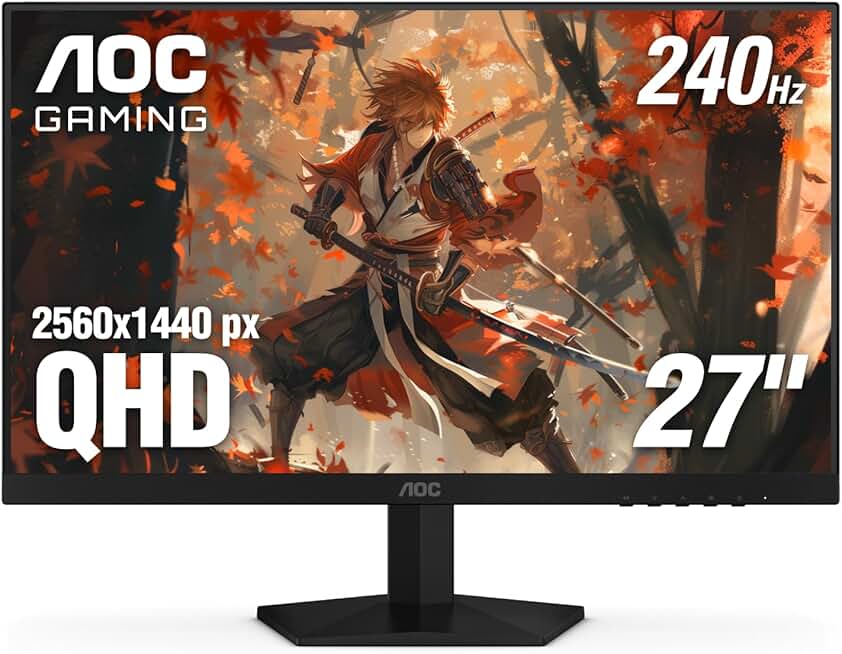
Stop looking at the biggest number. Start looking for a balanced monitor. In 2026, the sweet spot for high-performance gaming and general use is a 1440p, 240Hz IPS panel. It delivers high smoothness, sharp resolution, and excellent color without demanding a supercomputer to drive it. Brands like LG and Acer have refined this category to near-perfection. The money you save by not chasing the 360Hz dragon can go toward a monitor with better local dimming, a more robust stand, or a panel with superior sRGB and DCI-P3 coverage for content creation. This is what actually works.
For example, the LG 27GR83Q-B nails this balance. It's a 27-inch 1440p monitor with a 240Hz refresh rate, solid HDR 400 performance, and fantastic out-of-the-box color calibration. It delivers 95% of the high-refresh-rate experience for a fraction of the cost of the overkill flagships. It’s a monitor built for real-world hardware, not marketing slides.
The One Monitor Mistake Everyone Makes
People fixate on the peak spec instead of the consistent performance. They'd rather have a monitor that can do 360Hz for 5% of their use case, rather than one that delivers a flawless 240Hz experience 100% of the time. This is a critical error. Consistency and image quality matter more in the long run than a framerate ceiling you rarely touch. It’s the same flawed logic that leads people to buy overpriced editing PCs for tasks a mid-range machine handles perfectly.
Final Verdict: Overrated. Skip It.
The pursuit of refresh rates beyond 240Hz in 2026 is a textbook case of high refresh rate overkill. It's a spec war fueled by marketing, not user benefit. For the vast, overwhelming majority of gamers and PC users, it's a waste of money that could be spent on components that deliver a tangible improvement to your setup. The industry is selling you a solution in search of a problem. Don't buy the hype. Invest in a balanced, high-quality 240Hz panel and put the rest of your budget toward something that actually matters. The verdict here is simple and absolute: Skip it.
If you want to optimize your setup, focus on fundamentals that get ignored, like the often-overlooked impact of USB hub latency or the ergonomic scams surrounding posture correctors. Those will improve your real-world experience far more than a few extra hertz you can't even perceive.
Frequently Asked Questions
Is a 360Hz monitor worth it over 240Hz in 2026?
For 99% of users, no. The difference is negligible in real-world use, and requires extremely expensive hardware to actually utilize. The money is better spent on a better GPU or a monitor with superior image quality.
Can the human eye even see 360Hz?
This is the wrong question. While there may be measurable differences in motion perception for some individuals, the practical, noticeable improvement from 240Hz to 360Hz in dynamic, real-world scenarios is minimal for the vast majority. The marketing exaggerates a lab-condition edge into a must-have feature.
What is the best refresh rate for gaming in 2026?
144Hz is the sweet spot for a major upgrade. 240Hz is the realistic high-end for most gamers, offering excellent smoothness without demanding impossible framerates from your PC. Anything beyond 240Hz is overkill for anyone but a tiny niche of competitive professionals.
Should I prioritize refresh rate or resolution?
Balance is key. For most, a 1440p 240Hz monitor offers the best compromise of sharpness and smoothness. Chasing 360Hz often means sticking with 1080p, which is a significant step backwards in visual fidelity for a questionable gain in smoothness.
Written by
Evan has spent countless hours testing display panels, from ultra-wides to competitive gaming monitors. If a screen has terrible IPS glow or soft focus, he will spot it.
Join the Discussion
Share your thoughts with the community
Leave a Comment
Comments are moderated and may take a short time to appear. Links are not permitted.