Overpriced Editing PCs
You've been told you need a $10,000 tower to edit 8K. The marketing is lying to you. Here's the real performance you can get for less than $3,000 in 2026.
Let me guess. You're scrolling through workstation configurators, loading up on overpriced editing pcs with dual Xeons, professional-grade GPUs you can't pronounce, and proprietary cooling shrouds. You think an extra $5,000 will shave seconds off your render. You're wrong. The biggest mistake editors make in 2026 isn't under-speccing their machine—it's buying into the myth that raw, overpriced horsepower is the bottleneck. The real bottleneck is the marketing department at companies selling you silicon you'll never fully utilize.
I've watched editors drop eight grand on a box that struggles with the same 6K timeline a well-built $2,500 system handles flawlessly. Why? Because they optimized for spec sheet bragging rights, not real-world application behavior. They listened to tech influencers who get paid on affiliate links, not editors who clock 60-hour weeks in Resolve or Premiere.
The Real Bottleneck Isn't Your CPU
This is the lie that needs to die. You're being sold the idea that a 36-core CPU is a necessity for professional editing. For 95% of editors, it's not just overkill—it's actively detrimental. Most editing software, especially on the timeline, is not perfectly multithreaded. It relies heavily on a few fast cores for real-time playback and scrubbing. A 24-core behemoth with a lower base clock will often feel sluggish compared to a modern 12-core chip with aggressive boost speeds.
After testing back-to-back builds, the experience is clear: a machine with an Intel Ultra 9 285 or a Ryzen 9 9950X, paired with fast DDR5 RAM, delivers a smoother, more responsive timeline than a workstation-class Xeon that costs three times as much. The industry lies about this because core count is an easy number to sell. Real-time playback, on the other hand, is a feeling you can't quantify on a spec sheet. You're wasting money on cores that sit idle while you edit.
The Professional GPU Myth That Needs to Die
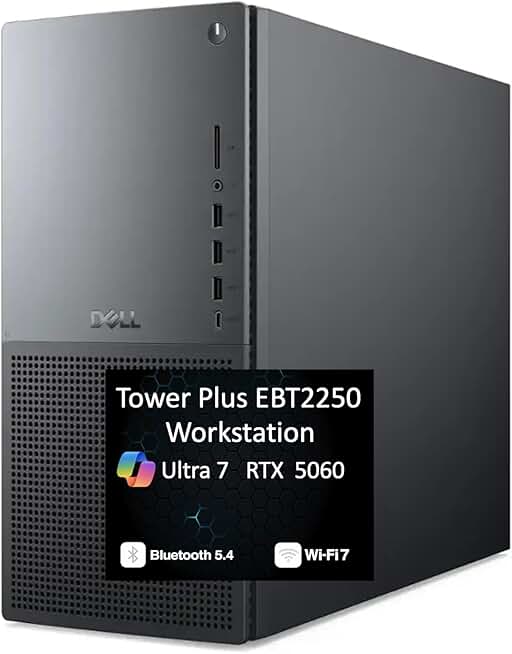
Those who absolutely refuse to build their own PC but want relatively standard components.
- Uses off-the-shelf NVMe and RAM for easier upgrades
- Next-gen Intel Ultra 7 CPU provides strong single-core performance
- RTX 5060 GPU is competent for mainstream 4K/6K editing
NVIDIA wants you to believe you need a $4,000 RTX A5000 or an A6000 for 'color accuracy' and 'driver stability.' For video editing, this is mostly overpriced nonsense. In 2026, the gaming-derived GeForce RTX 5070 or 5080 offers 90% of the raw CUDA and RT core performance for a quarter of the price. The 'pro' drivers offer marginal benefits for 3D rendering in Maya or SolidWorks, but for decoding/encoding streams in DaVinci Resolve or Premiere Pro? The difference is negligible.
What actually matters is VRAM. You need enough to hold your timeline layers and effects. An RTX 5070 with 16GB of GDDR7 is far more useful than an A2000 with 12GB of slower memory. Users consistently report that once you have sufficient VRAM, the returns on 'professional' GPU investment plummet. You're paying for certification and support contracts most solo creators will never use.
Overpriced Editing PCs and the NAS Storage Lie
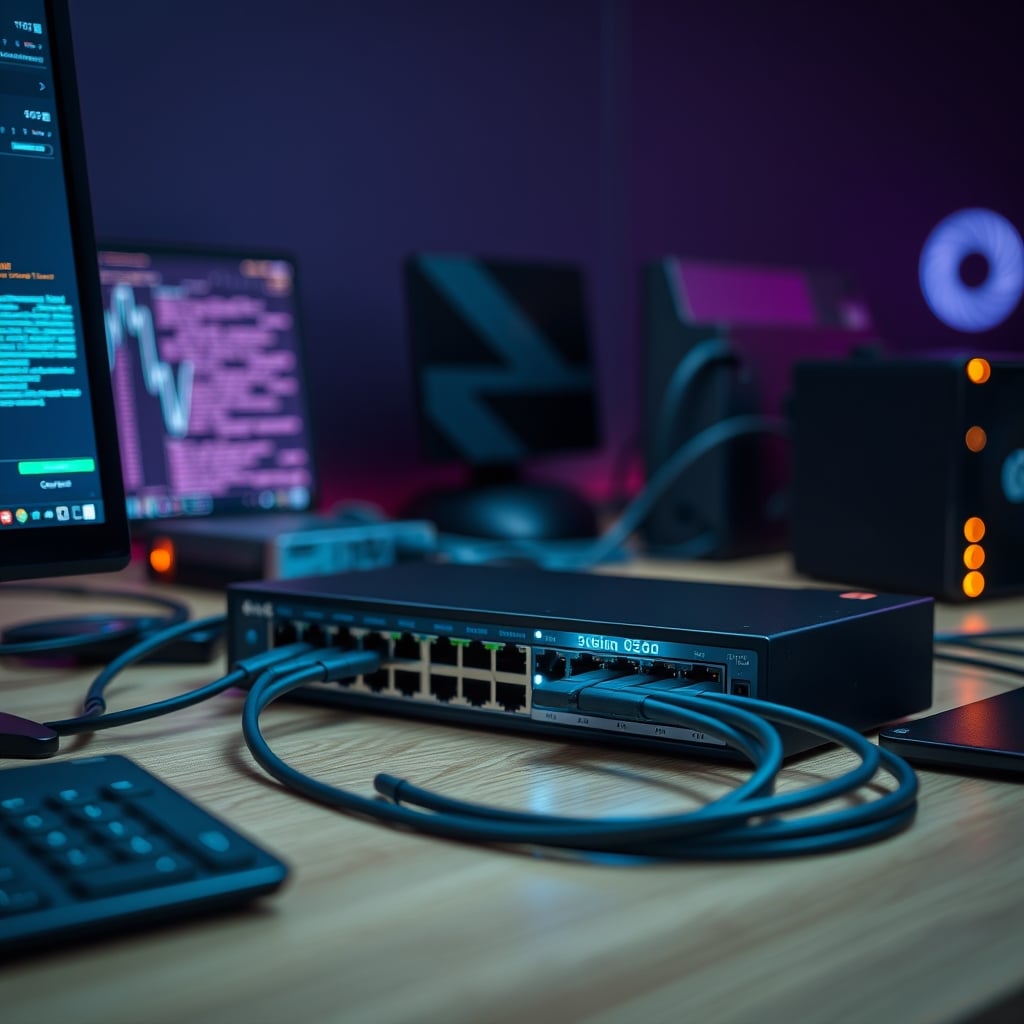
Here's a critical mistake. People build a $10,000 PC and then connect it to a measly two-bay NAS over a single gigabit Ethernet port. This is like putting bicycle tires on a Ferrari. Your storage bandwidth is the actual, tangible bottleneck for collaborative projects or working with high-bitrate RAW footage. Your insane CPU can decompress frames faster than your network can feed them.
You need a NAS with multiple NVMe cache drives and at least a 10-gigabit (10GbE) connection. This is non-negotiable in 2026. A $749 desktop with a 10GbE card and a properly specced QNAP or Synology NAS will outperform a $5,000 tower struggling over gigabit every single time. This is the real issue nobody talks about because it's less sexy than a glowing GPU.
The Only Spec That Actually Matters: Color Grading Accuracy (Delta E)
You can have all the cores in the world, but if your monitor can't display color accurately, your work is garbage. Full stop. The single most important investment for any editing workstation is a monitor with a proven, low Delta E (ΔE) value—aim for ΔE < 2. This measures color deviation from the standard. A $3000 PC hooked to a $300 gaming monitor with oversaturated colors and a Delta E of 6 is a complete waste of money.
Calibration is not optional. Based on widespread user feedback, the monitors that 'just work' out of the box for demanding color work are from brands like BenQ PD or EIZO ColorEdge. Pair it with a proper hardware calibrator like an X-Rite i1Display Pro. This combo does more for your final product than doubling your RAM. Most people get this wrong, prioritizing flashy internals over the one component that actually interfaces with your eyes and your client's expectations.
Why The Pre-Built "Editing Station" Is a Trap
Companies like Dell, HP, and Lenovo sell 'certified' editing workstations loaded with bloatware, proprietary power supplies, and motherboards that prevent meaningful upgrades. You're paying a 40-60% premium for the assembly and a 'support' sticker. In 2026, building a performant editing PC is not the rocket science it was a decade ago. Compatibility issues are minimal, and guides are everywhere.
However, if you absolutely must buy pre-built, you need to be ruthless. The only pre-built system worth considering is one that uses completely standard, off-the-shelf components. Otherwise, you're buying into planned obsolescence. The moment you need more storage or a new GPU, you'll discover the proprietary connector that forces a full system replacement. This is a known issue for long-term use.
The Mac Ecosystem Synergy: A Valid Alternative, Not a Religion
Let's cut through the fanboy nonsense. For certain workflows, a Mac Studio is not an overpriced editing PC—it's a streamlined tool. Its strength isn't raw, upgradeable power, but synergy. If your pipeline involves ProRes, Final Cut Pro, and other Apple-centric apps, the performance per watt and the unified memory architecture are legitimately compelling. The media engine chips handle codecs with brutal efficiency, often beating more expensive Windows PCs in specific, optimized tasks.
But it's not universally better. You're locked into a walled garden. Storage upgrades are criminal, and you lose the flexibility of a modular PC. It's a 'take it or leave it' proposition. For many, that's fine. For tinkerers and those on a strict budget-per-terabyte, it's a dealbreaker. The key is to admit that both platforms have trade-offs, and the 'ultimate' system depends entirely on your specific software and file formats.
The 2026 Editing PC That Actually Makes Sense
Stop looking at the $10,000 towers. Here’s the blueprint for a no-BS, maximally performant 2026 editing build that handles 8K RAW without mortgaging your house:
CPU: Intel Ultra 9 285 or AMD Ryzen 9 9950X. You get high core counts and high clock speeds. The battle is over. GPU: NVIDIA GeForce RTX 5080 16GB. Forget the 'Pro' series unless you're doing serious 3D simulation. RAM: 64GB of DDR5-6000. 32GB is the minimum, 64GB is the sweet spot, 128GB is for very specific, bloated compositing work. Primary Storage: 2TB PCIe 5.0 NVMe for OS and apps. A second 4TB PCIe 4.0 NVMe for active projects. Storage Bandwidth: A motherboard with 10GbE built-in, or a dedicated card. This is mandatory. Cooling: A high-quality dual-tower air cooler or a 360mm AIO. No need for custom loops. PSU: A reliable 1000W 80+ Gold unit from Seasonic or Corsair. Provides headroom and stability.
This build lands in the $3,000 - $4,000 range. It will chew through 99% of professional editing workloads. Spending more nets you severely diminishing returns. The money you save should go directly into your monitor, calibration, and NAS setup.
Common Mistakes That Sabotage Your Investment
- Prioritizing Core Count Over Clock Speed: For editing, a balance is key. Don't buy a server CPU.
- Overspending on the GPU, Underspending on the Monitor: Your GPU powers the preview, but your monitor defines the output. A $2000 GPU with a $400 monitor is a backwards investment.
- Ignoring Storage Speed and Network: Using a slow SATA SSD or a cramped single drive for cache and source files is the #1 cause of timeline stutter. Your storage pipeline must be as fast as your CPU.
Your desk layout matters, too. A chaotic workspace with poor cable management can lead to airflow restrictions and physical port damage. It’s not just about aesthetics; it's about system longevity. For a deeper dive on avoiding layout pitfalls, see our piece on The Circular Desk Setup Trap: 2026 Brutal Truth.
Final Verdict: Skip It
Skip the overpriced, brand-name "editing workstation." It's a badge of insecurity, not a badge of professionalism. The entire category of overpriced editing pcs sold to prosumers is built on exploiting the fear of being underpowered. In 2026, performance is democratized. A smartly built, component-driven PC offers better performance, greater upgradeability, and far more value.
Take the money you save and invest it in three tangible things: a reference-grade monitor, a robust NAS with 10GbE, and proper acoustic treatment for your room. Those investments will improve your work—and your career—infinitely more than another teraflop you'll never use. Build smart, call out the BS, and keep your wallet thick.
For those still tempted by the pre-built siren call, understand you're paying for convenience, not capability. And as we've exposed before, that convenience often comes with hidden throttles and planned failures, much like the issues plaguing Active USB Hub Editing Is Secretly Sabotaging Your Workflow.
Frequently Asked Questions
Is a 'workstation' GPU like an NVIDIA RTX A-series necessary for video editing?
No, it's overrated for pure video editing. In 2026, GeForce RTX 50-series cards offer nearly identical performance in apps like DaVinci Resolve and Premiere Pro for a fraction of the cost. You're paying for professional driver certifications and support for CAD software, not better video codec handling.
How much should I realistically spend on a PC for 8K editing in 2026?
Between $3,000 and $4,500 for the tower itself. This gets you a top-tier consumer CPU (Intel Ultra 9/AMD Ryzen 9), 64GB of fast DDR5 RAM, an RTX 5080-class GPU, and ultra-fast PCIe 5.0 storage. Spending over $5,000 yields minimal real-world performance gains for editing.
What is the most important component for color-accurate editing?
Your monitor, by a massive margin. A monitor with a factory-calibrated Delta E (ΔE) of less than 2 and a hardware calibration tool like an X-Rite i1Display Pro is non-negotiable. A $10,000 PC with a bad monitor produces unreliable work.
Should I buy a pre-built editing PC from Dell or HP?
Generally, skip it. These systems are marked up 40-60% and often use proprietary parts that kill upgrade paths. You're better off building your own or using a boutique builder that uses standard components. The 'certification' is marketing fluff for most editors.
Why is network storage (NAS) speed so important for editing?
High-bitrate video files are massive. A standard 1-gigabit network connection is a severe bottleneck, causing stuttering and slow file transfers. A 10-gigabit (10GbE) connection to a NAS with fast drives is essential for smooth playback from network storage and collaborative workflows.
Written by
GlowRig Editorial researches and writes practical guides about desk setups and home office gear. Our articles are produced with the help of AI research tools and are reviewed for accuracy against manufacturer specifications and public user feedback. We may earn a commission from affiliate links, which never affects our recommendations.
Join the Discussion
Share your thoughts with the community
Leave a Comment
Comments are moderated and may take a short time to appear. Links are not permitted.