Smart Notepad Drawbacks
Everyone from tech influencers to productivity gurus swears by smart notepads. But after using them for real work, I found a pile of smart notepad drawbacks no one talks about. They don't save you time; they steal it.

Let's cut right to the chase. I bought into the smart notepad hype. The promise was irresistible: capture your analog genius, digitize it instantly, and have it perfectly organized forever. Two years and several expensive slabs of e-ink later, my go-to tool is a ten-dollar dotted paper notebook. The smart notepad drawbacks are so fundamental they render the entire category overrated for anyone doing serious thinking. This isn't a review; it's an intervention.
Most people get this wrong. They chase the feature list—cloud sync, handwriting recognition, infinite pages—without asking if those features serve the work. The industry lies about this. They sell you on a vision of seamless digital integration, but the reality is a clunky, distracting middleman that breaks your flow. The core problem isn't the technology; it's the cognitive tax it imposes. Every time you have to think about charging, syncing, or navigating a menu, you've left your deep work zone.
The Seamless Workflow Lie That Sabotages Focus
The number one selling point is the myth of the seamless workflow. You scribble, it appears in the cloud, transcribed and ready. Here's what actually happens. You finish a brainstorming session, close the cover, and assume it's syncing. An hour later, you open your laptop to find the last two pages are corrupted blobs or didn't upload because your Wi-Fi was spotty. Now you're troubleshooting, not creating.
This isn't a rare bug; it's a chronic condition of adding layers of software to a simple process. The frictionless experience advertised requires perfect conditions: a strong network, updated apps, fully charged devices, and proprietary platforms that love to lock you in. In real use, this fails to deliver. The time you supposedly save on organization is spent on tech support. The brutal truth is that paper never has a sync error. It never needs a firmware update. It just works.
Why "Endless Paper" Is a Cognitive Load Trap
Premium Pick
- High performance
- Premium build
Unlimited pages sounds like a dream for unconstrained thinking. In practice, it's a nightmare for retrieval. With a physical notebook, you develop a spatial memory. You know that idea about the project timeline is in the blue book, about two-thirds of the way through, on the right-hand page. That memory is tied to physical sensation. Digital endless scroll destroys that. You're left with a featureless list of files named "Note_20260602_1." Search is the promised savior, but OCR on handwriting is imperfect, and you spend minutes crafting the right keyword query for a sketch you'd find in two seconds by flipping pages.
This is overrated. The infinite canvas doesn't free your mind; it burdens it with the task of creating its own organization from scratch. Most people don't need more space; they need better boundaries. A finite notebook provides a container, forcing distillation and completion. An infinite digital notebook just becomes a graveyard of half-baked ideas you'll never revisit. Users consistently report this: the novelty of endless pages wears off quickly, replaced by the anxiety of a bottomless, disorganized digital pile.
The Smart Notepad Drawbacks Myth That Needs to Die
Let's attack the biggest myth head-on: the idea that digitizing your notes is inherently valuable. The prevailing belief is that if it's not in the cloud, searchable, and shareable, it's wasted. This is wrong. This is the myth that needs to die. For pure thought-generation—brainstorming, sketching, working through complex problems—the friction of analog is a feature, not a bug. The slight resistance of pen on paper, the inability to easily erase, the commitment to the page: these forces slow your thinking to a more deliberate, impactful pace.
The frantic push to digitize everything immediately is a productivity scam. It prioritizes sharing the thought over having a good thought. You're optimizing for the last 10% of the process (distribution) at the expense of the first 90% (creation). I've watched countless users get so focused on getting their smart notepad setup "just right"—organizing folders, tweaking pen colors, testing export formats—that they never do the actual work. The tool becomes the project. This is bad because it replaces creating with configuring.
The Brutal Economics of Disposable vs. "Reusable"
They market these things as eco-friendly and cost-effective. "Save thousands of pages!" Let's do the math. A premium smart notepad and its proprietary pen will run you at least $400. For that, you could buy roughly 80 high-quality, dotted-grid paper notebooks at $5 each. Each of those holds 120 pages. That's 9,600 pages of paper. Even if you fill one notebook per month, you're looking at over six and a half years of supply.
And that's before the planned obsolescence. Based on widespread user feedback, these devices have a functional lifespan of 3-4 years before the battery degrades, the screen gets slow, or the company drops support. Then you're back at square one, facing another $400+ outlay. The paper notebook never becomes a brick. Its technology is permanent. The eco-argument is also flimsy when you consider the mining, manufacturing, and eventual e-waste of a complex electronic device versus sustainably sourced paper. This doesn't work as a value proposition.
The Hidden Cost of Proprietary Lock-In
You're not just buying a notepad; you're buying into an ecosystem. That fancy pen? It only works with that specific notepad's screen. Those beautifully organized notes? They live in the company's app, which may or may not play nice with other services. Want to export them in a useful format? Get ready for janky PDFs or fighting with API limits.
This is the real issue. You're trading the ultimate portability and interoperability of paper—readable by anyone, anywhere, forever, with no special tools—for a walled garden. Five years from now, when that company has pivoted or gone under, how do you access your life's work? With a paper notebook, the archive is the artifact. It requires no dongles, passwords, or subscription fees. As we've explored in pieces like The Mini PC Problems Nobody Admits and Active USB Hub Editing Is Secretly Sabotaging Your Workflow, adding complexity and single-vendor dependency to your core tools is a recipe for long-term frustration.
When a Smart Notepad Might Actually Make Sense
I'll concede one narrow use case: formal, repeatable note-taking where digital search is non-negotiable. If you're a student needing to search hundreds of pages of lecture notes for a specific formula, or a clinician logging standardized observations, the trade-offs might tilt in favor of digital. But even then, you're better served by a full tablet with a good stylus, where the note-taking is one function of a general-purpose device, not the sole function of a pricey specialist tool.
For the vast majority—writers, designers, engineers, strategists, anyone doing generative work—the smart notepad is a solution in search of a problem. It solves the "problem" of paper being offline and finite, which aren't problems for deep work; they're prerequisites. The quest for a perfect external brain often distracts us from training our internal one. Your focus is your most valuable asset. Don't hand its keys over to a gadget that requires constant management.

The Verdict: Skip It and Grab Paper
The choice is stark. You can invest in a fragile, expensive, distracting digital intermediary that promises a future of perfect organization. Or you can invest in the discipline of thinking on paper, knowing that the physical artifact is the record, and the real value—the ideas—transfers to your mind through the act of writing.
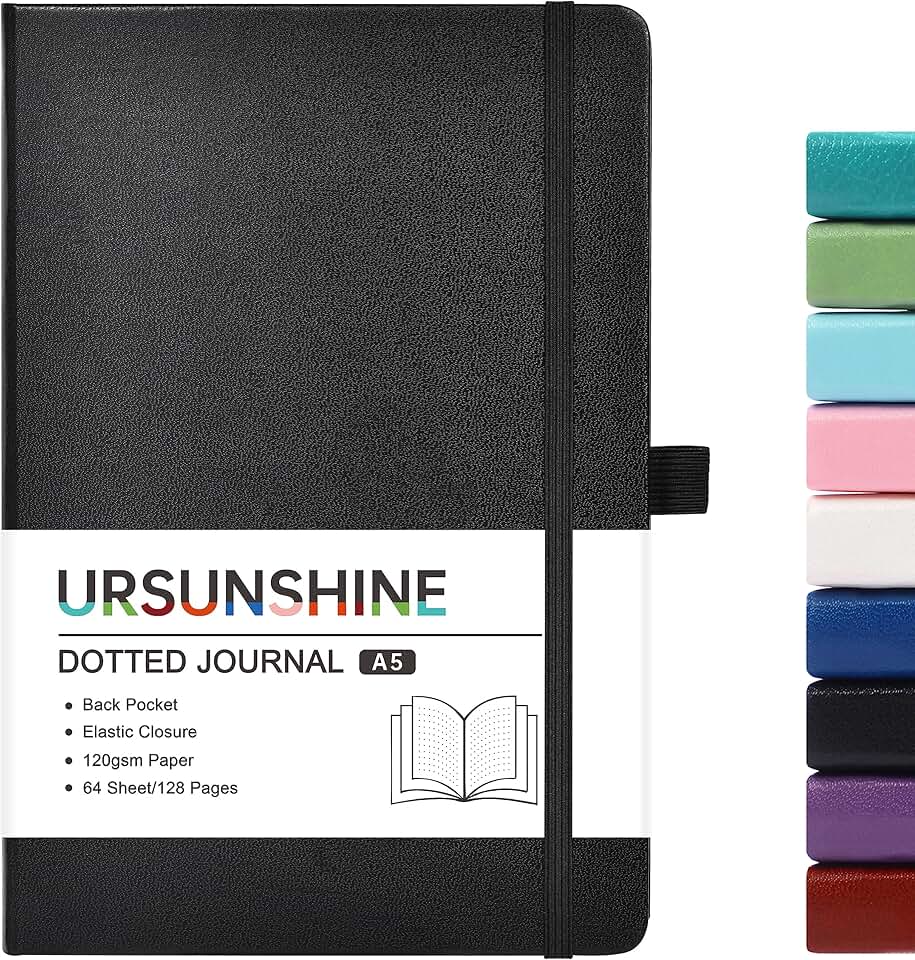
After seeing the cycle repeat—initial excitement, followed by frustration, followed by the notepad gathering dust—the conclusion is inescapable. For genuine, uninterrupted creative and analytical work, skip it. The smart notepad is overrated. The humble paper notebook, like a simple dotted grid journal, isn't just a cheaper alternative; it's a superior tool. It has zero latency, infinite battery life, flawless reliability, and imposes no cognitive load between your brain and the page. In 2026, with everything vying for our attention, the highest-tech feature you can find is something that quietly, reliably disappears while you do your best work.
Frequently Asked Questions
What is the biggest downside of smart notepads?
The biggest downside is the cognitive tax and friction they add to the creative process. Instead of seamless thinking, you deal with syncing errors, battery anxiety, software updates, and proprietary lock-in, which constantly pulls you out of a deep work state.
Are smart notepads worth the money?
For most users, no. The high upfront cost, combined with a limited functional lifespan due to battery and tech obsolescence, makes them a poor investment compared to inexpensive, timeless paper notebooks that always work.
Can't you just use a tablet instead of a smart notepad?
Yes, and for the narrow use case where digital search is essential, a general-purpose tablet is a better choice. It avoids the single-function trap of a smart notepad and integrates into a broader workflow without forcing you into a proprietary ecosystem.
Written by
GlowRig Editorial researches and writes practical guides about desk setups and home office gear. Our articles are produced with the help of AI research tools and are reviewed for accuracy against manufacturer specifications and public user feedback. We may earn a commission from affiliate links, which never affects our recommendations.
Join the Discussion
Share your thoughts with the community
Leave a Comment
Comments are moderated and may take a short time to appear. Links are not permitted.