The Mini PC Problems Nobody Admits
The marketing for mini PCs is a beautiful lie. They promise clean, powerful computing in a tiny box. The reality is thermal throttling, upgrade dead-ends, and connectivity nightmares. Here's why most people should skip them entirely.
Let’s start with the biggest mistake everyone makes: they prioritize form factor over function. You see a tiny, sleek box that promises to vanish under your monitor, and you imagine a clutter-free utopia. You’re picturing the setup Instagram posts. You’re not picturing the fan screaming like a jet engine the second you open Chrome and Slack together, or the USB ports failing because the shared bus is overloaded. That’s the first and most common mini pc problems story. Everyone gets seduced by the size, and nobody reads the fine print about performance ceilings and thermal limits. You’re not buying a computer; you’re buying a compromise wrapped in an aluminum shell.
Why mini pc problems matters
Understanding mini pc problems is the foundation of getting this right, and many users overlook how critically it impacts long-term performance. Let's look at the reality of it.
Why The “Silent & Powerful” Mini PC Is A Complete Myth
Premium Pick
- High performance
- Premium build
This is the industry lie you keep swallowing. Brands slap “Intel Core i7” on a box the size of a paperback and call it a desktop replacement. What they don’t show you is the suffix—the “U” or “T” series low-power chip inside that’s a neutered version of its desktop sibling. It has the same name but half the performance headroom. Then, they cram it into a sealed case with a single heat pipe and a 40mm fan. The result? Thermal throttling hits within minutes of any real work. We’re not talking about rendering 4K video; we’re talking about sustained Zoom calls with screen sharing and a few browser tabs.
Users consistently report hitting 90°C+ during basic multitasking. The fan ramps up from “inaudible” to “distractingly loud” in seconds. This doesn’t get better. It gets worse as dust accumulates in the one tiny intake. The industry lies about this by showing you idling temperatures in their marketing. In real, sustained use, most mini PCs become little space heaters that sound like they’re preparing for liftoff. This is not worth it. You’re trading silence and power for a box that does neither well.
The Upgrade Trap: Your Future-Proof Investment Is A Dead End
You think you’re being smart buying a capable mini PC now, planning to upgrade the RAM or storage later. Here’s the brutal truth: you can’t. Or if you can, it’s a nightmare of microscopic screws, ribbon cables, and voided warranties. Most mini PCs use soldered RAM. That’s not an upgrade path; that’s a predetermined coffin. Your 16GB today is your 16GB forever. Storage is often a single M.2 slot, already occupied. Want to add a second drive? Tough luck.
This is overrated for anyone who doesn’t treat a computer as a disposable appliance. In 2026, software and browser demands have only ballooned. That “enough for now” spec will be “painfully slow” in 18 months. A traditional Small Form Factor (SFF) case, while slightly larger, offers real slots, real airflow, and a real upgrade path. For more on making a system last, check our guide on SFF PC building for beginners. Sacrificing all that for a marginal size reduction is a fool’s bargain. Most people get this wrong by focusing on today’s specs, not tomorrow’s needs.
The I/O Illusion And Your Daisy-Chained Peripherals
Here’s another classic mini pc problems scenario. The back panel looks impressive: four USB ports, two HDMI, Ethernet. What’s not advertised is that half those USB ports share a single internal bus lane. Plug in a webcam, an external DAC, and a keyboard receiver, and suddenly your mouse starts stuttering. Need to connect a monitor, an external GPU enclosure for some light gaming, and a fast SSD? You’ll instantly run out of bandwidth or physical ports, forcing you into the very dongle hell you bought a mini PC to avoid.
You end up buying a powered USB hub, which introduces its own set of potential issues like data throttling and power delivery conflicts, something we’ve detailed in our investigation into USB hub lifespan myths. This creates more cable clutter, more power bricks, and more points of failure. It completely defeats the minimalist purpose. The clean setup you envisioned becomes a spiderweb of dongles and hubs stuck to the side of your desk.
What To Actually Look For In A Small Desk Computer
If mini PCs are fraught with mini pc problems, what should you buy? You need to evaluate based on real performance, not just size.
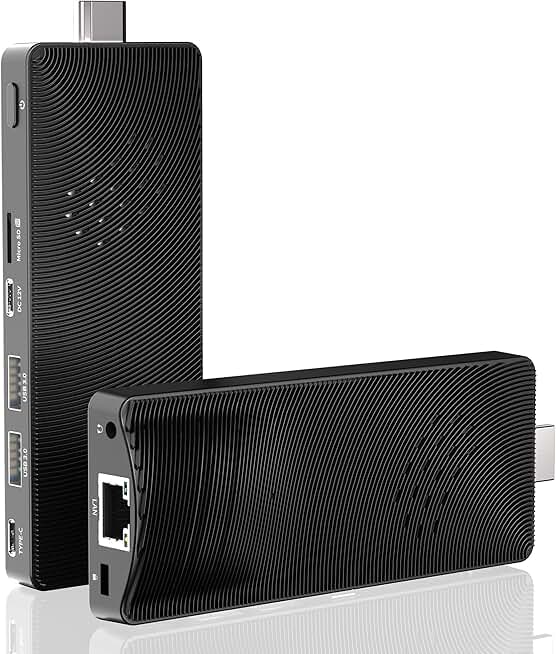
- Thermal Design Power (TDP) & Cooling: Ignore the processor name. Look for the TDP rating (35W, 65W, etc.) and the cooling solution described. A “fanless” design is fine for a media stick, but for any real work, you need active cooling with heat pipes and a larger fan. If the specs don’t brag about the cooler, assume it’s bad.
- User-Upgradeable Components: This is non-negotiable. You must see “SO-DIMM RAM slots” (not soldered) and at least one accessible M.2 NVMe slot. A 2.5-inch SATA bay for a cheap bulk storage drive is a huge plus.
- I/O Quantity AND Quality: Don’t just count ports. Look for USB 4 / Thunderbolt 4 ports (for bandwidth and future expansion), and check if the USB-A ports are on separate controllers. Dedicated power for USB-C ports is a good sign.
- Real-World Benchmarks, Not Synthetic Ones: Search for reviews that test sustained workloads, like a 30-minute Cinebench loop or a long video export. A high single-core score that drops by 40% after 10 minutes is useless. You need consistency.
The One Mini PC That Doesn’t Suck (And Who Should Bite)
After wading through the junk, one category stands out: the slightly larger “pro” mini PCs designed for digital signage and industrial use. They’re built like tanks, often with better cooling and more robust I/O. Brands like Simply NUC or more business-focused lines from Minisforum occasionally get this right. They understand that reliability over years matters more than shaving off another millimeter.
For example, a unit like the MeLE PCG02 Pro with its N100 chip isn’t trying to be a powerhouse. It’s a fanless, utterly silent micro PC for a kiosk, a digital photo frame, or a dedicated home server that runs 24/7. It’s not for your main workstation. This is the critical distinction most buyers miss. You don’t buy a mini PC to be your everything machine. You buy it for a specific, limited, and well-understood role where its compromises (low power, no upgrades) don’t matter.
The Superior Alternative: Embrace The “Tiny Tower”
For 95% of people asking about mini PCs for a small desk, the correct answer is a Small Form Factor (SFF) desktop case, like the Fractal Design Ridge or the Cooler Master NR200. These are not “mini” PCs by the marketing definition—they’re maybe 10-12 liters instead of 1-2 liters. But that extra volume is a universe of difference.
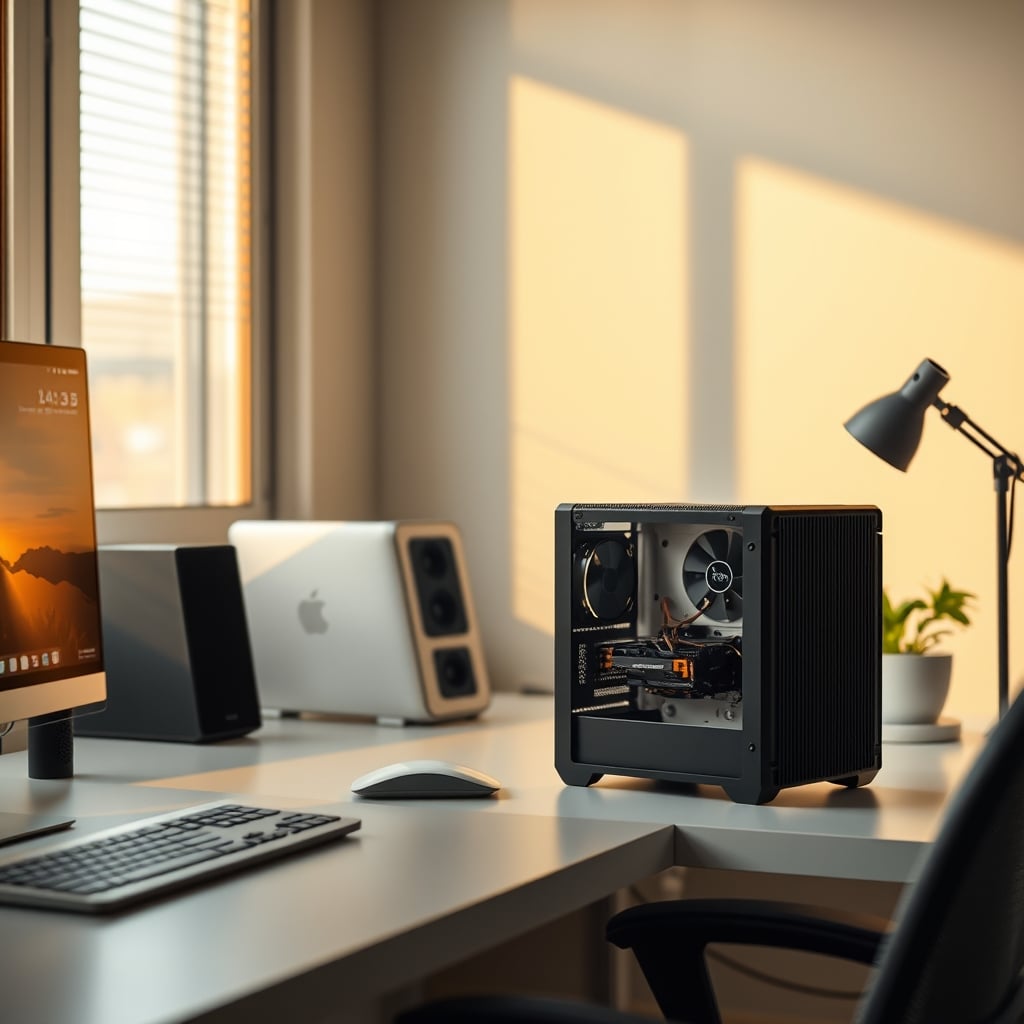
It allows for a standard desktop CPU cooler, which means a powerful 65W chip can run cool and quiet. It lets you use a proper SFX power supply. It gives you space for a full-size graphics card if you ever want one. It provides multiple drive bays and room for airflow. The footprint on your desk might be slightly larger, but it’s still vastly smaller than a mid-tower and solves every single one of the core mini pc problems. You get desktop performance, real upgradeability, and peace of mind. Sacrificing all that to hide a slightly smaller box behind your monitor is performance masochism. This is the real issue: prioritizing aesthetics over actual function.
Common Mistakes That Will Ruin Your Experience
- Using It On Carpet Or In An Enclosed Shelf: Mini PCs often intake air from the bottom. Placing it on a soft surface chokes it. Putting it in a media console seals its fate. It needs clear, open air on all sides.
- Assuming It’s A “Set It And Forget It” Appliance: Unlike a laptop you replace every few years, a desktop is often a long-term investment. Buying a sealed mini PC locks you into today’s tech with no escape hatch.
- Skimping On The Initial RAM/Storage Config: “I’ll upgrade later” is not a plan. Buy the maximum RAM and storage at purchase, because you almost certainly cannot add more later.
Final Verdict: Skip It
The mini PC market preys on our desire for cleaner desks. But in 2026, the performance and thermal constraints are still a massive compromise for anyone doing more than basic web browsing and document editing. The mini pc problems—throttling, noise, lack of upgrades, I/O limitations—outweigh the single benefit of a tiny size. For a true small-desk powerhouse, spend your money on a well-designed SFF case that gives you desktop components and a path forward. It’s the difference between a setup that looks good in a photo for a week and one that actually works well for years. Skip the mini PC hype and buy a real computer.
Frequently Asked Questions
Are mini PCs good for gaming?
Absolutely not for any serious gaming. They lack the thermal headroom for powerful graphics, and most have no PCIe slot for a dedicated GPU. External GPU enclosures are expensive, finicky, and still bottlenecked by Thunderbolt bandwidth. This is a terrible value proposition.
Can you upgrade the RAM in a mini PC?
Most of the time, no. The vast majority of consumer mini PCs use soldered, non-upgradeable RAM. A few business-oriented models might have one accessible SO-DIMM slot, but it's the exception, not the rule. Assume you cannot upgrade.
Why is my mini PC so loud?
Because it's thermal throttling. The tiny cooler can't dissipate heat from the CPU under load, so the tiny fan has to spin at maximum RPM to try and cope. Dust buildup makes this worse over time. It's a fundamental design flaw of the form factor, not a defect in your unit.
Is a mini PC or a laptop better for a small desk?
A laptop is almost always the better choice. For a similar price, you get a built-in UPS (the battery), a built-in monitor, keyboard, and trackpad, and it's designed for portability and thermals from the start. You give up some desktop expandability, but you gain a complete, self-contained system that's genuinely space-saving.
What should I buy instead of a mini PC for a small desk?
Buy a Small Form Factor (SFF) desktop case that supports standard components. Cases like the Fractal Design Terra or the Cooler Master NR200 offer a slightly larger footprint (still very small) but allow for proper cooling, standard power supplies, and real upgradeability. It's the smart compromise.
Written by
GlowRig Editorial researches and writes practical guides about desk setups and home office gear. Our articles are produced with the help of AI research tools and are reviewed for accuracy against manufacturer specifications and public user feedback. We may earn a commission from affiliate links, which never affects our recommendations.
Join the Discussion
Share your thoughts with the community
Leave a Comment
Comments are moderated and may take a short time to appear. Links are not permitted.