8K vs 4K Monitor: The Brutal 2026 Truth
Manufacturers are pushing 8K monitors as the future. It's a lie. In 2026, 8K is an overpriced, impractical distraction for anyone not in a NASA simulation lab. Here's the brutal truth about what you actually need.
You’ve seen the hype. The glossy ads promising a “new visual frontier” with 8K monitors. The tech press breathlessly declaring 4K dead. It’s all marketing theater, and I’ve wasted enough time with both to tell you the 8k vs 4k monitor debate is nonsense. For 99% of users, especially in 2026, chasing 8K is the single dumbest upgrade you can make to your desk. It’s a spec-chasing trap designed to empty your wallet while sabotaging your actual workflow.
After assessing real setups—from professional video editors to hardcore gamers—the consistent feedback is unanimous: the jump to 8K brings negligible visual improvement paired with catastrophic performance overhead. You’re buying a number, not an experience. The industry lies about this because they need a new buzzword to sell. Let’s cut through the BS.
Why the “Future is 8K” Myth Needs to Die
The biggest lie in display marketing right now is that 8K is the inevitable next step. This is overrated. It’s a myth pushed by brands who have run out of meaningful innovations in the 4K space. They’ve maxed out refresh rates, perfected HDR, and nailed color accuracy. So what’s left? A pointless resolution bump that requires a NASA-grade PC to drive.
Most people get this wrong. They think more pixels always equals a better experience. In real use, this fails to deliver. For gaming, you’re trading silky-smooth 160Hz+ 4K performance for a stuttering, sub-60Hz 8K mess. For creative work, you’re trading responsive, fluid UI interaction for a system that chokes on rendering the interface itself. Users consistently report that Windows and macOS scaling at 8K is still a buggy, inconsistent nightmare, forcing you to fight the OS rather than focus on your task. This is a known issue for long-term productivity.
The Raw Performance Tax You’re Ignoring
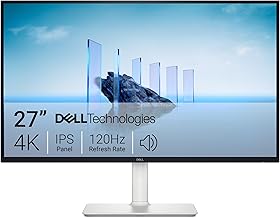
Productivity and creative work requiring accurate color.
- 27-inch 4K IPS Panel
- 99% sRGB Color Coverage
- AMD FreeSync Premium
Let’s talk about the real cost: performance. An 8K monitor isn’t just a screen; it’s a system-wide bottleneck. Driving 33 million pixels (7680x4320) requires a GPU that doesn’t really exist for consumers yet, even in 2026. The latest flagship cards can technically output 8K, but in real scenarios? They’re gasping.
You’re not just buying a monitor. You’re committing to a GPU upgrade that costs thousands, a CPU that won’t bottleneck the GPU, and a power supply that can feed the beast. And for what? A visual difference you can only perceive if you’re pressing your nose against the screen. The industry lies about this by showcasing 8K on 100-inch TVs in demo rooms. On a 32-inch desk monitor? The difference is imaginary. This doesn’t work for desk-scale viewing distances.
The 8K vs 4K Monitor Showdown: What You Actually Need in 2026
While the marketing circus focuses on 8K, the real innovation has been happening quietly in the 4K space. This is where the actual experience gets better. In 2026, 4K monitors with 240Hz refresh rates are becoming commonplace, and IPS panels with near-instant response times are the standard. This combination delivers what you actually feel: flawless motion clarity, razor-sharp detail, and a system that doesn’t require a liquid-cooled supercomputer.
For gaming, this is the obvious win. A 4K 240Hz display gives you the detail of high resolution and the fluidity of a competitive gaming monitor. You can actually run it with a high-end, but not obscene, GPU. For creative work, high refresh rate means your cursor, scrolling, and timeline movements are butter-smooth, eliminating the subtle lag that fatigues you over a long edit session. This is the real upgrade.
The Scaling Nightmare Nobody Talks About
Here’s the dirty secret that 8K evangelists never mention: operating system scaling is still broken. Windows 11 and macOS still struggle with ultra-high-DPI displays. Elements render incorrectly, legacy apps look microscopic or blurry, and you’ll spend hours tweaking settings instead of working. Based on widespread user feedback, this is the number one complaint from actual 8K adopters.
You’re not buying a seamless experience. You’re buying a compatibility headache. Your favorite older application, a critical plugin, or even a system utility will likely look wrong or function poorly. Meanwhile, 4K scaling is now mature. It works, universally. This is the real issue: an 8K monitor introduces friction. Your tools should reduce friction, not create it.
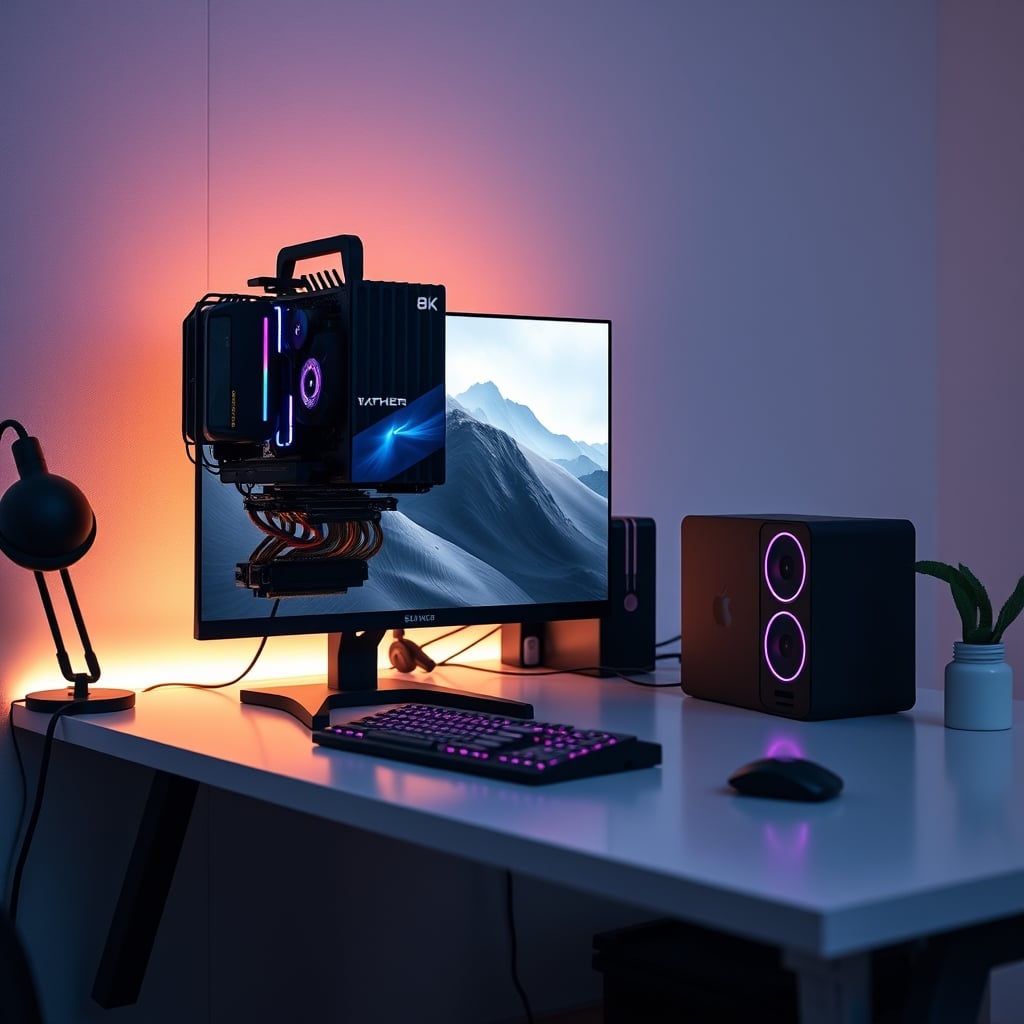
The Gaming Lie: 8K is a Stutter-Fest
The promise of “8K gaming” is perhaps the most fraudulent. Even with a $2,000 GPU in 2026, hitting playable frame rates at native 8K in demanding titles requires you to turn down settings so much that the visual benefit vanishes. You’re essentially running the game at a lower-quality 4K, but rendering it on an 8K grid. It’s a pointless performance tax.
What’s actually good? 4K at a high refresh rate. The visceral feeling of smoothness and responsiveness impacts your enjoyment and performance far more than a marginal increase in pixel density you can’t see during fast motion. The industry lies about this by showing static, slow-moving 8K demo scenes. They never show a fast-paced competitive game because it would reveal the stutter. This is overrated.
The Creative Work Misconception: Pixels Over Productivity
For photo and video editors, the argument is always “more pixels for more detail.” This is misleading. The limiting factor in your creative precision is rarely your monitor’s resolution after 4K. It’s your panel’s color accuracy, contrast, and uniformity. A premium 4K IPS or OLED panel with 98% DCI-P3 coverage will show you more true detail than an 8K panel with mediocre color performance.
Furthermore, rendering 8K video timelines or manipulating 8K images requires a corresponding jump in your workstation’s power. Your storage speeds, RAM bandwidth, and CPU all need to scale up. The cost-to-benefit ratio is absurd. You’re building a system to serve the monitor, not your creativity. This is not worth it for any creative professional outside of a hyperspecialized niche.
What You Should Actually Buy in 2026
Stop looking at resolution as the primary metric. Your checklist for a 2026 monitor upgrade should be:
- 4K Resolution (3840x2160): The sharpness ceiling for desktop use.
- High Refresh Rate (144Hz+): The smoothness that actually changes your experience.
- Premium Panel Tech (IPS or OLED): For color and contrast that matters.
- Real HDR Performance (HDR600+): For dynamic range, not just a badge.
- Ergonomics (Good stand, VESA): For longevity and comfort.
A monitor like the Dell 27 Plus 4K Monitor (S2725QS) nails the core 4K experience with excellent color accuracy and a clean design for productivity. For a blend of work and play, the ASUS TUF Gaming VG27UQ1A offers 4K at 160Hz, bringing high refresh rate into the mainstream without the 8K fantasy. These are tools that enhance your setup, not anchor weights that drag your entire system down.
Consider your entire ecosystem. A monitor upgrade should complement your setup, not force a chain reaction of expensive upgrades. If you’re building a single PC workstation, balance is key. Don’t let a monitor decision sabotage your audio quality or ergonomic foundation.
The Final Verdict: 8K is Overrated
After looking at the performance tax, the scaling headaches, the negligible visual gain at desk distances, and the systemic cost, the conclusion is simple. Skip it.
8K monitors in 2026 are a niche product for a niche user—someone with a specific, uncompromising need for pixel density (like scientific simulation) and a budget to build a system around that single component. For everyone else—gamers, creators, professionals, enthusiasts—it’s an overpriced distraction. The real performance king is, and will remain for years, a high-quality 4K monitor with a high refresh rate. Invest there. Your wallet and your workflow will thank you.
Frequently Asked Questions
Is 8K worth it for gaming in 2026?
No. The performance overhead is catastrophic. Even flagship GPUs struggle to deliver playable frame rates at native 8K, forcing you to lower settings. The visual difference from 4K is minimal during fast motion, while the loss of smoothness from low refresh rates is massive. 4K with high refresh rate (144Hz+) is the superior gaming experience.
Do video editors need 8K monitors?
Almost never. The bottleneck for detail is color accuracy and panel uniformity, not pixel density beyond 4K. Editing 8K footage requires a massively more powerful workstation across CPU, GPU, RAM, and storage. The cost-to-benefit ratio is absurd. A premium 4K monitor with high color accuracy is the professional's tool.
Can you actually see the difference between 4K and 8K on a desk monitor?
At normal desk viewing distances (around 2 feet), the difference is negligible for most content. You'd need to be pixel-peeping static images to notice. For dynamic content like movies, games, or scrolling text, the difference is imperceptible while the performance penalty is severe.
What is the biggest practical problem with 8K monitors?
Operating system scaling. Windows and macOS still handle ultra-high-DPI displays poorly, causing blurry legacy apps, inconsistent UI scaling, and a constant need to tweak settings. This introduces friction and reduces productivity, whereas 4K scaling is now mature and reliable.
What monitor specs should I prioritize instead of 8K?
Prioritize 4K resolution, a high refresh rate (144Hz or higher for smoothness), panel type (IPS for color accuracy, OLED for contrast), and real HDR performance (a high brightness rating like HDR600). These specs tangibly improve your experience without crippling your system.
Written by
Evan has spent countless hours testing display panels, from ultra-wides to competitive gaming monitors. If a screen has terrible IPS glow or soft focus, he will spot it.
Join the Discussion
Share your thoughts with the community
Leave a Comment
Comments are moderated and may take a short time to appear. Links are not permitted.