Ultrawide Monitor Benefits Are a Lie for Most People
Everyone is pushing the ultrawide monitor benefits narrative hard in 2026. The reality? It's marketing hype that leads to neck strain, distorted interfaces, and wasted desk space. Most setups are better off with two standard monitors.
Stop believing the hype. The entire industry is pushing the ultrawide monitor benefits narrative as the ultimate productivity upgrade, and it's complete nonsense for the majority of users. I've seen countless setups ruined by a poorly chosen 49-inch behemoth, and the common thread is always the same: people bought the marketing, not the solution. You're not getting a seamless command center; you're buying a glorified TV that forces your neck into a constant, uncomfortable arc and makes basic Windows snapping a chore.
Let's be blunt. If you're not a professional sim racer or a day trader who genuinely needs a panoramic view of charts, you're probably making a mistake. The real ultrawide monitor benefits are reserved for a tiny niche. For everyone else—coders, writers, video editors, regular gamers—it's an ergonomic and logistical headache waiting to happen. This isn't a slight preference; based on widespread user feedback, this is a consistent source of long-term physical strain and workflow frustration.
The Seamless Workspace Myth Is Destroying Your Neck
The biggest sell is the "seamless, bezel-free workspace." This is overrated. It forces you to turn your head significantly to see application windows parked at the far edges. In real use, this doesn't create flow; it creates repetitive strain. Your primary focus area should be directly in front of you. With a super-ultrawide, your essential tools are constantly in your peripheral vision, requiring micro-adjustments all day long. This is a known issue for long-term use, with users consistently reporting increased neck and shoulder fatigue compared to a centered dual-monitor setup.
The industry lies about immersion. They show you sleek ads with a single, beautiful image spanning the screen. The reality? You're almost never using the full screen for one thing. You're snapping windows, and that's where the experience falls apart. Most applications and games aren't designed for a 32:9 aspect ratio. You either get massive black bars, a horribly stretched interface, or a fisheye effect that's more disorienting than immersive.
Why The 'Productivity Boost' Ultrawide Monitor Benefits Are Wrong
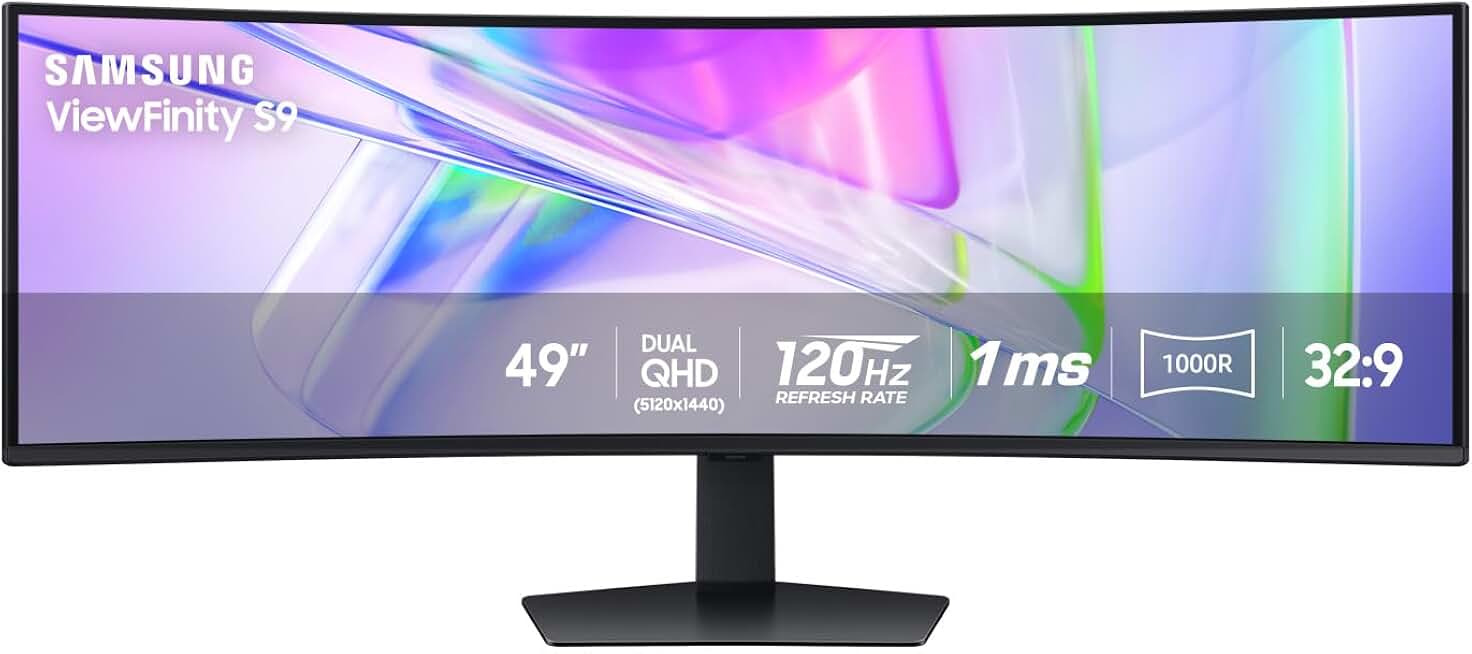
The tiny niche of users who genuinely need a super-ultrawide for sim racing or data analysis.
- 5120x1440 Dual QHD Resolution for vast screen real estate
- 120Hz refresh rate and VESA DisplayHDR 400
- USB-C connectivity for single-cable laptop docking
This needs its own section because the claim is so pervasive and so wrong. You're told that eliminating the bezel between two monitors will make you more productive. This is the ultrawide monitor myth that needs to die.
It doesn't work. The human brain is actually quite good at using physical boundaries (like bezels) as natural compartmentalizers. Two separate screens create clear mental workspaces: your main task in the center, references on the side. A single, vast ultrawide turns your desktop into a formless void where windows drift and lack clear positional anchors. Managing windows across 49 inches is a chore, not a feature. You'll waste more time arranging and resizing than you ever saved.
Furthermore, the single-cable dream is a trap. You're often funneling all your display needs through one connection, which can become a bottleneck. For a deeper dive on how hidden bottlenecks sabotage performance, our piece on the USB Hub Bottleneck: The Silent Killer on Your Desk is essential reading. True productivity comes from intentional separation, not forced unification.
Dual Monitors vs. Ultrawide: The Setup Everyone Gets Wrong
Most people get this wrong. They think an ultrawide is the clean, modern upgrade from two monitors. It's not. It's a lateral move with heavier drawbacks.
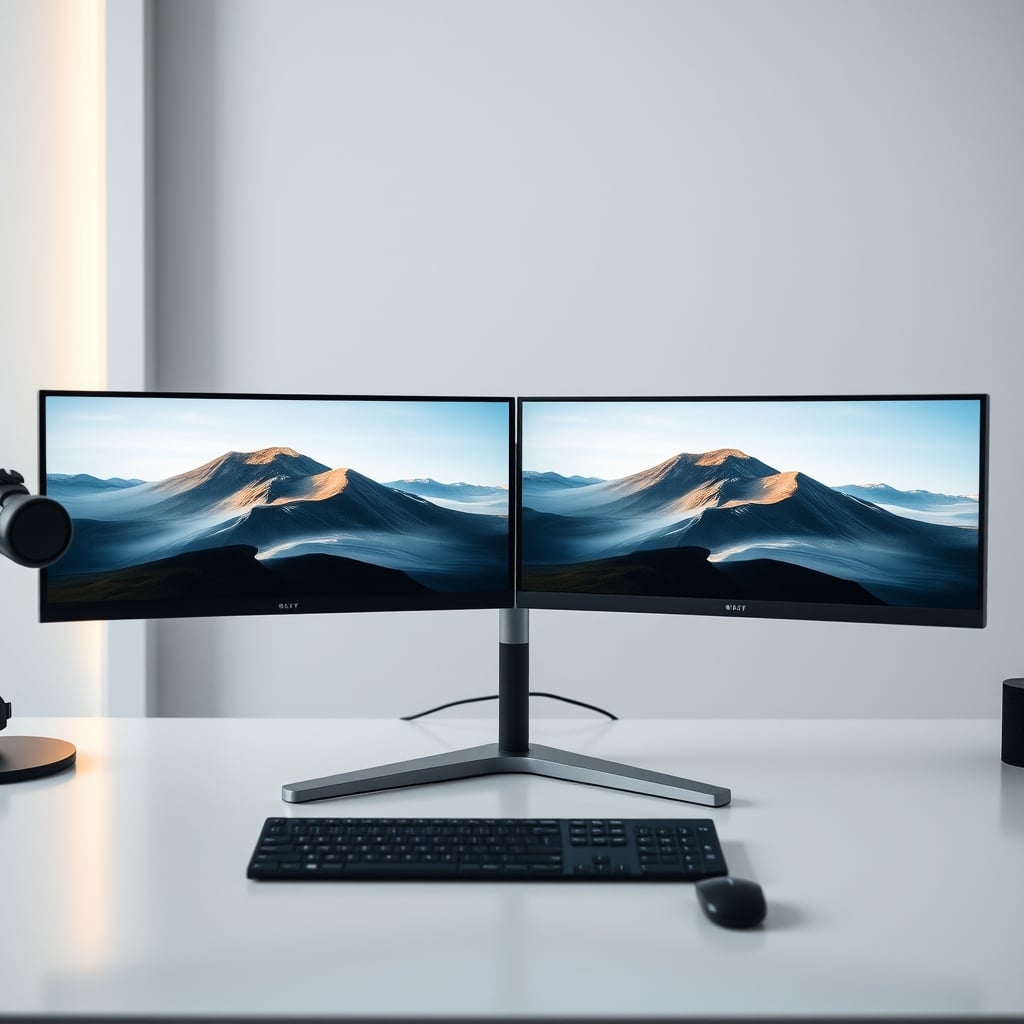
A dual-monitor setup gives you flexibility. One can be in portrait for code or documents, the other in landscape for your main work. You can angle them independently to match your natural sightlines. You can upgrade one at a time. If one fails, you're not completely dead in the water. An ultrawide locks you into a single, inflexible canvas. The supposed "cleanliness" vanishes the moment you realize you need to run a cable to a laptop for a meeting, forcing you into Picture-by-Picture (PBP) mode—a clunky, compromised experience that halves your resolution and refresh rate.
The Brutal Truth About Desk Real Estate and Your Health
Here's the real issue nobody talks about: viewing distance. To use an ultrawide monitor properly, you need to sit farther back than with a standard monitor. Much farther. We're talking 3 to 4 feet minimum to take in the whole screen without craning your neck.
Ask yourself: does your desk have that depth? Most don't. The standard 30-inch deep desk is completely inadequate. You'll end up shoving the monitor to the back edge, still too close, and then perpetually leaning forward, destroying your posture. This isn't a minor quirk; it's a fundamental ergonomic failure. Before you even consider an ultrawide, you must read our takedown of Ergonomics Is A Lie: Why Your 'Perfect Posture' Desk Setup Is Actually Killing Your Creativity. The monitor is the cornerstone of your setup, and getting it wrong has cascading health effects.

Gaming on an Ultrawide Is Overrated (For Most Games)
Yes, racing and flight sims are breathtaking. For everything else? It's a mixed bag that often leans toward bad. The industry lies about universal support. While more games offer 21:9 support now in 2026, 32:9 super-ultrawide support is still spotty. You'll frequently encounter one of three problems: stretched HUD elements glued to the far edges, cut-scenes that revert to 16:9 with giant black bars, or outright broken UI scaling.
Even when supported, the competitive advantage is a myth. In fast-paced shooters, critical information is now spread so far apart that your eyes have to travel a literal foot to check a minimap or ammo counter. This is not an advantage. It's a distraction. The peripheral "immersion" is useless when your focus should be on the center-screen crosshair. You're better off with a high-refresh-rate, standard-aspect-ratio monitor.
The Only People Who Should Buy an Ultrawide in 2026
After assessing hundreds of setups, the verdict is clear. You should only consider a super-ultrawide (49-inch, 32:9) if:
- You are a serious sim racer or flight enthusiast where the panoramic view is the entire point.
- You are a day trader or data analyst who literally needs 20+ charts or tickers visible simultaneously in a single, contiguous window.
- You have a desk that is at least 36 inches deep and you are committed to mounting the monitor on a long-throw arm to achieve proper viewing distance.
For the other 95% of users—content creators, programmers, general office workers, most gamers—a high-quality dual-monitor setup or a single, large 4K monitor is objectively superior. The workflow is more intuitive, the ergonomics are safer, and the flexibility is unmatched. If you're building an editing workstation, understanding your real monitor needs is critical, as we covered in Your Monitor's Secret Agenda: How It's Silently Degrading Your Editing Workstation's Performance.
The Final Verdict: Skip It
Ultrawide monitor benefits are overrated for the vast majority of desk setups. The industry sells a dream of seamless productivity but delivers a reality of physical strain, software incompatibility, and wasted space. It's a niche product masquerading as a mainstream upgrade.
The clear, definitive verdict? Skip it. Your money, your neck, and your workflow will be better served by two excellent 27-inch monitors or a single large-format 4K display. Don't buy into the ultrawide hype. It's 2026, and we should know better by now.
Frequently Asked Questions
Are ultrawide monitors good for productivity?
For most people, no. The 'seamless workspace' ultrawide monitor benefits are overhyped. A single, extremely wide screen often hinders productivity by making window management a chore and forcing unhealthy neck movement to see edges. Two separate monitors provide clearer mental compartmentalization and better ergonomics.
What are the main problems with ultrawide monitors?
The main problems are ergonomic strain from excessive head turning, poor software/game support leading to stretched or broken interfaces, and the requirement for an impractically deep desk (over 36 inches) to view the entire screen properly without leaning forward.
Is a 49-inch ultrawide too big for a normal desk?
Yes, absolutely. A standard 30-inch deep desk is completely inadequate for a 49-inch ultrawide. To view it comfortably and avoid neck strain, you need to sit 3-4 feet back, which most desks cannot accommodate, leading to poor posture and eye strain.
Ultrawide vs dual monitors: which is better in 2026?
For most users, dual monitors are still better in 2026. They offer superior flexibility (portrait/landscape mixing), easier window management, better ergonomics through independent angling, and redundancy if one fails. Ultrawides lock you into a single, inflexible canvas with significant drawbacks.
Who should actually buy an ultrawide monitor?
Only a very small niche: serious simulation gamers (racing/flight) and certain professional data analysts or day traders who need a vast, uninterrupted field of view for specialized software. The average office worker, content creator, or gamer will find a dual-monitor setup far more effective.
Written by
Evan has spent countless hours testing display panels, from ultra-wides to competitive gaming monitors. If a screen has terrible IPS glow or soft focus, he will spot it.
Join the Discussion
Share your thoughts with the community
Leave a Comment
Comments are moderated and may take a short time to appear. Links are not permitted.