FHD Monitor Blurry Is Deliberate Market Manipulation
If you're dealing with an FHD monitor blurry at 27 inches, you didn't make a mistake. The industry did. We're pulling back the curtain on the biggest lie in displays.
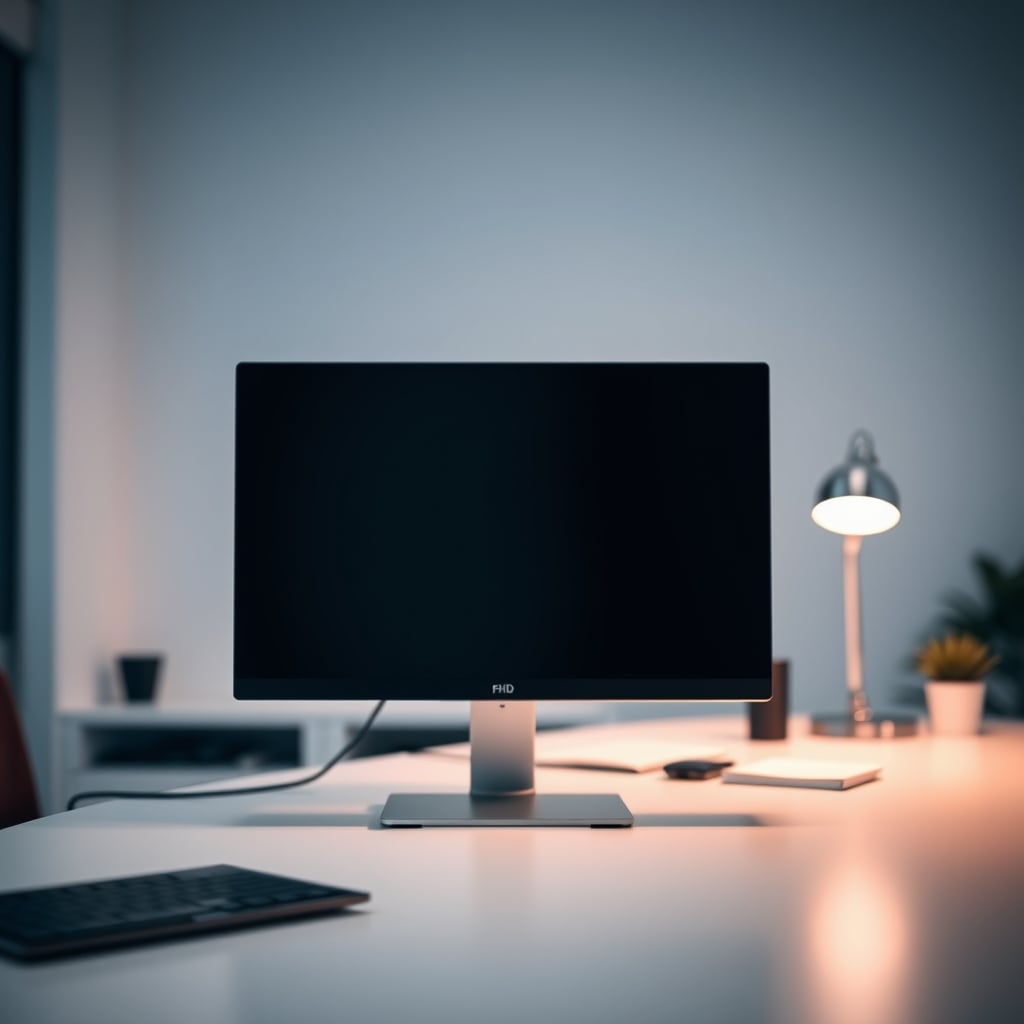
You bought a shiny new 27-inch monitor. It said Full HD. The price was right. You plug it in, boot up, and… the text looks soft. The icons are fuzzy. Your new FHD monitor blurry experience begins. Your first thought? Maybe my eyes are tired. Maybe the cable is bad. You waste hours tweaking ClearType, scaling, driver settings. The fuzz remains.
Here's the brutal truth you need to hear in 2026: That blur is not a defect. It's a feature. It's the direct, calculated result of an industry that has deliberately kept 1080p (FHD) as the "budget" standard on screen sizes it has no business being on, all to create a painful tier gap that makes you spend more. They are selling you a problem and then selling you the solution. And most tech reviewers are complicit because they're too busy arguing over 1ms vs 0.5ms response times to talk about the one spec that actually matters for daily use: Pixel Per Inch (PPI).
I've watched this scam evolve. In the early 2020s, 24-inch was the sweet spot for 1080p. Then, to hit lower price points and bigger marketing numbers, panels ballooned to 27 inches and even 32 inches while stubbornly sticking to the same 1920x1080 resolution. The result is a pixel density so low you can literally see the individual colored sub-pixels during normal use. This isn't high-fidelity computing; it's looking at the world through a screen door. The industry calls this "entry-level." I call it selling a deliberately inferior product.
Why Pixel Density Is The Only Spec That Actually Matters
Forget refresh rate wars. Ignore the HDR400 badge. Overlook the contrast ratio claims. If the pixel density is wrong, your entire visual experience is compromised before you even load a program. This is the single most important metric for monitor clarity, and most buying guides bury it in a list of twenty other pointless specs.
At 27 inches, a 1080p (FHD) monitor has a paltry 81 PPI. Let's be clear: 81 PPI in 2026 is unacceptable for any task involving text, code, spreadsheets, or web browsing. It's objectively low. You are perceiving the space between pixels as much as the pixels themselves, which creates constant, subconscious visual noise—a lack of sharpness that your brain interprets as "blurry." It's not motion blur. It's structural blur, baked into the hardware.
Compare that to the jump to 1440p (QHD) at the same 27 inches: 109 PPI. That's a 35% increase in pixel density. This isn't a marginal upgrade; it's the difference between seeing the individual grains of salt and seeing a smooth surface. For 32-inch monitors, 1080p is a complete joke at 69 PPI, while 1440p at 32-inch is a much more reasonable 92 PPI. The jump to 4K is even more dramatic, but 1440p is the 2026 sweet spot where performance, system requirements, and crystal clarity converge for most users.
The industry doesn't want you focusing on PPI because it exposes their product stack. It's much harder to market "Our monitor has a higher number of tiny dots per inch" than "180Hz ULTRA FAST GAMING!!!" But I'm telling you now: A 75Hz 1440p monitor will provide a better, less eye-straining daily experience than a 240Hz 1080p monitor at 27 inches or larger. The refresh rate is a luxury; pixel density is a necessity.
The "FHD Monitor Blurry" Myth That Needs to Die
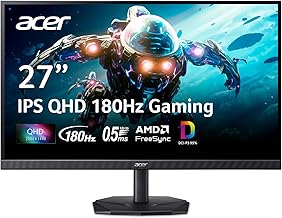
Gamers and general users escaping 1080p blur
- 27-inch QHD (2560x1440) IPS Panel
- Up to 180Hz Refresh Rate with AMD FreeSync
- 95% DCI-P3 Color Coverage
Here’s the big lie you’ve been fed: "You just need to sit further back."
This is the go-to excuse from apologists and spec-sheet warriors. It's utter nonsense, a band-aid solution for a bullet wound. This advice is overrated, impractical, and proves the product is flawed. We work at desks. Our desks have limited depth. Are you supposed to mount your monitor on the opposite wall? Push your keyboard into your chest? This "solution" completely ignores ergonomics, realistic desk dimensions, and how people actually use computers.
Let's be blunt: If a product requires you to fundamentally alter your correct, ergonomic viewing distance to become tolerable, the product is bad. Full stop. We wouldn't accept a chair that's only comfortable if you sit sideways. We wouldn't accept a keyboard that only works if you type with your elbows at head height. Yet for some reason, we've normalized this absurd advice for monitors. It's a confession of failure.
In real use, sitting further back just trades one problem for another. Now you're squinting to read text, leaning forward unconsciously, and introducing neck strain. You haven't solved the blur; you've just made it harder to perceive while creating new physical problems. It’s a self-inflicted lie that lets manufacturers off the hook for shipping objectively low-density panels in 2026.
How The Industry Engineers This Pain To Upsell You
This isn't an accident. It's a business model. Think about the psychological journey:
- The Bait: You see a 27-inch monitor for $129. "Wow, big screen, low price!" You buy it.
- The Pain: You experience the fhd monitor blurry reality. It's uncomfortable. You think you got a "bad unit" or that you're too sensitive.
- The "Solution": You go back to research. You see forums saying "27-inch needs 1440p." You look at 1440p monitors. They're $250+. The premium feels justified because you're now pain-aware.
- The Upgrade: You buy the more expensive monitor. The clarity is a relief. You think, "I should have bought this first."
The $129 monitor served its purpose: it was the painful baseline that made the $250 product feel like a worthy salvation. If the $129 monitor was actually good and sharp, the incentive to upgrade to the more profitable 1440p tier would be much weaker. The blur is the engine of the upgrade cycle. This is the real issue no one in the mainstream tech press will say out loud because their sites are covered in affiliate links for both the cheap and the expensive monitors.
What To Actually Buy In 2026 (Stop Wasting Money)
Here’s my direct, no-BS buying rule that will save you from this entire blurry nightmare: In 2026, 1080p (FHD) should be confined to screens 24 inches and smaller. Period.
For any monitor 27 inches or larger, 1440p (QHD) is the absolute starting point. It’s not a premium option; it’s the baseline for a usable, non-eye-straining experience. 4K becomes a compelling choice at 32 inches and above, especially for content creation. Anyone trying to sell you a 27-inch or 32-inch 1080p panel is selling you a known problem.
The good news? The 1440p tax has largely evaporated. You can now get outstanding 27-inch 1440p IPS monitors with high refresh rates for well under $250. The price gap between blurry 27-inch FHD and sharp 27-inch QHD is often less than $100. That’s the cheapest eye-strain insurance you’ll ever buy.
Let’s talk about a specific escape route from the blur. The Acer Nitro 27" QHD isn't just a "good value." It's a life raft thrown to anyone drowning in a sea of fuzzy 1080p panels. For around $160, it delivers the 1440p clarity that should be standard at this size, plus a high refresh rate that makes everything feel fluid. This is the monitor that makes 27-inch 1080p look like the scam it is. The jump in desktop real estate and text sharpness isn't incremental; it's transformational.
If your budget is tighter, even a basic 75Hz QHD panel like the MSI PRO MP273Q will provide a massively superior visual foundation compared to any 1080p monitor at the same size. At around $100, it proves there’s no technical or cost-based excuse for the 27-inch 1080p market to still exist. This monitor exists to shame the entire low-PPI segment.
For those who want a cleaner, more professional look with great out-of-the-box color, the Dell 27 Plus QHD is where you land. It’s the "set it and forget it" solution. You get Dell's reliable build quality, a great stand, and that essential 1440p clarity without any gaming aesthetics. This is what a proper 27-inch work monitor looks like in 2026.
The Three Big Mistakes Everyone Makes With Monitors
Chasing Refresh Rate Over Resolution: Gamers are the worst offenders here. They'll drop $300 on a 240Hz 1080p 27-inch panel for a "competitive edge" in frames they can't physically perceive, while ignoring the potato-quality clarity that strains their eyes during every other activity on that same screen. It’s prioritizing 1% of your use case to the detriment of the other 99%. Unless you're a sponsored esports pro, a 144Hz or 165Hz 1440p monitor is a vastly better all-around investment. The frames are still high, and everything else is actually sharp. Don't let the esports marketing complex sabotage your daily visual comfort.
Assuming Bigger Screen = Better Experience: This is the core fallacy that feeds the blur scam. A bigger screen with the same number of pixels is a worse experience. You're just stretching the same information over a larger, grainier canvas. Screen size must be paired with an appropriate resolution. In 2026, the equation is simple: 24-inch for 1080p, 27-32 inch for 1440p, 32-inch and above for 4K. Deviate from this at your own peril.
Trusting In-Store Demos: Retailers are masters of deception. They run demos with massive, low-resolution video files or flashy graphics that hide pixelation. You never see a text document, a code editor, or a dense website—the things that immediately reveal a low-PPI panel. You must seek out reviews that show the desktop, or better yet, find a friend with the monitor and look at your actual workflow on it. As we've exposed before with overhead monitor arm dangers, store presentations are designed to sell, not to inform.
Your Path To Clarity (Actionable Steps)
First, calculate your current PPI. Use a calculator online. If you're at 27" 1080p (81 PPI) or 32" 1080p (69 PPI), you now know why you're unhappy. Your hardware is failing you.
Second, stop tweaking software. ClearType, scaling, and sharpening filters are digital makeup on a hardware problem. They can't add pixels that don't exist. At best, they trade one type of blur for another (color fringing, oversharpened artifacts). This is a physical limitation.
Third, make the jump to 1440p. Sell your blurry monitor. The secondhand market is full of people who haven't read this article yet. Use those funds to bridge the gap to a 27" QHD panel. The difference isn't subtle. It's the difference between a smudged photocopy and a printed page. Your eyes will stop fighting, and you'll realize how much mental energy you were spending decoding fuzzy text.
Consider your setup holistically. A clear monitor is worthless if your posture is wrecked by the chase for a distraction-free desk lie, or if your sound is plagued by the acoustic panel placebo effect. Fix the fundamentals first.
Final Verdict: 27-Inch 1080p Is Overrated Garbage
Let's be absolutely definitive.
The 27-inch and larger 1080p (FHD) monitor category in 2026 is not worth it. It is an overrated segment that exists solely to hit artificial price points and create upgrade pain. It delivers a blurry experience by design. Spending any money here, even if it's "a great deal," is a waste. You are purchasing buyer's remorse.
Take that budget, add a minimal amount more, and buy into 1440p. The clarity is not a luxury; it's the baseline for a professional, comfortable, and sustainable computing experience. Your eyes, your focus, and your productivity will thank you. Stop buying blur. In 2026, we know better.
Skip it. Entirely. Without exception.
Frequently Asked Questions
Is a 27-inch 1080p monitor really that blurry?
Yes, objectively. At a normal viewing distance of 24-30 inches, the 81 PPI density of a 27\" 1080p monitor is low enough that individual pixels are discernible, making text and fine details appear soft and lacking sharpness. This is a hardware limitation, not a software fix.
Can't I just use Windows scaling to fix a blurry FHD monitor?
No. Scaling makes UI elements larger, but it cannot create new pixels. It interpolates, which often makes text and icons look fuzzy or artificially smoothed. It's a software workaround for a hardware deficit and frequently causes inconsistent app behavior.
What is the minimum resolution for a 27-inch monitor in 2026?
2560 x 1440 (QHD/1440p). This provides 109 PPI, which is the modern baseline for sharp text and a clean desktop experience. 1080p at this size is a legacy standard that manufacturers keep alive to segment the market.
Will my graphics card struggle with 1440p vs 1080p?
For desktop use and productivity? No. Any modern integrated or discrete GPU handles 1440p effortlessly. For gaming, there is a performance cost, but it's the trade-off for massive visual clarity. A mid-range card from the last 3-4 years handles 1440p gaming well at high settings.
Are there any good uses for a 27-inch 1080p monitor?
Almost none. As a dedicated, distant console gaming screen? Maybe. As a secondary display for monitoring streams or chats where text clarity doesn't matter? Possibly. As a primary monitor for any kind of work, coding, or content consumption? It's actively detrimental. Your money is better spent elsewhere.
Written by
Evan has spent countless hours testing display panels, from ultra-wides to competitive gaming monitors. If a screen has terrible IPS glow or soft focus, he will spot it.
Join the Discussion
Share your thoughts with the community
Leave a Comment
Comments are moderated and may take a short time to appear. Links are not permitted.