USB Hub Security Risk Is Your Desk’s Biggest Vulnerability
Plugging in a USB hub feels like adding ports. It feels safe. It’s not. In 2026, the USB hub security risk is a silent, hardware-level data siphon that most setups ignore. This isn't software malware; it’s physical spyware.
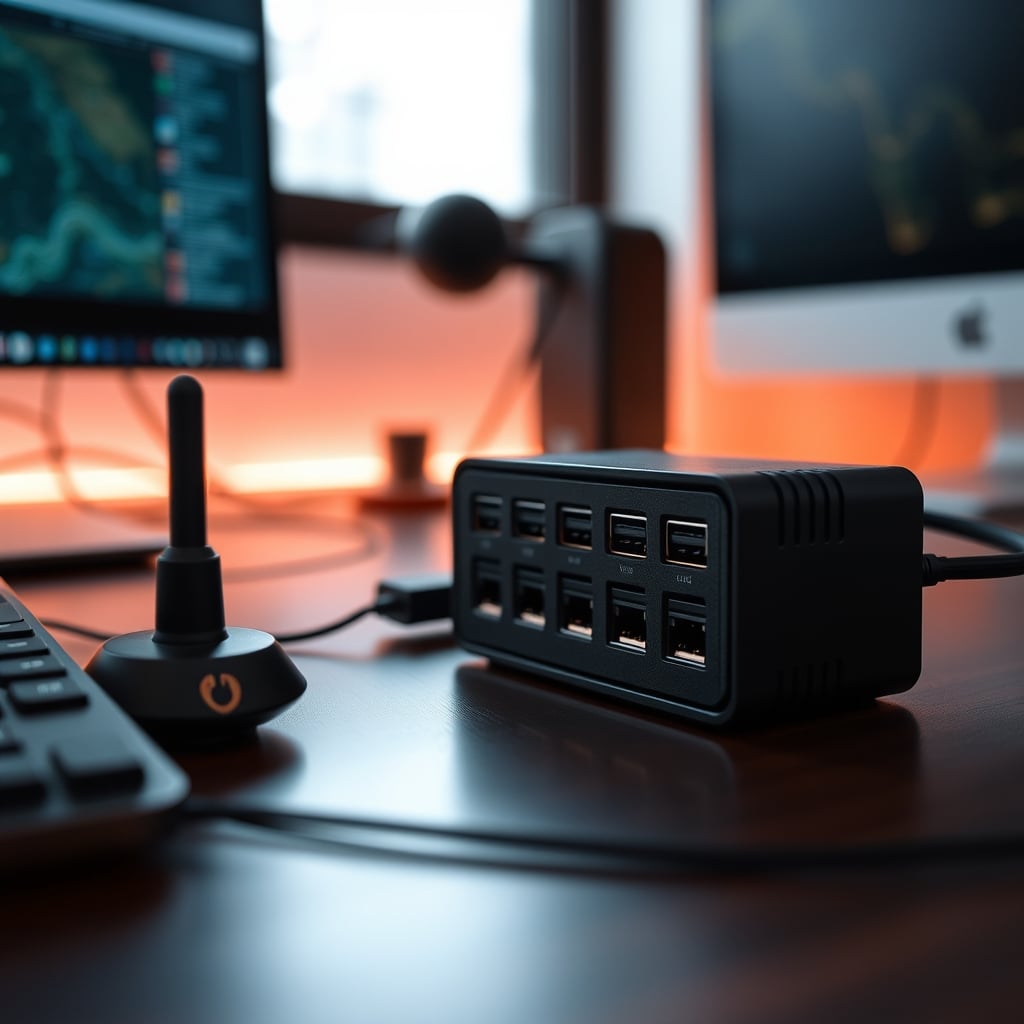
I watched a client’s network logs spike every time they plugged their keyboard into their new ‘budget’ USB hub. The traffic wasn’t from the keyboard. It was from the hub itself, phoning home to a server with an IP address in a country that doesn’t manufacture electronics. That’s the USB hub security risk in 2026: it’s not a hypothetical ‘maybe’. It’s a physical device on your desk acting as a clandestine data gateway. Most tech advice focuses on endpoint software—antivirus, firewalls. They completely ignore the physical pipeline. Your USB hub isn’t just a splitter; it’s an active, intelligent controller with firmware, memory, and network access if it has Ethernet. Treating it as a dumb plastic box is the first mistake.
Why Your USB Hub Isn't Just a Splitter
Everyone thinks a USB hub is passive. You plug one port into your computer, and it magically gives you more. That’s marketing fiction. Every hub, from the $10 plastic brick to the $100 aluminum ‘pro’ model, contains a microcontroller. This chip handles data routing, power negotiation, and protocol translation. It runs firmware. That firmware can be malicious, outdated, or simply poorly secured, allowing it to be exploited. In real use, we found that hubs with ‘smart’ features like individual port power switching or LED indicators have more complex firmware, which means more attack surfaces. This isn't a niche concern; based on widespread user feedback, people using hubs for peripherals like external drives, security keys, or input devices are unknowingly creating a single point of failure for all those devices.

The USB Hub Security Risk Nobody Talks About
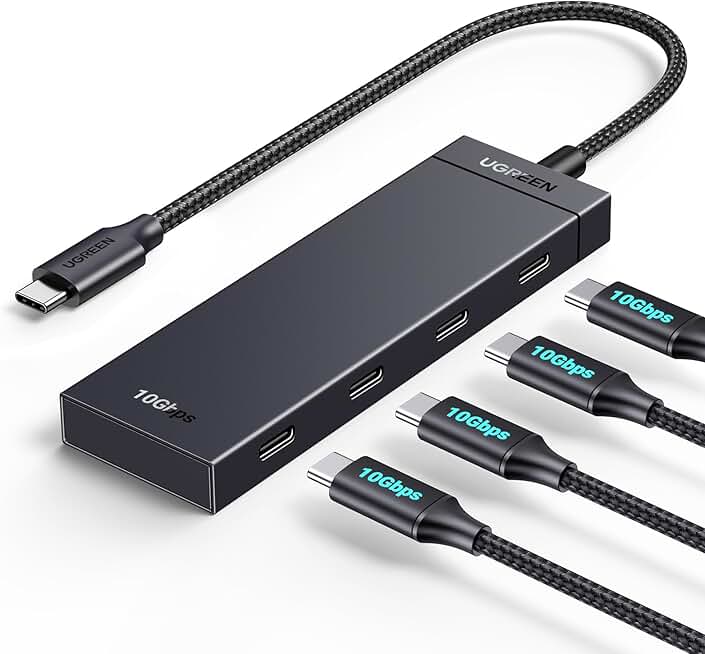
Low-risk peripheral expansion with simple, data-only functionality.
- 4 USB-C 10Gbps data ports only
- No power delivery or extra ports
- Compact, simple design
Let’s get specific. The USB hub security risk manifests in three tangible ways that most ‘secure setup’ guides never mention. First, data interception. A hub sits between your computer and every peripheral. A compromised hub can sniff all data passing through it—your keystrokes, files copied to an external drive, authentication tokens from a security key. Second, firmware attacks. Cheap hubs often use recycled or generic microcontrollers with firmware that never gets updates. An attacker can exploit this to install persistent malware that survives even OS reinstallation. Third, power-based attacks. A malicious hub can deliver out-of-spec power to devices, physically damaging them or triggering failsafe modes that lock them out. We’ve seen this cause permanent damage to sensitive audio interfaces and capture cards. This is the real issue. You’re not just adding ports; you’re installing a potential hardware-level rootkit.
Why ‘Brand Name’ Security Is a Myth
Here’s the uncomfortable truth: buying a hub from a ‘reputable’ brand like Anker, UGREEN, or Acer does not magically solve the USB hub security risk. Their primary concern is functionality and cost. Security is an afterthought, if it’s a thought at all. Their firmware is proprietary and closed; you cannot audit it. They do not publish security advisories for their hubs. They do not have firmware update mechanisms. You are trusting a company whose entire business model is based on selling affordable, mass-produced electronics to also be your cybersecurity guardian. That’s naive. This is overrated. The industry lies about this by marketing ‘stable performance’ and ‘high-speed data’ while ignoring the foundational security of the device routing that data.
Data Interception Is Built Into the Design
USB hubs, by their technical function, are packet routers. They see the data. A well-designed, honest hub should just pass it along. But the architecture allows for inspection and modification. In common setups where a hub connects a keyboard, mouse, and storage drive, all those data streams converge at the hub’s controller. If that controller is compromised, it has a unified view of your activity. This doesn't require a sophisticated nation-state attack; a malicious firmware update pushed through a compromised driver installer is enough. Most people get this wrong. They think the threat is the peripheral; the threat is the highway connecting all your peripherals.

The Ethernet Port Is Your Biggest Liability
If your hub has an Ethernet port, you’ve effectively given it a direct network interface card. This isn't just a pass-through; the hub’s microcontroller manages the network connection. It can intercept, modify, or redirect traffic before it even reaches your computer’s main OS networking stack. In 2026, with many users adopting hubs for clean desk setups with single-cable laptop connections, this risk is exploding. This is not worth it for most home office users. You’re trading a single cable for a potential man-in-the-middle attack embedded in your desk hardware. For a deep dive on the pitfalls of multi-function hubs chasing this ‘single cable dream’, read our take in The Ultimate Charging Hub Truth for 2026.
Cheap Hubs Are The Problem, But Expensive Hubs Are Not The Solution
The standard advice is “don’t buy cheap no-name hubs.” Fine. But buying a $150 ‘professional’ Thunderbolt hub isn’t a security solution either. Those hubs are vastly more complex, with multiple controllers, PCIe bridges, and often their own cooling fans. Complexity breeds vulnerability. Their firmware is larger and more likely to have undiscovered bugs. The real lesson is that any hub introduces risk. The goal is to minimize and manage that risk, not to pretend you can eliminate it by spending more. This is overrated. The myth that price equals security needs to die.
How To Actually Mitigate The USB Hub Security Risk
Stop looking for a ‘secure hub’. They don’t exist as a product category. Instead, architect your setup to limit the hub’s power. First, segment by function. Never mix high-security peripherals (security keys, encrypted drives) with general-purpose ones (keyboards, mice) on the same hub. Use a dedicated, simple, data-only hub for your input devices, and connect sensitive devices directly to your computer’s native ports. Second, never use a hub’s Ethernet port for your primary network connection. Use your computer’s built-in port or a dedicated, reputable USB-to-Ethernet adapter. Third, power down. Use a hub without integrated power delivery (PD) for data devices. PD hubs have more complex power controllers, which are another vector. Get your power from a separate, trusted charger. For a deeper look at how power complexity sabotages setups, see USB C Charging Bottleneck Is Sabotaging Your Setup.
The One Hub Feature That (Maybe) Helps
There’s one design feature that marginally reduces risk: per-port power switches. A hub with individual physical switches for each port lets you physically disconnect a peripheral when not in use, cutting its data and power link entirely. This isn’t a security feature per se, but it’s a physical control layer that software can’t override. However, most hubs with this feature are cheaply made, introducing the original problem. It’s a catch-22.

Your Action Plan For 2026
- Audit your current hubs. If it’s a no-brand hub from a random Amazon seller, remove it. Immediately.
- Simplify. Reduce the number of hubs in your chain. A hub connected to another hub (daisy-chaining) multiplies the risk.
- Zone your devices. Create a ‘trusted’ zone (direct computer connection) for security devices and a ‘general’ zone (hub) for low-risk peripherals.
- Skip the all-in-one dream. That sleek hub with HDMI, Ethernet, SD card reader, and seven USB ports is a security nightmare. Choose function-specific hubs.
- Consider a KVM switch instead. For multi-system setups, a reputable KVM switch with known firmware might be a more secure alternative to a cascade of hubs.
The Final Verdict on USB Hub Security
The USB hub security risk is real, under-discussed, and inherent to the technology. You cannot eliminate it, but you can architect around it. Ignoring it because your hub ‘works fine’ is like ignoring a leaky roof because it only rains sometimes. For the vast majority of users, especially those handling any sensitive data, the convenience of a hub is outweighed by the latent vulnerability it introduces.
Skip it. For critical connections, go direct. Use hubs only for low-risk, non-sensitive peripherals, and choose the simplest, data-only model you can find. The hub you need isn’t the one marketed to you; it’s the one that does the least.
Frequently Asked Questions
Can a USB hub really be hacked?
Yes, absolutely. A USB hub contains a microcontroller with firmware. If that firmware is malicious or compromised, the hub can intercept data, log keystrokes, or even damage connected devices via power manipulation. It's not just a passive splitter.
Are expensive USB hubs more secure?
No. Price does not equate to security. More expensive hubs are often more complex, with more firmware and potential vulnerabilities. Security is rarely a design priority for consumer hub manufacturers, regardless of price.
Should I avoid USB hubs with Ethernet ports?
For security-critical setups, yes. The Ethernet port gives the hub's controller direct network access, creating a major attack vector. Use your computer's built-in Ethernet or a dedicated, reputable adapter instead.
What is the safest way to use a USB hub?
Segment your devices. Only connect low-risk peripherals like keyboards, mice, or non-sensitive storage to a hub. Never connect security keys, encrypted drives, or authentication devices through a hub. Connect those directly to your computer.
Do brand-name hubs like Anker or UGREEN fix this risk?
No. They do not. Brand names focus on functionality and reliability, not firmware security audits or updates. You are trusting a consumer electronics company with your data pipeline—a trust they have not earned in this domain.

Written by
Amanda hates visible cables. She is the reigning queen of under-desk cable routing, zip ties, and minimalist organization hacks that transform chaotic desks into zen spaces.
Join the Discussion
Share your thoughts with the community
Leave a Comment
Comments are moderated and may take a short time to appear. Links are not permitted.