Wall Cable Management Safety
Everyone's obsessed with wall cable management safety, but the products they're buying are actively making their setups more dangerous. The raceways and covers sold as 'solutions' are often ticking thermal time bombs that violate basic electrical principles.

Here's the brutal truth most setup guides won't tell you: the entire wall cable management safety industry is built on a foundation of wishful thinking and ignored physics. You're being sold plastic channels that promise organization but create the perfect conditions for overheating, fire risk, and permanent wall damage. People buy these kits thinking they're solving a problem, but based on widespread user feedback, they're actually installing a liability.
After seeing countless 'clean setup' photos that made me wince, I started asking electricians what they thought about these popular cord covers. The answer was unanimous: this is overrated consumer-grade nonsense that wouldn't pass a basic commercial inspection. The industry lies about thermal management, and most people get this completely wrong by prioritizing aesthetics over actual safety.
The Hidden Thermal Trap In Your Walls
This is the real issue nobody talks about: bundled heat. When you take multiple power cords—especially those for monitors, PCs, and chargers—and shove them into a sealed or semi-sealed plastic raceway, you're creating a thermal oven. Each cable generates waste heat during operation. Combine them in an insulated space with zero airflow, and that heat has nowhere to go.
Users consistently report that after several hours of use, these cord covers become warm to the touch. That's not normal—that's a warning sign. Cables are rated for specific ambient temperatures, and exceeding those ratings through poor thermal design degrades insulation over time. It makes cables brittle, increases resistance, and creates potential short-circuit points. This doesn't work for high-load setups, yet everyone keeps installing them behind their gaming rigs and editing stations.
The common advice is to 'use raceways to hide cables'—that advice is dangerously incomplete. Without considering total wattage and heat dissipation, you're just decorating a hazard.
Walk into any store or browse major retailers, and you'll find dozens of cord cover kits promising easy installation and a clean look. They're all selling you the same fundamental flaw: they treat electrical cables like decorative ribbons instead of current-carrying conductors.
Most adhesive-backed raceways use cheap foam tape that fails within months, especially in temperature-fluctuating environments. The plastic itself is often not rated for the temperatures it will experience. More importantly, the snap-on design everyone loves? It creates pinching points that can damage cable jackets when you inevitably add or remove cords. This is a known issue for long-term use—the repeated opening and closing weakens both the cover and the cables inside.
People think 'paintable' is a feature. It's actually a problem. Adding layers of paint further reduces the plastic's ability to dissipate heat. You're literally insulating your insulator.
The Wall Cable Management Safety Myth That Needs To Die
Here's the big lie: "Any cord cover is better than loose cables."
This is completely wrong and potentially dangerous. A properly managed, separated bundle of cables with adequate airflow is significantly safer than those same cables crammed into an unventilated plastic tunnel. Loose cables at least have air circulation. They can dissipate heat. They don't create concentrated hot zones.
The obsession with making cables 'invisible' has led people to commit basic electrical sins. I've seen setups where extension cords are run inside raceways—a direct violation of most electrical codes because extension cords aren't meant for permanent installation. I've seen data cables (Ethernet, HDMI) run parallel and touching to power cables for feet, guaranteeing signal interference despite our guide on cable signal interference masterclass.
The myth is that neatness equals safety. In reality, neatness without understanding electrical principles equals hidden risk.
What Actually Works (And It's Not What You're Buying)
Forget the all-in-one kits. Real wall cable management safety comes from segmentation and spacing. Power cables should be separated from data cables by at least a few inches—not bundled together. High-load devices (PC, monitor, speaker amps) should have their power cords given maximum breathing room.
Instead of wide raceways that bundle everything, use individual clips or narrow channels that keep cables separated. Leave gaps in your management system to allow heat to escape. If you must enclose cables, use open-backed channels that mount away from the wall, creating an air gap behind them.
For runs along baseboards, the old-school method electricians use is still best: properly rated cable staples that don't crush the jacket, with cables run neatly but separately. It looks professional because it is professional—it follows code.
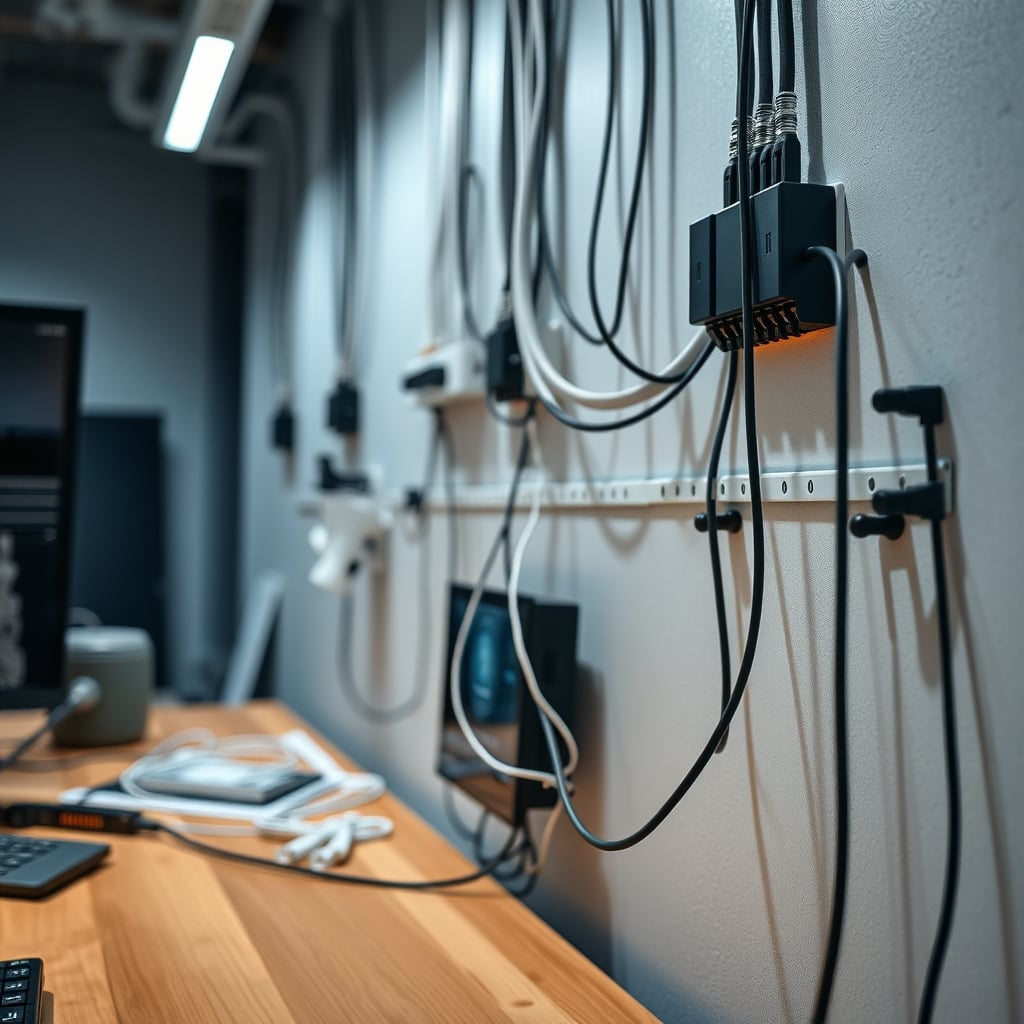
The Adhesive Failure You're Ignoring
Every cord cover kit touts 'strong self-adhesive backing.' This is overrated marketing speak for 'will eventually fail and possibly damage your drywall.'
Those adhesives are designed for ideal conditions: perfectly clean, cool, dry walls. Real desks generate heat. Rooms have humidity changes. Walls have texture and paint that wasn't prepared for industrial adhesive. The failure mode is predictable: the adhesive lets go gradually, the cover sags, cables slip out of position, and you're left with a sticky residue nightmare.
When these fail—and users consistently report they do within 12-18 months—they often take wall texture or paint with them. The 'damage-free' solution creates more damage than just running cables properly in the first place. Mechanical fasteners (screws into studs) are less convenient but actually permanent. The industry lies about adhesive reliability because screws don't fit the 'easy DIY' narrative.
The One Product Category That Doesn't Suck
If you absolutely must use a raceway system, there's only one type worth considering: metal channels with ventilation slots. They're harder to find, more expensive, and require actual tools to install—which is exactly why they work better.
Metal dissipates heat far more effectively than plastic. Ventilation slots allow hot air to escape. Proper mounting with screws ensures they won't fall. They're the commercial-grade solution that home products try to cheaply mimic. You won't find these in pretty colors with snap-on lids. You'll find them in electrical supply houses, where safety isn't an afterthought.
Even then, you still need to practice cable separation inside them. A metal channel full of tangled cables is just a slightly safer thermal trap.
Common Installation Mistakes That Create Hazards
- Overfilling the channel: Just because there's space doesn't mean you should use it. Cables need room to dissipate heat. If you have to force the cover closed, you've already failed.
- Mixing cable types: Running low-voltage USB cables alongside 110V power cords is asking for interference and confusing future you (or an electrician) about what's what.
- Ignoring bend radius: Cables have minimum bend radii to prevent internal wire damage. Sharp 90-degree turns inside a raceway stress cables at the exact point where they're also heating up.
- Blocking access points: Installing covers over electrical outlets or junction boxes violates code and creates a nightmare for maintenance. This is the real issue with 'clean look' obsession—it makes basic electrical safety checks impossible.
For more on how poor layout decisions sabotage your workspace, read about proximity clutter focus.
The Verdict: Skip The Kits, Do It Right
Wall cable management safety isn't about hiding cables—it's about managing them responsibly. The plastic raceway kits sold to consumers are largely overrated solutions to an aesthetic problem that create actual electrical problems.
Skip it. Skip the all-in-one adhesive kits. Skip the paintable snap-together covers. Skip the promise of invisible cables.
Instead, invest in proper individual clips, leave air gaps, separate power from data, and if you need to enclose something, use ventilated metal channels installed correctly. Your setup might look slightly less 'clean' in photos, but it won't be a thermal hazard waiting for enough continuous load to become a real problem.
The cleanest setup is the one that doesn't burn your house down. Everything else is just marketing.
Frequently Asked Questions
Are cord covers and raceways actually safe for cables?
Most consumer-grade cord covers are not safe for bundling multiple power cables. They trap heat, lack ventilation, and can cause cables to overheat, degrading insulation over time and creating fire hazards. They prioritize aesthetics over actual electrical safety.
What's the biggest mistake people make with wall cable management?
The biggest mistake is bundling all cables together regardless of type or load. Mixing high-power PC cables with data cables in a sealed channel creates thermal and interference problems. Separation and airflow are far more important than making cables 'invisible'.
Do adhesive-backed cable raceways damage walls?
Yes, frequently. The adhesives often fail due to heat and humidity changes, and when removed, they commonly pull off paint, texture, or even drywall paper. They're a temporary solution that often causes permanent wall damage.
What should I use instead of plastic cord covers?
Use individual screw-mounted clips to keep cables separated and allow airflow. For longer runs, consider ventilated metal channels. Always separate power cables from data cables by several inches, and avoid sharp bends that stress wires.
Is it against electrical code to run cables in wall raceways?
It can be. Most codes prohibit running extension cords in permanent installations (like inside raceways). Codes also require maintaining cable separation and not creating overheating conditions. Many DIY raceway installations would fail commercial electrical inspections.
Written by
GlowRig Editorial researches and writes practical guides about desk setups and home office gear. Our articles are produced with the help of AI research tools and are reviewed for accuracy against manufacturer specifications and public user feedback. We may earn a commission from affiliate links, which never affects our recommendations.
Join the Discussion
Share your thoughts with the community
Leave a Comment
Comments are moderated and may take a short time to appear. Links are not permitted.