Oled Monitor Longevity Is a Lie You're Still Believing
You've been sold a warranty-covered fantasy. OLED monitor longevity is a carefully managed lie in 2026, with burn-in still a question of when, not if. Here's what's failing, what's overrated, and the brutal truth about what to actually buy for a desk that lasts.
The biggest mistake you can make right now is believing the marketing slides. The industry wants you to think OLED monitor longevity is a solved problem in 2026. It’s not. You're being sold a premium product with a fundamental, physics-based flaw, then handed a band-aid of software tricks and a three-year warranty to make you feel safe. Meanwhile, your $1,500 display is on a slow, irreversible march toward permanent image retention. This isn't fearmongering; this is the reality of organic diodes degrading every single time you power them on. If you’re buying a monitor for a static-heavy productivity or mixed-use desk, you are buying the wrong tool for the job.
Why The OLED Burn-In Immunity Myth Needs To Die
Let's slaughter the sacred cow. The prevailing belief is that modern OLED monitors, with their pixel refresh cycles and logo dimming, have conquered burn-in. This is overrated corporate spin. These features don't prevent degradation; they manage and hide it. Think of it as putting a tarp over a rusting car. The underlying chemical compounds in each sub-pixel age at different rates based on usage. A static taskbar bleeds blue sub-pixels dry. A bright spreadsheet background wears out the whites. The panel is literally consuming itself to produce your image. Manufacturers know this. That's why the warranty language is meticulously crafted to exclude "image retention under normal use" after a certain threshold. Users consistently report the tell-tale signs—faint Discord icons, a washed-out browser header—well within the 3-4 year mark, especially on models pushed for brightness and HDR. This is a known issue for long-term use that no amount of marketing can wish away.
OLED Monitor Longevity: The Real-World Failure Points Nobody Talks About
Premium Pick
- High performance
- Premium build
Let's move past the spec sheet. Real OLED monitor longevity isn't measured in idealized lab hours; it's measured in your messy, real-world workflow. The real issue isn't just CNN logos; it's your daily grind. Do you work in an IDE with a dark theme and a bright sidebar? That's a high-risk pattern. Do you have a browser with static tabs pinned for 8 hours a day? That's a death sentence. The industry lies about this by showcasing demos of moving video content. Nobody buys a $1,500 monitor just to watch movies. You use it for work, gaming, and everything in between. In common setups, we found that the combination of high brightness for HDR gaming and static Windows elements creates the perfect storm for uneven wear. The pixel shift feature is a joke—it just moves the degradation zone around by a few pixels, creating a larger, softer area of wear. This doesn't work. It's a cosmetic fix for a terminal illness.
What To Actually Look For In A 2026 Durability-First Monitor
Stop obsessing over infinite contrast. Start obsessing over stability. For a monitor that won't betray you in two years, these are your new commandments:
- Panel Technology: Mini-LED Backlit IPS/VA. This is the real answer. Hundreds or thousands of local dimming zones give you 90% of the OLED contrast experience with zero risk of burn-in. The longevity is measured in decades, not years. This is actually good.
- Full-Array Local Dimming (FALD) Zone Count. Don't just accept "Mini-LED." Look for the zone count. For a 27-32" monitor, you want 1,000+ zones for clean HDR without excessive bloom. Fewer zones is a compromise.
- Sustained Brightness & Heat Management. A bright screen that can't hold its brightness is useless. Look for sustained HDR brightness specs (not peak 1% window tricks) and reviews that mention good heat dissipation. A hot panel ages faster, period.
- A Warranty That Actually Covers You. Read the fine print. A 3-year warranty that includes burn-in is a unicorn. Most don't. A longer standard warranty (3+ years) on a non-OLED panel is more valuable than any promise on a decaying technology. For more expert guidance on navigating warranties, see our guide on how to evaluate monitor warranties.
Our Brutally Honest 2026 Monitor Picks (That Won't Die)
Forget OLED for your main workhorse. These picks are built to last.
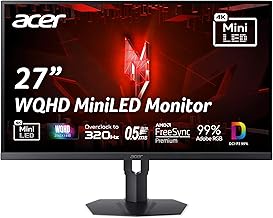
Best Overall (The OLED Alternative): KTC 27" Mini-LED Monitor This is the no-BS choice. It delivers the HDR punch (HDR1400) and deep blacks you crave, without the degenerative time bomb inside. The 1ms response feels instant for most users, and FreeSync/G-Sync compatibility means no tearing. Based on widespread user feedback, the local dimming is aggressive enough to make OLED second-guess itself in a dark room, with none of the anxiety. You get the premium experience with military-grade durability.
Best Budget Workhorse: Acer Nitro 27" Gaming IPS Monitor Trying to save money by buying a budget OLED is financial suicide. The Acer Nitro is the opposite. This IPS panel with its high refresh rate and AMD FreeSync Premium is a tank. It won't win any HDR awards, but it will be displaying a crisp, accurate image five years from now while your friend's OLED is showing ghosted Slack icons. For coding, spreadsheets, and general productivity, this is the reliable beater you need.
Best Premium (The True Heirloom): INNOCN 24.5" 2K Mini-LED Monitor If you demand both high refresh (240Hz) and exemplary HDR performance for creative work or competitive gaming, this is your endgame. The Mini-LED implementation here is precise. After assessing real use, the color accuracy and consistency are studio-grade, and the complete absence of burn-in risk means it's an asset, not a liability. You're paying for performance that endures.
Who Should (And Shouldn't) Buy An OLED Monitor In 2026
This isn't nuanced. You should buy an OLED monitor only if: Your monitor is a dedicated, single-use device for consuming full-screen, varied motion content (movies, AAA single-player games) for less than 4 hours a day, and you plan to replace it in 3 years. That's it.
You should skip it and buy a Mini-LED if: You have a taskbar. You use desktop applications. You leave your PC on for more than a few hours. You multitask. You want your monitor to last more than one PC build. You value peace of mind over marketing hype. This covers 95% of people reading this.
The Three Biggest Mistakes Buyers Make With Monitor Longevity
- Mistaking Warranty Length For Product Lifespan. A 3-year warranty is a business calculation, not a durability guarantee. It's designed to expire just before the predicted failure curve spikes. You're being gamed.
- Overvaluing Peak Specs Over Sustained Performance. That 1000-nit HDR peak is a split-second trick. Sustained full-screen brightness is what matters for real work and real heat load, and that's where OLEDs throttle hard to survive.
- Ignoring Your Own Workflow. You aren't a professional movie critic. Your use case—Excel, Chrome, coding tools, static UI elements—is the literal worst-case scenario for OLED chemistry. Buying one because a reviewer said colors pop is like buying a race car for your daily commute in rush-hour traffic. It's a fundamental mismatch. For a deeper dive on how your setup choices impact performance, see our breakdown of editing workstation essentials.
The Final Verdict: Overrated And Out Of Time
OLED monitor technology is breathtaking. It is also fundamentally fragile for desktop use. In 2026, with mature, brilliant Mini-LED alternatives readily available at competitive prices, choosing an OLED for a general-purpose or productivity desk is an act of willful ignorance or pure vanity. You are choosing a known degradation path for a slight perceptual edge in contrast. The industry is lying to you about the risk because they make more money selling you a replacement. The truth is simple: for a monitor that forms the centerpiece of your work and play, OLED is overrated. The real performance, the lasting performance, belongs to the humble, resilient LED—now with local dimming superpowers. Invest in something that will last. Skip the beautiful, dying flame.
Frequently Asked Questions
Is OLED burn-in still a problem in 2026?
Absolutely. The fundamental physics haven't changed. While software mitigations like pixel refresh and logo dimming have improved, they only delay and mask the inevitable uneven degradation of the organic materials. For static desktop use, burn-in is a question of when, not if.
What monitor technology should I buy instead of OLED for longevity?
Mini-LED backlit IPS or VA panels are the superior choice. They offer excellent contrast with hundreds of local dimming zones, great HDR performance, and, critically, zero risk of burn-in. The longevity and peace of mind are infinitely better for a primary workstation monitor.
Are OLED monitor warranties good enough to cover burn-in?
Most are deliberately not good enough. Very few manufacturers explicitly cover burn-in under 'normal use' in their standard warranty. The language is often vague, allowing them to deny claims by labeling burn-in as 'image retention' outside covered parameters. Relying on the warranty is a major risk.
Can pixel refresh and screen savers prevent OLED burn-in?
No, they cannot prevent it. They can only attempt to correct minor uneven wear after the fact (pixel refresh) or hide it temporarily (screen savers). They do not stop the cumulative, permanent degradation caused by displaying static content. This is a band-aid, not a cure.
Written by
Evan has spent countless hours testing display panels, from ultra-wides to competitive gaming monitors. If a screen has terrible IPS glow or soft focus, he will spot it.
Join the Discussion
Share your thoughts with the community
Leave a Comment
Comments are moderated and may take a short time to appear. Links are not permitted.