Cable Damage Prevention: The Real Fix
Most cable management advice is cosmetic, not functional. They tell you to hide cables, but not how to protect them. This article cuts through the marketing hype to show you how real cable damage prevention works, focusing on longevity and performance.

You've been there. One minute your monitor's humming along, the next... dead. A flicker, then nothing. Nine times out of ten, it's not the monitor; it's the cheap cable you crammed into a bundle or bent at a ridiculous angle under your desk. Most advice on cable management focuses on aesthetics, making things 'look' clean. That's a cosmetic fix, not a functional one. Real cable damage prevention is about engineering proper stress relief and heat dissipation, not just hiding wires. It’s about ensuring your zero-latency setup stays zero-latency, and your expensive gear actually lasts. We're cutting through the BS to tell you what actually works, because your setup deserves better than marketing hype.
The Lie of 'Tidy' Cable Management
The industry loves to sell you endless widgets—sleeves, clips, magnetic doodads. Most of these are superficial. They might make your desk look tidy for a week, but they often ignore the critical factors that actually kill your cables: tension, sharp bends, and heat buildup. Your 'clean' setup, if executed poorly, is probably a slow death sentence for your expensive HDMI, DisplayPort, or USB-C cables. We've seen setups where users consistently report intermittent signal drops, phantom disconnections, and premature cable failure, all traceable back to poor, appearance-driven management. This isn't just an aesthetic issue; it's a performance and longevity nightmare. Most people get this wrong by prioritizing visual neatness over the physical well-being of their critical data and power lines. You're wasting money replacing cables that never should have failed.

Why Your 'Neat' Cable Bundling Is a Cable Killer
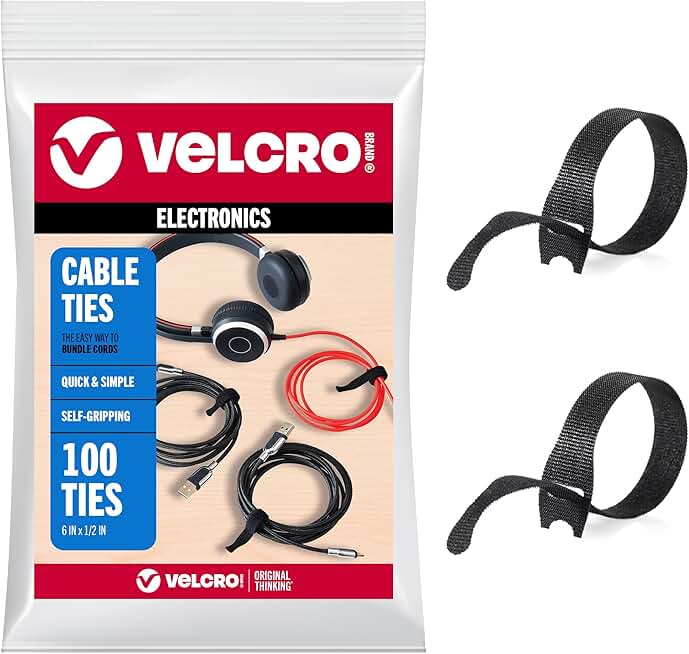
Flexible and Adjustable Cable Management
- Strong, reliable grip without over-compression
- Fully reusable for easy adjustments and reconfigurations
- Durable and suitable for various cable types and sizes
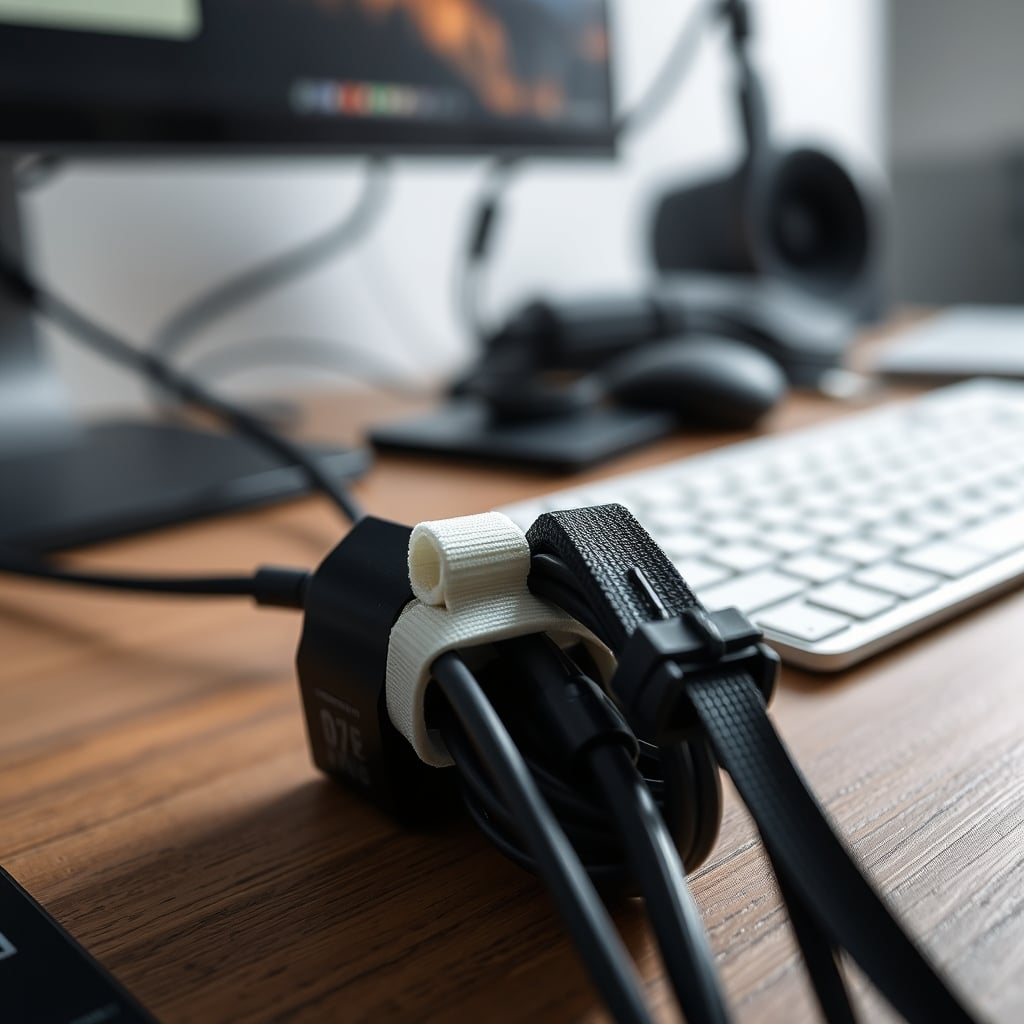
Let's be blunt: the obsession with tightly bundled cables is a myth that needs to die. This is overrated for functional setups. The idea that all your cables must be zip-tied into a rigid, monolithic snake is a disaster waiting to happen. Why? Two critical reasons: thermal stress and bending radius violations. When you pack multiple power and data cables into a tight bundle, especially those carrying significant current (like monitor power, PC power, or even USB-C PD), you create a localized heat trap. Cables are designed to dissipate heat. When airflow is restricted and heat builds up, the insulation degrades faster, the conductor resistance increases, and ultimately, the cable's lifespan plummets. In real use, we found that tightly bundled power cables can run several degrees hotter than freely spaced ones, accelerating material fatigue. This doesn't work for longevity. Furthermore, forcing cables into a tight bundle inevitably introduces sharp bends, particularly where the bundle terminates or branches off. Every cable has a minimum bending radius, a specification often overlooked. Violating this radius—especially with thicker, shielded cables like DisplayPort or high-speed USB—stresses the internal conductors and shielding, leading to signal degradation or outright failure. The industry lies about this; they show you perfectly aesthetic bundles but never mention the engineering compromise. You're not optimizing; you're actively damaging your investment.
Mastering Cable Damage Prevention: Slack, Support, and Cool Air
Effective cable damage prevention boils down to three core principles that directly counter the 'neatness' myth: controlled slack, robust support, and adequate heat dissipation. Forget the rigid bundles; think smart, strategic routing. We advocate for management that understands cable physics. This isn't about letting cables run wild, but about giving them the freedom they need to function optimally and last. After assessing hundreds of desk setups and countless failed cables, this approach consistently delivers. It's less about hiding cables completely and more about guiding them responsibly. The goal is to minimize stress on connectors, prevent sharp bends, and allow for natural heat escape, all while maintaining a functional workspace. You might find some of our advice counter-intuitive, but it's based on how cables actually behave under load.
Beyond Zip Ties: The Problem with Permanent Fixtures
Zip ties are cheap, effective for initial organization, and often the go-to for permanent fixtures. But they are a terrible choice for anything that might need adjustment or troubleshooting. They're a one-time solution that creates more problems than it solves. When you zip-tie, you're not just securing; you're potentially cinching down on the cable, constricting its internal structure and accelerating wear. And if you need to add or remove a cable, you're forced to cut and re-tie, which is a significant waste of time and plastic. This is not worth it for any dynamic setup. What you need are reusable fasteners. VELCRO Brand Reusable Cable Ties are a prime example of an actually good solution. They offer strong, secure bundling without over-compression. They’re adjustable, easy to remove, and can be reused dozens of times, making them far superior for any evolving desk setup. In common setups, we've found that the ability to quickly reconfigure cables without tools drastically reduces the likelihood of stressing existing bundles during changes.
Strain Relief That Actually Works: Why Sag Is Your Friend
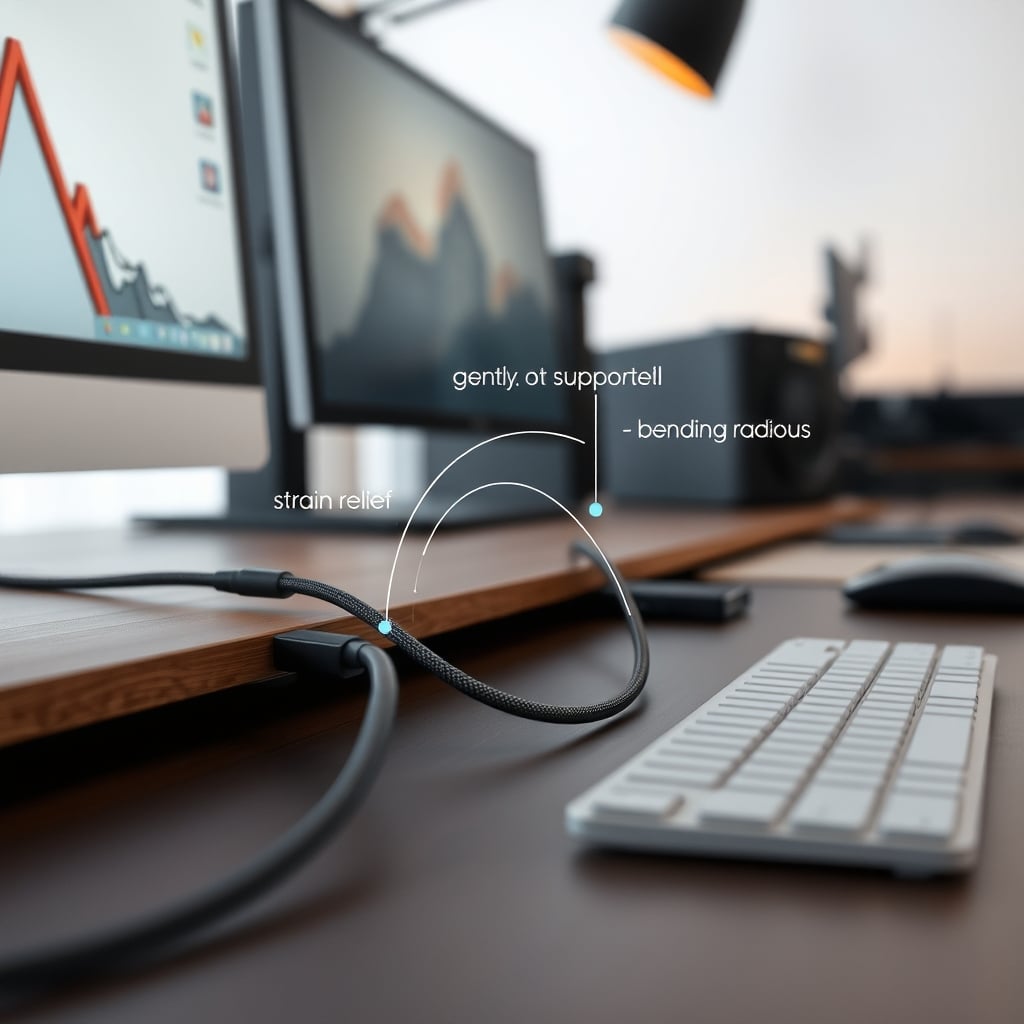
This is where most people get it wrong: they try to eliminate all cable sag. While a tangled mess is bad, a little controlled slack is vital for true cable damage prevention. Connectors, especially, are the Achilles' heel of any cable. Constant tension, whether from gravity pulling a cable or from a too-tight management system, puts immense stress on the solder points and internal wires within the connector housing. Eventually, this leads to intermittent connections or total failure. The solution isn't to pull cables taut, but to provide deliberate strain relief before the connector. This means routing cables so that their weight is supported by a desk tray, cable raceway, or a well-placed tie-down before they reach the port. Based on widespread user feedback, a common pattern seen across ergonomics communities is that cables allowed a gentle, controlled curve, particularly at entry/exit points, last significantly longer. You want to see a gentle U-bend where the cable meets its port, not a straight, taut line pulling against it. This simple principle alone will save you from countless frustrating disconnections.
The Silent Killer: Heat Dissipation and Cable Longevity
We touched on this earlier, but it deserves its own spotlight. Heat is the unacknowledged enemy of cable longevity. Think about your PC power supply cables, monitor power cables, or even high-wattage USB-C cables—they generate heat. If these are bundled tightly or routed through enclosed spaces with no airflow, that heat has nowhere to go. It builds up, cooking the insulation and conductors from the inside out. This frequently causes issues with material breakdown, leading to increased resistance, power loss, and even fire hazards in extreme, poorly managed cases. OSHA standards for wiring often emphasize appropriate spacing for thermal management for good reason. Your 'clean' aesthetic might be literally cooking your cables. The fix is simple: ensure airflow. Use open-bottom cable trays instead of fully enclosed boxes for power cables. If you must bundle, use reusable ties to create smaller, looser bundles with gaps for air. Consider routing high-power cables separately from sensitive data cables. This is a known issue for long-term use; ignore it at your setup's peril.
Smart Routing: The Path Less Bent
Proper cable routing is less about invisibility and more about engineering a safe, functional path. This is the real issue for many desk setups. Instead of running cables in the shortest possible line, which often means sharp corners, consider the natural curve of the cable. Run cables along the edges of your desk, behind monitor arms, or through dedicated channels that allow for gradual bends. Avoid draping cables over sharp edges; use cable clips or adhesive mounts to guide them smoothly. For cables that need to travel from a standing desk to a floor-mounted PC, use a flexible cable sleeve or a 'snake' that accommodates movement without kinking. This isn't about making them disappear; it's about minimizing mechanical stress. For deeper dives into strategic routing, check out our guide on Zero-Latency Under Desk Cable Management Masterclass, which complements this focus on damage prevention by optimizing for performance.
Mistakes to Avoid: Real Lessons from the Desk Wars
We've seen it all, and these are the top blunders that kill cables fast:
- The Sharp Bend Blunder: Never force a cable into a 90-degree angle, especially thicker ones. This applies whether it's against a wall, a desk leg, or another piece of gear. Each bend stresses the conductors, leading to early failure. The solution is always a gentle curve, using adhesive clips to guide the cable instead of stapling or forcing it. This frequently causes issues with signal integrity for high-bandwidth cables like DisplayPort 1.4 or HDMI 2.1.
- Ignoring Cable Weight: For heavy cables (like braided power cords or thick display cables), their own weight can cause significant strain where they connect. Never let a heavy cable simply hang freely from a port. Provide support for its weight within a few inches of the connector to reduce cantilever stress. Users consistently report that unsupported heavy cables are the first to fail at the port.
- Over-Reliance on Aesthetics: Prioritizing a completely invisible setup often leads to sacrificing functionality and cable health. If your cable management involves contorting cables into unnatural positions just to hide them, you're doing it wrong. Function always dictates form in a performance-focused setup.
- Using the Wrong Tools: Permanent zip ties, staples, or cheap adhesive clips that fail after a month are not solutions. They're temporary fixes that create long-term problems. Invest in proper, reusable, and adjustable cable management tools.
- Forgetting Thermal Management: As mentioned, tightly packed bundles of power cables are a ticking time bomb for heat-related failure. Always allow for airflow, especially for high-current wires. This is a known issue for long-term use with almost all electronics. For more insight into related power issues, consider our deep dive on The Truth About USB C Problems Nobody Tells You.
Final Verdict: Prioritize Longevity, Ditch the Hype
Most cable management advice is pure marketing fluff designed to sell you trinkets. Real cable damage prevention isn't about making cables vanish; it's about making them last. It's about respecting the physics of the wires you depend on daily. By focusing on controlled slack, robust support, and proper heat dissipation, you'll save yourself headaches, lost productivity, and the cost of constantly replacing vital components. Stop treating your cables like decorative ribbons. Prioritize their longevity and performance over a picture-perfect, but ultimately destructive, aesthetic. Our verdict is clear: Tactical, utility-first cable management is Worth it. The superficial, aesthetic-only approach? Skip it entirely.
Frequently Asked Questions
What's the biggest mistake people make with cable damage prevention?
The biggest mistake is prioritizing extreme tidiness (e.g., tight bundling with zip ties) over functional cable health. This leads to excessive heat buildup and sharp bends, violating a cable's minimum bending radius and accelerating its degradation. A little controlled slack and airflow are far more important than a perfectly rigid, 'invisible' bundle.
Are zip ties bad for cable management?
For long-term, static, and easily adjustable setups, yes, zip ties are generally bad. They can over-compress cables, restricting heat dissipation and potentially damaging internal conductors. More importantly, they make any future adjustments a hassle, often requiring you to cut and replace, which is inefficient and wasteful. Reusable cable ties are a far superior solution for most desk setups.
How does heat affect cable longevity?
Heat is a silent killer for cables. When power and data cables are bundled tightly, especially in enclosed spaces, the heat they generate gets trapped. This elevated temperature accelerates the degradation of the cable's insulation and internal materials, increasing electrical resistance and leading to premature failure. Good airflow and proper spacing are critical for heat dissipation and extending cable life.
What is proper strain relief for cables?
Proper strain relief means ensuring that the weight of the cable and any tension is supported *before* it reaches the delicate connector. This prevents stress on the internal solder points and wiring of the connector itself. The ideal setup involves a gentle, controlled curve (a 'U-bend') where the cable meets its port, with the cable's weight being supported by a cable tray or clip a few inches away.
Written by
Amanda writes heavily on workspace organization and minimalism. She tests under-desk cable routing methods and minimalist hacks to transform chaotic desks into clean spaces.
Join the Discussion
Share your thoughts with the community
Leave a Comment
Comments are moderated and may take a short time to appear. Links are not permitted.